
OASIS 1 Ring
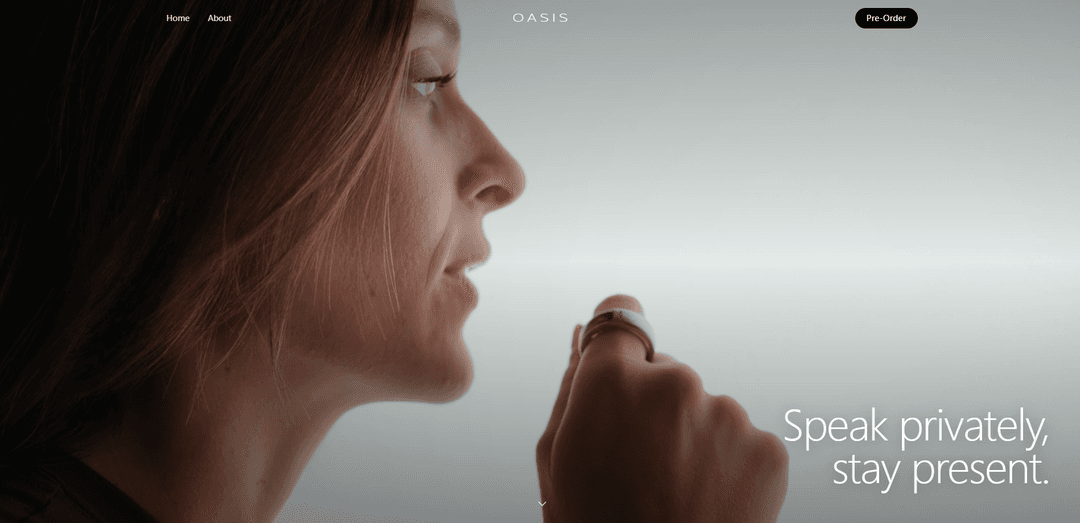
OASIS 1 is a titanium smart ring for private AI dictation and keyboardless control, combining a noise-isolating whisper-tuned mic, a 2D capacitive trackpad with haptics, motion gestures, and up to 16 hours of battery life.
https://oasisdevices.com/?ref=producthunt
Product Information
Updated:Jul 8, 2026
What is OASIS 1 Ring
OASIS 1 is a smart ring designed to bring computing closer by letting you speak privately and control your devices without reaching for a keyboard. Built around discreet input, it pairs a built-in, noise-isolating microphone for whisper dictation with the world’s first 2D trackpad on a ring for tap-and-swipe editing and navigation. The ring is positioned as a “first step beyond the keyboard,” aiming to let your intent follow you across devices. OASIS 1 is priced at $289 USD, offers free shipping, and is scheduled to ship around Christmas 2026 (with a ring sizing kit sent before shipment to ensure fit).
Key Features of OASIS 1 Ring
OASIS 1 is a titanium smart ring designed as a subtle, keyboard-light interface for everyday computing. It combines a noise-isolating built-in microphone for private (whisper-level) dictation with a built-in 2D capacitive trackpad (with optical tracking) and haptics so you can scroll, navigate, control media, and perform “keyboardless editing” like moving the cursor and correcting text via small finger gestures. It’s positioned to work across devices you already use (e.g., iPhone, Mac, Vision Pro) and integrates with Wispr Flow for AI dictation, offering up to ~16 hours of battery life per charge.
Private whisper dictation mic: A noise-isolating built-in microphone tuned for close-to-mouth use, enabling discreet speech input (whisper to write) for text and commands without speaking aloud at a laptop.
2D trackpad on a ring: Capacitive touch with optical tracking supports tap/swipe gestures for fine control—positioning the cursor, navigating interfaces, and making quick edits without reaching for a mouse or keyboard.
Keyboardless editing + navigation: Designed to reduce dependence on traditional input by letting you move the cursor, edit text, and navigate UI using subtle finger gestures paired with haptic feedback.
Haptic feedback controls: A precision haptic motor provides tactile confirmation for gestures and actions, helping users operate the ring without looking at it.
All-day battery target: Rated around 16 hours on a single charge, aimed at supporting a full day of intermittent dictation and touch control.
Cross-device compatibility + featured integration: Marketed to work with common ecosystems (iPhone, Mac, Vision Pro) and includes a featured integration with Wispr Flow for dictation workflows.
Use Cases of OASIS 1 Ring
Hands-light writing for knowledge workers: Draft emails, notes, and documents via whisper dictation, then correct and navigate text with the ring’s trackpad—useful during meetings or while multitasking.
Mobile field notes (healthcare, inspection, on-site work): Capture quick, private observations on the go by whispering into the ring and doing lightweight edits without pulling out a keyboard—helpful in hallways, job sites, or between patient/client interactions.
AR/VR and spatial computing input: Use subtle touch gestures for navigation and media control alongside devices like Vision Pro, offering an always-worn input method when keyboards/controllers are inconvenient.
Media control during commuting or workouts: Tap/swipe for volume, pause/play, and continuous scrolling while staying present—useful when your phone is in a pocket or bag.
Creator/influencer capture and scripting: Quietly dictate ideas, captions, or outlines in public settings and make quick edits with the trackpad, reducing friction between inspiration and publishable text.
Pros
Discreet input: whisper dictation plus subtle touch gestures reduces the need to speak loudly or pull out a keyboard.
Built-in 2D trackpad with haptics enables practical navigation and text correction, not just voice input.
Designed to work with existing devices and includes a featured integration (Wispr Flow) for dictation workflows.
Battery life is positioned for all-day use (~16 hours).
Cons
Availability is far out (listed to ship around Christmas 2026), so near-term access is limited.
Dictation performance and real-world accuracy depend on software/integration quality and noisy environments (despite a noise-isolating mic).
Ring-based input may have a learning curve and may not fully replace a keyboard for heavy editing or long sessions.
Compatibility details beyond listed device categories are not fully specified (e.g., exact app support, OS requirements).
How to Use OASIS 1 Ring
1) Pre-order and prepare for sizing: Pre-order OASIS 1 from oasisdevices.com. Before the ring ships, use the ring sizing kit that OASIS sends to confirm your correct size so the ring fits securely and the trackpad is easy to reach.
2) Charge the ring before first use: Place OASIS 1 in its charging case and charge it fully. OASIS lists up to ~16 hours of battery life on a single charge, so starting from full helps you learn your daily charging routine.
3) Put the ring on for comfortable control: Wear the ring on a finger where your thumb can comfortably tap and swipe the ring’s 2D trackpad. Adjust orientation so the trackpad surface is easy to reach without twisting your hand.
4) Connect it to the devices you already use: Pair OASIS 1 with your target devices (as supported by OASIS): iPhone, Mac, and Vision Pro. Keep the ring paired so you can switch contexts across devices while staying “keyboardless.”
5) Enable the featured dictation workflow (Wispr Flow integration): Set up the featured integration with Wispr Flow (wisprflow.ai) so your whispered speech can be transcribed into the apps you use. Confirm the integration is active on each device you plan to dictate on.
6) Start private dictation (whisper-to-write): Bring your hand naturally closer to your mouth and whisper your text. The ring’s built-in noise-isolating microphone is designed for private dictation so you can speak quietly while staying present.
7) Use the trackpad for continuous scroll and navigation: Swipe on the ring’s capacitive 2D trackpad to continuously scroll and navigate. Use subtle gestures to move through content without reaching for a mouse, keyboard, or touchscreen.
8) Edit text without a keyboard (cursor + corrections): When you need to fix dictated text, use the ring’s trackpad to move the cursor and navigate within the text field. Make corrections using the ring-driven navigation/editing flow rather than switching to a keyboard.
9) Control media playback (pause/play, volume): Use trackpad gestures to control common media shortcuts such as pause/play and volume. This is designed to work with services like Spotify and Apple Music.
10) Rely on haptics for confirmation: Pay attention to the ring’s precision haptic feedback to confirm actions (e.g., gesture recognition, navigation steps, or shortcut triggers) without needing to look at a screen.
11) Use it across everyday contexts: Use OASIS 1 for quick, subtle interactions—dictate privately, scroll, navigate, and control media—while moving between devices (phone, computer, headset) to keep your workflow continuous.
12) Recharge daily (or as needed): Recharge the ring in its case when battery runs low. With an advertised ~16-hour single-charge battery life, many users will top up once per day depending on dictation and trackpad usage.
OASIS 1 Ring FAQs
OASIS 1 is a titanium smart ring designed for private dictation and everyday device control, combining a built-in noise-isolating mic with touch and motion-based controls.
OASIS 1 Ring Video
Popular Articles

Atoms: A Multi-Agent AI Platform That Transforms Ideas into Launch-Ready Products
May 22, 2026

Nano Banana SBTI: What It Is, How It Works, and How to Use It in 2026
Apr 15, 2026

Atoms Review — The AI Product Builder Redefining Digital Creation in 2026
Apr 10, 2026

Kilo Claw: How to Deploy and Use a True "Do‑It‑For‑You" AI Agent(2026 Update)
Apr 3, 2026
Latest AI Tools Similar to OASIS 1 Ring

MultipleWords
MultipleWords is a comprehensive AI platform offering 16 powerful tools for content creation and manipulation across audio, video, and image editing with cross-platform accessibility.
AiTools.Ge
FreemiumMulti-purpose Tools
AiTools.Ge is an all-in-one AI content creation platform offering 70+ templates for generating text, images, voiceovers, code and more across multiple languages.
GiGOS
GiGOS is an AI platform that provides access to multiple advanced language models like Gemini, GPT-4, Claude, and Grok with an intuitive interface for users to interact with and compare different AI models.
Lynklet
Lynklet is an all-in-one social tool platform that combines bio link pages, URL shortening, QR code generation, digital business cards, and file hosting capabilities in one comprehensive solution.
Popular AI Tools Like OASIS 1 Ring

Off-grid LLM over Radio
A platform that integrates Large Language Models (LLMs) with Meshtastic mesh communication networks to enable off-grid AI interactions and automated task execution through radio communication.
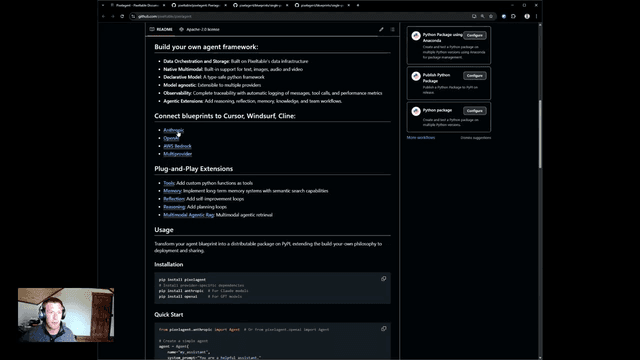
Pixelagent
Pixelagent is a declarative Python framework for building custom AI agents that unifies LLM capabilities, storage, and orchestration with build-your-own functionality for memory, tool-calling, and multimodal data handling.

MulmoCast
MulmoCast is an AI-native multi-modal presentation tool that automatically generates videos, podcasts, slides, PDFs, and manga-style content from a single script using various AI technologies.
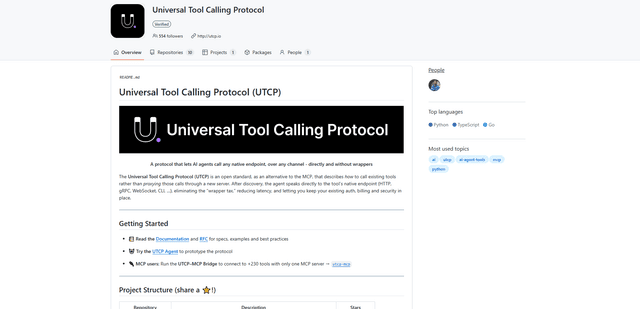
UTCP
UTCP (Universal Tool Calling Protocol) is an open standard protocol that enables AI agents to directly call any native API endpoint across different communication protocols without requiring middleware or wrapper servers.