n8n
n8n is a fair-code licensed workflow automation platform that uniquely combines visual building with custom code capabilities, offering 500+ integrations and native AI features while providing both self-hosted and cloud deployment options.
https://n8n.io/?ref=aipure
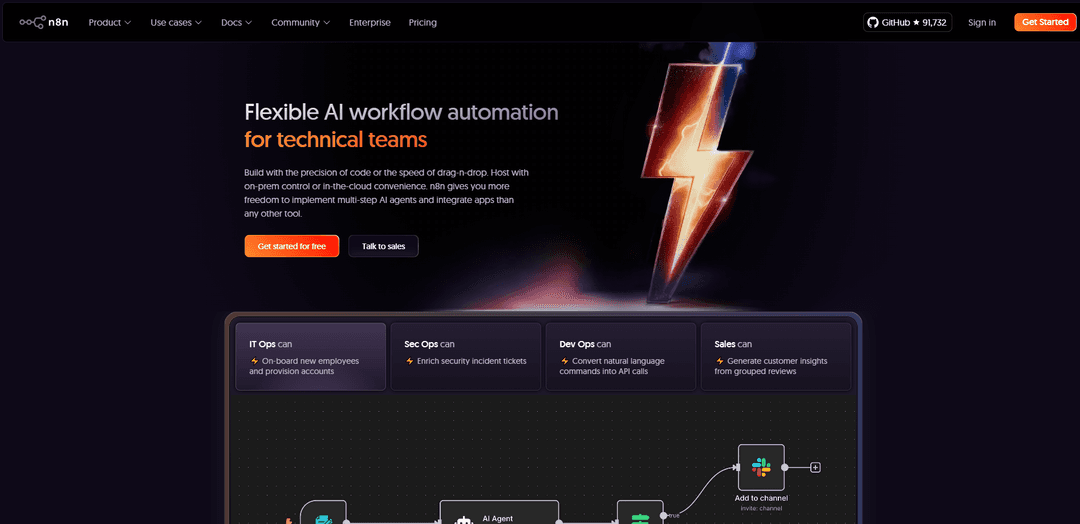
Product Information
Updated:Jun 16, 2026
n8n Monthly Traffic Trends
n8n recorded 11.2M visits with a 2.2% growth, reflecting slight growth. This modest increase aligns with the platform's ongoing enterprise-grade hardening through the n8n 2.0 release, which introduced secure-by-default execution, improved performance under load, and a modernized UI to enhance usability. The $180 million Series C funding round in October 2025, valuing n8n at $2.5 billion, likely boosted visibility and investor confidence, contributing to sustained interest.
What is n8n
n8n is a powerful workflow automation tool designed for technical teams to automate business processes and integrate various applications. It stands out from other automation platforms by offering a fair-code license model, which means users can access the source code while maintaining data privacy and control. The platform bridges the gap between no-code and code-based solutions, allowing users to build complex workflows through both visual interfaces and custom coding capabilities. Whether deployed on-premise or in the cloud, n8n enables organizations to connect different tools, automate tasks, and implement AI functionality within their workflows.
Key Features of n8n
n8n is a powerful workflow automation platform that combines visual building with custom code capabilities, offering 400+ integrations and native AI features. It allows users to build complex automations while maintaining full control over data and deployments through both self-hosted and cloud options. The platform uniquely offers the flexibility of coding with the speed of no-code, supports multiple execution modes, and provides enterprise-grade security features including SSO, RBAC, and encrypted secret stores.
Hybrid Visual-Code Building: Combines drag-and-drop visual workflow building with the ability to write custom JavaScript or Python code, allowing users to switch between visual and code interfaces as needed
Extensive Integration Support: Features 400+ pre-built integrations with popular services and the ability to connect to any REST API, enabling comprehensive workflow automation across different platforms
Flexible Deployment Options: Offers both self-hosted and cloud deployment options, with the ability to run air-gapped installations for maximum data security and control
Native AI Capabilities: Built-in AI features allow creation of multi-step AI agents and integration with various AI models and services while maintaining data privacy
Use Cases of n8n
IT Operations Automation: Automate employee onboarding, account provisioning, and system access management across multiple platforms
Security Operations: Streamline security incident response by automatically enriching tickets and coordinating responses across security tools
Data Integration and Processing: Connect different data sources, transform data formats, and automate data workflows between various business systems
Customer Service Automation: Build AI-powered chatbots and automated response systems that can interact with multiple communication channels
Pros
Highly flexible with both visual and code-based workflow creation
Strong data privacy with self-hosting options
Extensive integration capabilities with 400+ services
Active community and open-source codebase
Cons
Steeper learning curve compared to simpler automation tools
Advanced features require technical knowledge
Some features limited to paid enterprise plans
How to Use n8n
Sign up/Installation: Either sign up for n8n Cloud (free trial available) or self-host using Docker/npm. For Docker: Run 'docker volume create n8n_data' followed by 'docker run -it --rm --name n8n -p 5678:5678 -v n8n_data:/home/node/.n8n docker.n8n.io/n8nio/n8n'
Access the Interface: Open your browser and navigate to localhost:5678 if self-hosted, or login to your n8n Cloud account. You'll see the main workflow canvas.
Create New Workflow: Click the 'Create Workflow' button to start a new automation. Every workflow needs a trigger node as a starting point.
Add Trigger Node: Select a trigger node (e.g., webhook, schedule, manual) that will start your workflow. Configure the trigger settings as needed.
Add Action Nodes: Click the '+' button to add additional nodes for each action you want to perform. Search and select from 400+ available integrations.
Configure Nodes: For each node, set up the required credentials and configure parameters. Use the node editor to map data between nodes and set conditions.
Test Individual Nodes: Use the 'Execute Node' button to test individual nodes without running the entire workflow. Check the output data to verify correct configuration.
Connect Nodes: Draw connections between nodes by dragging from one node's output to another node's input to create the workflow sequence.
Add Error Handling: Configure error handling and notifications for failed executions using conditional logic and error trigger nodes.
Save and Activate: Save your workflow and activate it using the toggle switch. The workflow will now run automatically based on your trigger configuration.
n8n FAQs
n8n is a fair-code licensed workflow automation tool that combines AI capabilities with business process automation. It allows users to build automated workflows using both visual drag-and-drop interfaces and code, with over 500 app integrations available.
n8n Video
Popular Articles

Vosko AI: Localize and Dub Videos for Global Audiences
Oct 15, 2026

Atoms: A Multi-Agent AI Platform That Transforms Ideas into Launch-Ready Products
Oct 13, 2026

Nano Banana SBTI: What It Is, How It Works, and How to Use It in 2026
Apr 15, 2026

Atoms Review — The AI Product Builder Redefining Digital Creation in 2026
Apr 10, 2026
Analytics of n8n Website
n8n Traffic & Rankings
11.2M
Monthly Visits
#4794
Global Rank
#153
Category Rank
Traffic Trends: Nov 2024-Oct 2025
n8n User Insights
00:03:52
Avg. Visit Duration
4.2
Pages Per Visit
49.31%
User Bounce Rate
Top Regions of n8n
US: 15.72%
IN: 9.98%
DE: 4.55%
FR: 3.66%
CN: 3.55%
Others: 62.53%
Latest AI Tools Similar to n8n

Gait
Gait is a collaboration tool that integrates AI-assisted code generation with version control, enabling teams to track, understand, and share AI-generated code context efficiently.

invoices.dev
invoices.dev is an automated invoicing platform that generates invoices directly from developers' Git commits, with integration capabilities for GitHub, Slack, Linear, and Google services.

EasyRFP
EasyRFP is an AI-powered edge computing toolkit that streamlines RFP (Request for Proposal) responses and enables real-time field phenotyping through deep learning technology.

Cart.ai
Cart.ai is an AI-powered service platform that provides comprehensive business automation solutions including coding, customer relations management, video editing, e-commerce setup, and custom AI development with 24/7 support.
Popular AI Tools Like n8n

GitHub Copilot Chat
GitHub Copilot Chat is an AI-powered coding assistant that provides natural language interactions, real-time code suggestions, and contextual support directly within supported IDEs and GitHub.com.

CopilotForXcode
CopilotForXcode is an Xcode Source Editor Extension that integrates GitHub Copilot, Codeium, and ChatGPT to provide AI-powered code suggestions, chat assistance, and prompt-to-code functionality within Xcode.

BrowserAI
BrowserAI is an open-source library that enables running local Large Language Models (LLMs) directly in web browsers with WebGPU acceleration, offering privacy-focused AI capabilities without requiring server infrastructure.

OpenAI Codex CLI
OpenAI Codex CLI is a lightweight, open-source coding agent that runs in your terminal, enabling developers to translate natural language into code execution while providing ChatGPT-level reasoning with the ability to run code, manipulate files, and iterate under version control.