My Drawer
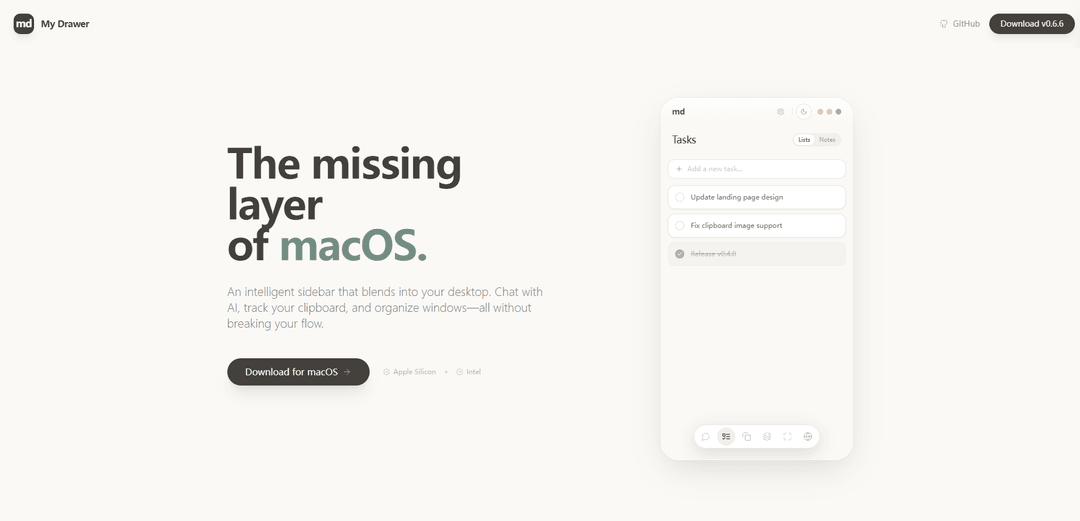
My Drawer is a powerful, local-first personal AI workspace that integrates deeply with macOS workflow, offering intelligent organization, advanced search, and AI-powered features in a customizable sidebar.
https://mydrawer.furkanksl.com/?ref=producthunt
Product Information
Updated:Feb 10, 2026
What is My Drawer
My Drawer is an innovative productivity application designed specifically for macOS users, functioning as an intelligent sidebar that seamlessly blends into your desktop environment. Developed as a local-first solution, it serves as the missing AI layer for macOS, providing users with a comprehensive toolkit to enhance their daily workflow. The application combines artificial intelligence capabilities with practical organizational features, making it an essential tool for users seeking to optimize their desktop experience.
Key Features of My Drawer
My Drawer is a versatile AI-powered workspace for macOS that functions as an intelligent sidebar, offering features like AI chat integration with various LLMs (OpenAI, Anthropic, Google, Mistral, Groq), clipboard management, task organization, and window management. It's designed to seamlessly integrate with the macOS workflow while providing advanced search functionality, multiple themes, and organizational tools to help users stay productive without disrupting their work flow.
AI Chat Integration: Chat with multiple LLM providers including OpenAI, Anthropic, Google, and others with rich markdown support and message history editing capabilities
Clipboard Management: Maintains a searchable and persistent clipboard history that includes both text and images
Research Assistant: Built-in capability to scrape and summarize web pages instantly for efficient information gathering
Customizable Layout: Flexible positioning options including left, right, or hot corners to match user preferences
Use Cases of My Drawer
Professional Research: Researchers can use the web scraping and summarization features to quickly gather and process information from multiple sources
Content Creation: Writers and content creators can leverage the clipboard history and AI chat features to maintain references and generate ideas
Task Management: Professionals can use the focus tasks feature for quick checklists and notes with auto-delete functionality
Pros
Local-first architecture for privacy and performance
Deep integration with macOS workflow
Versatile AI capabilities with multiple LLM options
Cons
Limited to macOS platform only
Some features may require paid subscription
May require learning curve to fully utilize all features
How to Use My Drawer
Download and Install: Download My Drawer from the official website and install it on your macOS device. It's compatible with both Apple Silicon and Intel processors.
Add to Homescreen: After installation, add the My Drawer icon to your homescreen for easy access.
Configure Layout: Choose your preferred layout position - you can set My Drawer to appear on the Left, Right, or Hot Corners of your screen.
Using the Clipboard Feature: Access your clipboard history through My Drawer. The clipboard feature maintains a searchable history that includes both text and images.
Managing Focus Tasks: Use the minimalist checklist and scratchpad features for task management. These items can be set to auto-delete when completed.
Using the Research Agent: Utilize the research agent feature to quickly scrape and summarize web pages for efficient information gathering.
AI Integration: Chat with the built-in AI assistant through the drawer interface to get help with various tasks while maintaining your workflow.
Window Organization: Use My Drawer to organize and manage your open windows directly from the sidebar interface.
My Drawer FAQs
My Drawer is a powerful, local-first personal AI workspace designed specifically for macOS. It functions as an intelligent sidebar that integrates with your desktop workflow, offering features like AI chat, clipboard tracking, and window organization.
Popular Articles

Vosko AI: Localize and Dub Videos for Global Audiences
Oct 15, 2026

Atoms: A Multi-Agent AI Platform That Transforms Ideas into Launch-Ready Products
Oct 13, 2026

Nano Banana SBTI: What It Is, How It Works, and How to Use It in 2026
Apr 15, 2026

Atoms Review — The AI Product Builder Redefining Digital Creation in 2026
Apr 10, 2026
Latest AI Tools Similar to My Drawer

MultipleWords
MultipleWords is a comprehensive AI platform offering 16 powerful tools for content creation and manipulation across audio, video, and image editing with cross-platform accessibility.

Athena AI
Athena AI is a versatile AI-powered platform offering personalized study assistance, business solutions, and life coaching through features like document analysis, quiz generation, flashcards, and interactive chat capabilities.

Taidai.io
Taidai.io is an AI-powered tool that automatically converts notes, emails, and text content into actionable todo lists.

Repliio
Repliio is an AI-powered email assistant Chrome extension that helps users generate professional, context-aware email responses quickly with customizable tones and multi-language support.
Popular AI Tools Like My Drawer

Microsoft Excel: Spreadsheets
Microsoft Excel is the industry-leading spreadsheet software that allows users to organize, analyze, and visualize data through powerful features like formulas, charts, and AI-powered insights.

Standboy
Standboy is a VS Code/Cursor extension that auto-expands a Game Boy (GB/GBC/GBA) emulator in the sidebar during AI agent activity, then auto-hides and pauses—resuming mid-frame next time—while keeping a persistent ROM library, saves, and cover art.
Omniaxe
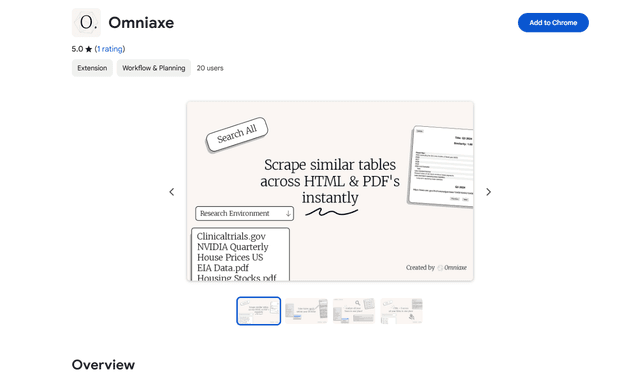
Omniaxe is an all-in-one Chrome extension research tool that combines seamless data extraction, AI-powered analysis, and centralized note-taking capabilities designed specifically for analysts, researchers and students.

Finesse by Skippr AI
Finesse by Skippr AI is a browser extension that provides instant, expert-level product feedback and critiques across design, content strategy, accessibility, and product direction through specialized AI reviewers.