
MulmoChat
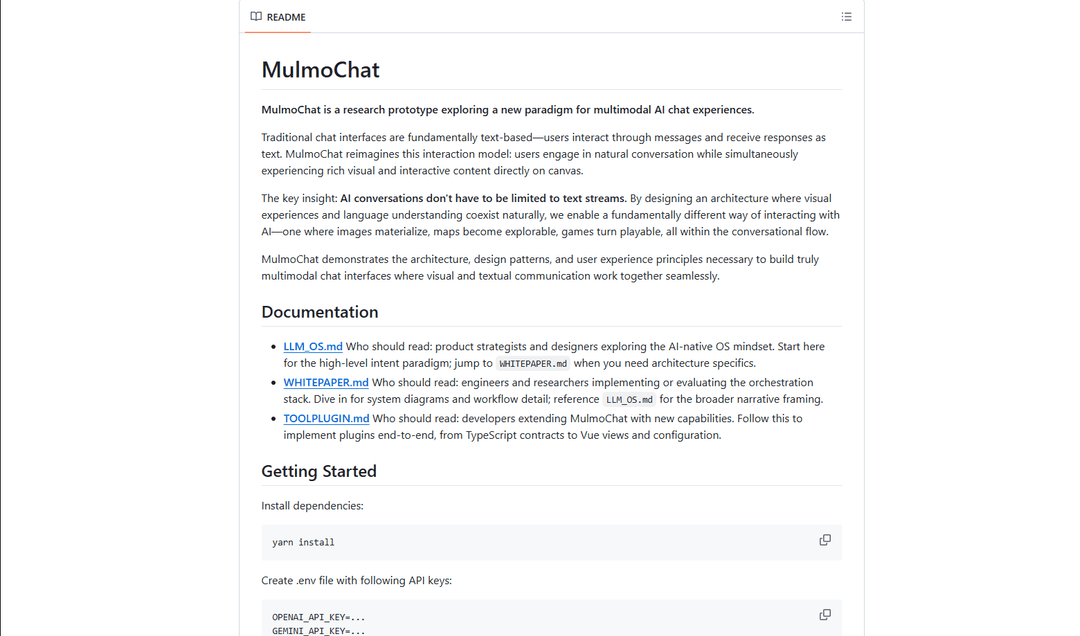
MulmoChat is an open-source multimodal AI chat interface that seamlessly integrates voice chat, image generation, and web browsing capabilities, allowing users to interact naturally through conversation while experiencing rich visual and interactive content.
https://github.com/receptron/MulmoChat?ref=producthunt
Product Information
Updated:Apr 8, 2026
What is MulmoChat
MulmoChat is a groundbreaking research prototype developed by former Microsoft engineer Satoshi Nakajima that reimagines traditional chat interfaces. Unlike conventional text-based chat applications, MulmoChat represents a new paradigm for multimodal AI chat experiences by unifying GUI (Graphical User Interface) and NLUI (Natural Language User Interface). The project is open-source and requires OpenAI and Google Gemini API keys to function, supporting Windows, macOS, and Linux platforms.
Key Features of MulmoChat
MulmoChat is a research prototype that revolutionizes AI chat interactions by combining traditional text-based communication with rich visual and interactive content. It features voice chat capabilities, image generation, web browsing, and multimodal interactions where users can engage in natural conversations while experiencing dynamic visual content directly on canvas, supported by multiple AI providers including OpenAI, Anthropic, Google Gemini, and Ollama.
Multimodal Interaction: Seamlessly integrates text, voice, images, and interactive elements in a single conversational interface, moving beyond traditional text-only chat experiences
Provider-Agnostic Text Generation: Supports multiple AI providers (OpenAI, Anthropic, Google Gemini, Ollama) through a unified API interface, allowing flexible model selection and integration
Advanced Image Generation: Integrates with ComfyUI for local image generation, supporting advanced models like FLUX with customizable parameters and workflows
Extensible Plugin Architecture: Allows developers to extend functionality through plugins, from TypeScript contracts to Vue views and configurations
Use Cases of MulmoChat
Interactive Education: Teachers can create immersive learning experiences combining verbal explanations with real-time visual aids and interactive elements
Design Collaboration: Designers can discuss concepts while generating and manipulating images in real-time, streamlining the creative process
Virtual Tourism: Travel agencies can provide interactive virtual tours combining map features, image generation, and natural conversation
Pros
Highly flexible with support for multiple AI providers
Rich multimodal interaction capabilities
Open-source and extensible architecture
Cons
Requires multiple API keys for full functionality
Complex setup with various dependencies
Research prototype status may indicate limited production readiness
How to Use MulmoChat
Install Dependencies: Run 'yarn install' to install all required dependencies for MulmoChat
Configure Environment Variables: Create a .env file and add required API keys: OPENAI_API_KEY and GEMINI_API_KEY are mandatory. Optional keys include GOOGLE_MAP_API_KEY, EXA_API_KEY, ANTHROPIC_API_KEY, OLLAMA_BASE_URL, COMFYUI_BASE_URL, COMFYUI_DEFAULT_MODEL, and COMFYUI_TIMEOUT_MS
Start Development Server: Run 'yarn dev' to start the development server
Allow Microphone Access: When opening the browser, allow it to access your microphone when prompted
Start Voice Chat: Click the 'Start Voice Chat' button in the interface to begin interacting with the AI
Optional: Set Up ComfyUI Integration: For local image generation: 1) Install ComfyUI Desktop, 2) Launch ComfyUI Desktop server, 3) Download compatible models like flux1-schnell-fp8.safetensors, 4) Configure ComfyUI environment variables if needed
Begin Multimodal Interaction: Start conversing with the AI through voice or text. The system can generate images, display maps, and provide interactive visual content based on your conversation
MulmoChat FAQs
MulmoChat is a research prototype that explores a new paradigm for multimodal AI chat experiences. Unlike traditional text-based chat interfaces, it allows users to engage in natural conversation while experiencing rich visual and interactive content directly on canvas.
Popular Articles

Vosko AI: Localize and Dub Videos for Global Audiences
Oct 15, 2026

Atoms: A Multi-Agent AI Platform That Transforms Ideas into Launch-Ready Products
Oct 13, 2026

Nano Banana SBTI: What It Is, How It Works, and How to Use It in 2026
Apr 15, 2026

Atoms Review — The AI Product Builder Redefining Digital Creation in 2026
Apr 10, 2026
Latest AI Tools Similar to MulmoChat

Folderr
Folderr is a comprehensive AI platform that enables users to create custom AI assistants by uploading unlimited files, integrating with multiple language models, and automating workflows through a user-friendly interface.

Peache.ai
Peache.ai is an AI character chat playground that enables users to engage in flirty, witty, and daring conversations with diverse AI personalities through real-time interactions.

TalkPersona
TalkPersona is an AI-powered video chatbot that provides real-time human-like conversation through a virtual talking face with natural voice and lip-sync capabilities.

Thaly AI
Thaly AI is an AI-powered sales assistant that automates customer conversations and lead qualification to help businesses scale their sales operations while saving time.
Popular AI Tools Like MulmoChat

GPT‑5.5 | ChatGPT Official
GPT‑5.5 in ChatGPT is OpenAI’s latest work-focused model designed to understand complex goals, use tools effectively, check its work, and carry multi-step tasks (coding, research, documents, spreadsheets) through to completion with stronger safeguards.

DuckDuckGo AI Chat
DuckDuckGo AI Chat is a free, anonymous way to access popular AI chatbots like GPT-3.5, Claude, and others while preserving user privacy.

Arch
Arch is an intelligent Layer 7 gateway built on Envoy Proxy that provides secure handling, robust observability, and seamless integration of prompts with APIs for building fast, robust, and personalized AI agents.

Off-grid LLM over Radio
A platform that integrates Large Language Models (LLMs) with Meshtastic mesh communication networks to enable off-grid AI interactions and automated task execution through radio communication.