
Modo
Modo is an AI-powered hardware design platform that generates buildable device designs from text descriptions, combined with powerful 3D modeling, sculpting, animation and rendering capabilities.
https://modo.is/?ref=producthunt

Product Information
Updated:Feb 8, 2026
What is Modo
Modo started as a 3D modeling and animation software developed by Luxology (now merged with The Foundry) that provides comprehensive tools for modeling, sculpting, texturing, lighting and rendering. More recently, it has evolved into an AI-powered hardware design platform that helps users create physical devices from text descriptions. The platform combines advanced 3D design capabilities with practical hardware implementation, making it accessible for both professional artists and hardware developers.
Key Features of Modo
Modo is a professional 3D modeling, animation and rendering software package that offers powerful tools for polygon modeling, sculpting, texturing, and visualization. It features a customizable interface, physically-based rendering capabilities, and supports multiple platforms including Windows, Linux and macOS. The software incorporates advanced features like n-gons, edge weighting, MeshFusion Boolean tools, and integrated sculpting functionality, making it suitable for various creative workflows.
Customizable Interface: Highly flexible UI that allows users to create custom menus, toolsets and workflows, with support for scripting in Perl, Python and Lua languages
Advanced Modeling Tools: Robust direct modeling capabilities combined with procedural modeling system, featuring MeshFusion Boolean tools and integrated sculpting functionality
Multi-threaded Rendering: Physically-based ray-tracer that scales linearly with processor cores, offering features like caustics, dispersion, stereoscopic rendering, and subsurface scattering
Use Cases of Modo
Film and Visual Effects: Used in major film productions like Iron Man and Wall-E for creating high-quality 3D assets and visual effects
Game Development: Creating game assets and models with efficient workflows for real-time experiences and interactive content
Product Design and Architecture: Developing product designs and architectural visualizations with precise modeling tools and photorealistic rendering
Pros
Highly customizable interface and tools
Excellent modeling and unwrapping capabilities
Strong rendering performance with multi-threading support
Cons
Limited animation and simulation features compared to competitors
Less comprehensive in advanced features like fluid simulation
Development being wound down with limited resources allocated
How to Use Modo
Download and Install Modo: Download Modo from The Foundry website and install it on your Windows, Mac or Linux system. You'll need a valid license to use it.
Learn the User Interface: Familiarize yourself with Modo's tabbed layout interface. The UI is organized into different sections for modeling, texturing, animation and rendering workflows. Use the viewport controls to navigate the 3D space.
Start Basic 3D Modeling: Begin with basic primitive shapes like cylinders under Geometry > Primitive Tools. Use modeling tools to manipulate geometry through operations like extrude, bevel, etc. The workplane helps define the coordinate system.
Apply Materials and Textures: Add materials to your 3D models using Modo's surfacing tools. You can paint textures directly on models using the 3D painting system with various brushes and effects.
Set up Lighting and Rendering: Position lights in your scene and adjust render settings. Modo has a physically-based ray-trace renderer that supports features like caustics, dispersion, and subsurface scattering.
Create Animations: Use the animation tools to add motion to objects. Set keyframes, adjust timing, and preview animations in the viewport.
Export Your Work: Export your finished work in various formats like STL for 3D printing or standard formats like STEP/IGES for CAD applications. Render out final images and animations.
Get Help and Resources: Utilize Modo's built-in help system, online documentation, video tutorials, and community forums to learn advanced features and troubleshoot issues.
Modo FAQs
Modo is an AI-powered hardware design platform that generates parts lists, printable enclosures, firmware, and assembly steps from text descriptions. It helps users build hardware devices by verifying component compatibility, power requirements, and ensuring parts work together.
Modo Video
Popular Articles

Vosko AI: Localize and Dub Videos for Global Audiences
Oct 15, 2026

Atoms: A Multi-Agent AI Platform That Transforms Ideas into Launch-Ready Products
Oct 13, 2026

Nano Banana SBTI: What It Is, How It Works, and How to Use It in 2026
Apr 15, 2026

Atoms Review — The AI Product Builder Redefining Digital Creation in 2026
Apr 10, 2026
Latest AI Tools Similar to Modo

JustAHuman
JustAHuman is a gaming platform that rewards players for completing challenges while helping game creators process 3D assets through AI.
Sketcho
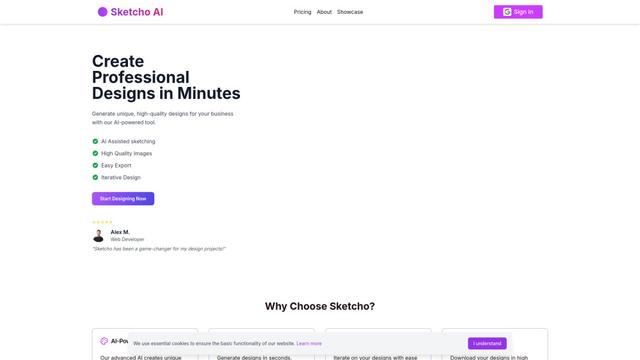
Sketcho is an AI-powered design tool that transforms sketches and ideas into high-quality professional designs through an intuitive interface.

Rendair
Rendair is an all-in-one AI-powered architectural rendering platform that offers quick, high-quality visualizations through both AI tools and professional 3D artists for architects, designers, and real estate professionals.

Triorama AI
Triorama AI is an AI-powered 3D product configurator platform that enables eCommerce businesses to offer real-time product personalization and visualization capabilities to their customers.
Popular AI Tools Like Modo

Hunyuan3D-2.1
Hunyuan3D-2.1 is Tencent's first production-ready 3D asset generation system that combines fully open-source framework with physically-based rendering (PBR) texture synthesis to create high-fidelity 3D models from images or text descriptions.
Nova3D
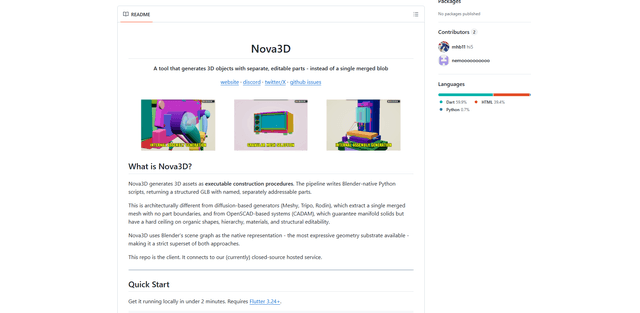
Nova3D is an AI 3D generation tool that produces structured, editable, part-aware 3D assets by generating Blender-native construction scripts and exporting a named, hierarchical GLB instead of a single merged mesh.

Modelify
Modelify is an AI-powered mobile app that transforms 2D images into high-quality 3D models seamlessly on iPhone and iPad devices.

Leonardo.ai
Leonardo.ai is a powerful AI image generator platform that enables users to create high-quality art, images, and videos through innovative tools like text-to-image generation, AI canvas editing, and 3D texture generation.