Minimax H3
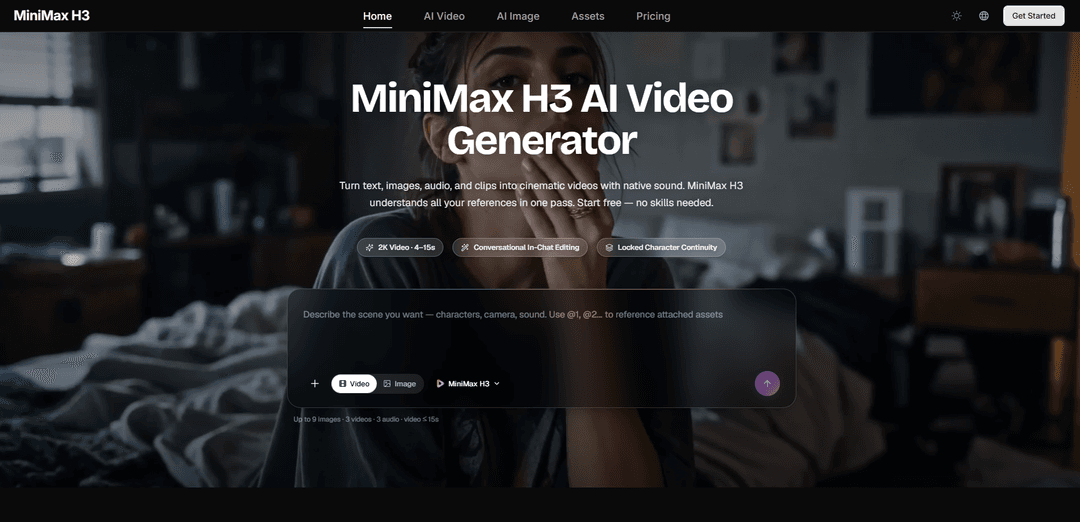
MiniMax H3 is an open-weights, truly multimodal AI video generator that blends text, images, video, and audio into 4–15s clips (up to 2K/1440p) with native stereo sound, strong character continuity, and instruction-based editing.
https://minimaxh3.ai/?utm_source=aipure
Product Information
Updated:Aug 7, 2026
What is Minimax H3
H3 belongs to a newer class of video models that treat a whole scene as one job rather than assembling it from separate stages. You hand it a mix of material — a prompt, some stills, a clip, a voice sample — and it works out how the people, gestures, sound, mood, framing, and visual treatment in those references relate to each other before producing anything. What comes back is a shot between four and fifteen seconds at 2K, with its audio already part of the render.
Key Features of Minimax H3
MiniMax H3 is an open-weights, general-purpose multimodal video generation model that can understand a unified context of text, images, video clips, and audio tracks to produce short videos (about 4–15 seconds) with native synchronized stereo audio. It supports multiple workflows—text-to-video, image-to-video, first/last-frame control, reference-based generation, and instruction-based video editing—so creators can generate or revise shots in plain language while maintaining character continuity, camera motion, style, and sound design across the clip, with output reaching up to 2K via hosted systems and up to ~768p short-edge in local base deployments.
Unified multimodal context (text + image + video + audio): Accepts mixed inputs in a single request—up to 9 images, 3 video clips, and 3 audio tracks (12 files total)—and reasons over them together to blend characters, motion, camera language, voices, and style into one coherent result.
Native stereo audio generation & voice/Audio reference: Outputs video with built-in synchronized stereo sound (ambience, SFX, music, and dialogue) and can use provided audio references to guide vocals/voice tone and timing, aligning sound effects with on-screen actions.
Reference-driven control (identity, motion, style): Uses reference images to keep faces/characters consistent, reference video to transfer choreography or camera movement, and reference audio to guide voice/music—enabling “omni reference” style workflows described in natural language.
Instruction-based video editing (conversational iteration): Edits an existing clip via plain-language directives (swap objects/subjects, change wardrobe, replace background, relight, rewrite dialogue) while keeping untouched regions stable for faster shot-by-shot iteration.
Multiple generation modes & aspect ratios: Supports text-to-video, image-to-video, first-and-last-frame interpolation, and video-to-video/editing across common formats (e.g., 16:9, 9:16, 1:1, 21:9), fitting both cinematic and social outputs.
Open-weights ecosystem + hosted API option: Released under a community license with open weights and tooling support (e.g., diffusers pipeline, ComfyUI workflows, vLLM/SGLang serving recipes), while also being accessible via hosted APIs for higher-end pipelines like 2K regeneration.
Use Cases of Minimax H3
Marketing & brand ads: Turn product shots and briefs into short ad creatives with readable on-screen text/logos, controlled camera language, and built-in sound design—then iterate quickly by editing details (lighting, background, copy, VO) via instructions.
E-commerce product showcases: Animate static product photos into polished listing videos, including packaging detail, captions, and synchronized ambience/music, without a physical shoot.
Game development & content (CG, trailers, UI demos): Generate game-like sequences, character PVs, and animated UI walkthroughs where consistency matters (HUD/menu readability, character model stability), using references to keep designs on-model.
Stylized animation & music-video content: Produce clips in distinct looks (anime, claymation, pixel art, 3D fantasy) and synchronize action beats to music/SFX, leveraging style and motion references for cohesive visual rhythm.
Film previsualization & short narrative scenes: Create 4–15s cinematic beats with director-style camera instructions (dolly, rack focus, cuts/title cards) and native audio, useful for storyboarding, pitch materials, and rapid concept exploration.
Social short-form content production: Generate vertical (9:16) sound-on clips for TikTok/Reels/Shorts quickly from text prompts and optional references, then refine with conversational edits instead of re-rendering from scratch.
Pros
Strong multimodal flexibility: combines text, images, video, and audio in one context rather than separate tools.
Native synchronized stereo audio (including dialogue/SFX/ambience) reduces the need for separate sound design passes.
Instruction-based editing enables fast iteration while preserving stable elements like character identity and scene layout.
Open-weights availability plus broad ecosystem support (pipelines/workflows/serving stacks) enables customization and local experimentation.
Cons
Full 2K workflow may depend on hosted stages; local open-weight releases may be more limited (e.g., ~768p short-edge base output) and can be hardware-intensive.
Community license includes usage restrictions (e.g., obligations around lawful use and limits on using outputs/models to improve other AI models).
Short clip duration focus (roughly 4–15 seconds) means longer narratives require stitching multiple generations and managing continuity externally.
How to Use Minimax H3
1) Choose how you will run MiniMax H3 (App, hosted API, or local open-weights): Pick one workflow: (a) Web/App experience (fastest start): use the MiniMax H3 app/site to generate and edit in-chat. (b) Hosted API (serverless): submit async jobs and download MP4 when done. (c) Local open-weights (ComfyUI or vLLM): run H3-Base locally for 768p-class output; note that hosted Context-IR and 2K upscaling modules are separate hosted stages.
2) Decide your generation mode (Text-to-Video, Image-to-Video with first/last frame, or Reference-to-Video): MiniMax H3 is released as two task-specific checkpoints: FL2VA (text-to-video + first/last-frame conditioning) and Ref2VA (reference-based generation). Choose: Text-to-Video for prompt-only; Image-to-Video for first and/or last frame control; Reference-to-Video to combine multiple images/videos/audio references (up to 12 files total: up to 9 images, 3 videos, 3 audio).
3) Write a “director-style” prompt (subject + action + camera + light + sound): Describe what happens across the clip, not just a still image. Include camera language (e.g., tracking shot, rack focus, handheld), lighting/time (golden hour, neon night), and explicitly direct audio as its own track (ambience, SFX, music, dialogue). H3 outputs native stereo audio, so specify sound intentionally to avoid undesired audio.
4) If using references, assign each reference an explicit job: When providing images/videos/audio, state what each one controls (character identity, background, choreography, style, music bed, voice tone). Example pattern: “Use @Image 1 for character face and outfit; @Image 2 for second character; @Image 3 for environment; @Video 1 for camera motion and action rhythm; @Audio 1 for background music; add synced hit/jump/weapon SFX.”
5) Choose duration and aspect ratio: Set a clip length within the supported range (commonly 5–15 seconds depending on platform). Pick an aspect ratio such as 21:9, 16:9, 4:3, 1:1, 3:4, or 9:16 (or let H3 auto-pick framing in some interfaces).
6) Generate via the App (quick start path): In the MiniMax H3 app/site: (1) Select MiniMax H3, switch to Video. (2) Paste your prompt and optionally upload references (images/videos/audio). (3) Choose aspect ratio and duration. (4) Click Generate to receive a video with native stereo audio. (5) Download the result.
7) Generate via hosted API (async job submission): Create an API key (e.g., EvoLink). POST an async generation request, receive a task ID, poll status, then download the resulting MP4 when complete. Use the correct model ID for your mode (e.g., “minimax-h3-text-to-video”). Do not mix mode-specific fields (e.g., text route does not accept image_start; reference route does not accept image_start/image_end).
8) Example API request (Text-to-Video): Send JSON like: { "model": "minimax-h3-text-to-video", "prompt": "A lone traveler walks along a windswept cliff at golden hour, cinematic tracking shot", "duration": 5, "quality": "2k", "aspect_ratio": "16:9" }. Then poll by task ID until finished and download the MP4.
9) Local ComfyUI setup: install nodes and place model files: Install ComfyUI and the MiniMax H3 custom nodes (e.g., ComfyUI-MiniMaxH3). Download and place required weights: diffusion model (e.g., minimax_h3_fl2va_pruned_int8_convrot.safetensors), text encoder (e.g., qwen3vl_32b_minimax_h3_nvfp4_awq.safetensors), and both VAEs: minimax_h3_video_vae_fp16.safetensors (video) + minimax_h3_audio_vae_fp32.safetensors (audio). Ensure your workflow includes VAEDecodeAudio connected to SaveVideo so audio is written into the output.
10) Local ComfyUI: pick correct resolution (avoid too small): H3 has a minimum resolution of 384p; 256p fails. Use the official resolution presets/templates. H3’s native canvas is a 768px short edge (capped at 768×1344, multiples of 32). For full-quality local output, raise megapixels to about ~1.0 at 16:9 (roughly 1344×768).
11) Local ComfyUI: run the correct node for your mode: For FL2VA (text + optional first/last frame), use the MiniMaxH3ImageToVideo node and connect images to first_frame and/or last_frame. For Ref2VA (multi-reference), use the MiniMaxH3ReferenceToVideo node and provide ordered image/video/audio references with explicit roles described in the prompt.
12) Local vLLM (ROCm) serving option (advanced): If deploying with vLLM Omni on ROCm, use the official vllm/vllm-omni-rocm:minimax-h3 image and serve either /path/to/MiniMax-H3/FL2VA or /path/to/MiniMax-H3/Ref2VA depending on request type. Swap the served path and restart to switch between FL2VA and Ref2VA handling.
13) Iterate using instruction-based editing (change one thing, keep the rest stable): After a generation, refine by giving a plain-language edit instruction (swap outfit, replace background, relight, rewrite dialogue, etc.). H3 is designed to keep untouched parts stable while applying the requested change. For reliable iteration, change one variable at a time and keep a working baseline.
14) Troubleshoot common issues (audio, resolution, and “broken” prompts): If audio sounds wrong, add explicit sound direction (ambience, music style, SFX timing, dialogue intent). If output fails or looks corrupted locally, ensure resolution is ≥384p and both video+audio VAEs are loaded with VAEDecodeAudio wired to SaveVideo. If a prompt works in hosted Hailuo/App but not locally, remember hosted pipelines may include Context-IR preprocessing; locally you may need more explicit structure and reference-role assignment.
15) Export and use the result appropriately: Download the MP4 (with native stereo audio). If using open weights, follow the MiniMax H3 Community License Agreement and any use restrictions; hosted APIs may be globally available while open-weight terms can be territorial and include restrictions such as no distillation.
Minimax H3 FAQs
MiniMax H3 is an open-weights, general-purpose multimodal video generation model that can read text, images, video, and audio together in a single context and generate coherent audiovisual video clips.
Popular Articles

Atoms: A Multi-Agent AI Platform That Transforms Ideas into Launch-Ready Products
May 22, 2026

Nano Banana SBTI: What It Is, How It Works, and How to Use It in 2026
Apr 15, 2026

Atoms Review — The AI Product Builder Redefining Digital Creation in 2026
Apr 10, 2026

Kilo Claw: How to Deploy and Use a True "Do‑It‑For‑You" AI Agent(2026 Update)
Apr 3, 2026