
LumiChats Offline(free)
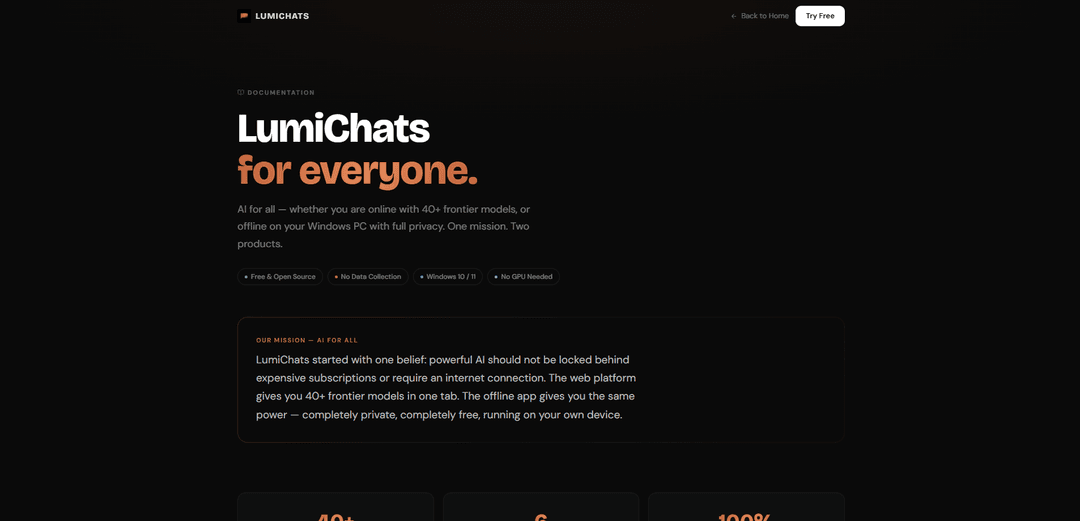
LumiChats Offline (free) is a 100% private, no-internet, CPU-only Windows app that lets you run local GGUF LLMs and chat with your own documents (LocalDocs/RAG) without any data collection or subscriptions.
https://lumichats.com/docs?ref=producthunt
Product Information
Updated:May 18, 2026
What is LumiChats Offline(free)
LumiChats Offline (free) is a Windows 10/11 desktop application designed to make powerful AI accessible without requiring an internet connection, a GPU, or a paid subscription. Built around a “privacy-first” approach (no telemetry, no analytics, no cloud dependency), it runs AI models directly on your PC so your conversations and files never leave your device. The app supports a wide range of GGUF-format models (including popular open-source families like Llama, Mistral, Qwen, and DeepSeek) and also includes LumiChats’ own fine-tuned models, such as LumiChats v1.1 built on top of Meta’s Llama 3.2 3B Instruct foundation.
Key Features of LumiChats Offline(free)
LumiChats Offline (free) is a Windows 10/11 desktop app for running AI locally with full privacy and no internet connection. It supports CPU-only inference (no GPU required), works with a wide range of GGUF-format models (including popular open models and LumiChats’ own fine-tuned releases), and includes LocalDocs (RAG) so you can chat with your PDFs, Word files, and text documents using local embeddings—keeping all data on-device with no telemetry, analytics, or cloud dependency.
100% private, fully offline: Runs entirely on your PC so conversations and documents never leave your device—no cloud calls, no telemetry, and no analytics.
No GPU required (CPU-only inference): Designed to work on modern Windows laptops/desktops without CUDA/Vulkan or dedicated graphics hardware.
LocalDocs (RAG) for private document chat: Chat with your own PDFs, Word files, and text documents using local embeddings for retrieval—nothing is uploaded to any server.
Broad GGUF model compatibility: Supports any GGUF-format model, enabling use of ecosystems like Mistral, LLaMA, Qwen, DeepSeek, and other community models.
Included LumiChats open-source models: Ships with access to LumiChats’ own fine-tuned models (and more available via Hugging Face) for general conversational use.
Use Cases of LumiChats Offline(free)
Confidential document Q&A (legal/finance/HR): Analyze and query sensitive contracts, policies, or internal reports locally via LocalDocs without risking data exposure to third-party clouds.
Offline field work and low-connectivity environments: Use an on-device assistant for notes, checklists, and reference Q&A in locations where internet is unreliable or prohibited.
On-device research and literature review: Chat with downloaded papers, drafts, and datasets summaries privately, building retrieval over your personal library without uploading sources.
Developer sandbox for local LLM experimentation: Quickly swap GGUF models to test prompting, evaluate outputs, and prototype local assistants without standing up servers.
Personal productivity with privacy constraints: Draft outlines, rewrite text, and summarize personal documents while keeping all content on your own machine.
Pros
Fully offline and private by design (no cloud dependency, no telemetry/analytics).
Runs on Windows without a GPU, lowering the barrier to local AI.
Supports many GGUF models, giving flexibility to choose speed/quality trade-offs.
LocalDocs enables private RAG over PDFs/Word/text without uploading files.
Cons
Windows-only (Windows 10/11), limiting use on macOS/Linux devices.
CPU-only inference can be slower than GPU/cloud models for larger LLMs.
Quality and capability depend on the specific GGUF model you install/use (requires some model selection/tuning).
How to Use LumiChats Offline(free)
1) Check requirements (Windows + storage): Use a Windows 10/11 PC. LumiChats Offline is designed to run fully offline on CPU (no GPU needed). Ensure you have enough disk space for at least one GGUF model file (size varies by model/quantization).
2) Download and install LumiChats Offline (free): Go to the LumiChats documentation page and follow the Offline/Windows app download link for the latest release (v1.1). Install it like a normal Windows app.
3) Launch LumiChats Offline and confirm privacy mode: Open the app. It is designed to be 100% private: conversations stay on your device with no telemetry/analytics and no cloud dependency.
4) Add a local GGUF model: In the app’s model area/library, add or import a GGUF-format model. LumiChats Offline supports GGUF models including Mistral, LLaMA, Qwen, DeepSeek, and LumiChats’ own fine-tuned models.
5) (Optional) Download a LumiChats model from Hugging Face: If you want an official LumiChats model, open the provided Hugging Face link in the docs (adityakum667388) and download a GGUF variant if available. Then import that GGUF file into LumiChats Offline.
6) Select the model you want to chat with: Choose your imported GGUF model as the active model in LumiChats Offline so new chats use it.
7) Start an offline chat: Create a new conversation and ask questions normally. Inference runs locally on your CPU, so responses may be slower on older machines.
8) Use LocalDocs (private document chat / RAG): Open the LocalDocs feature and add your files (PDFs, Word documents, or text files). LumiChats Offline will create local embeddings and let you ask questions grounded in those documents—nothing is uploaded.
9) Ask document-grounded questions in LocalDocs: After adding documents, query them (e.g., “Summarize chapter 3” or “Find the definition of X”). The app retrieves relevant passages locally and answers using your selected model.
10) Switch models when needed: If you’ve imported multiple GGUF models, switch the active model to compare outputs (e.g., use one model for writing, another for coding), all still fully offline.
LumiChats Offline(free) FAQs
LumiChats Offline is a free, open-source Windows app that lets you run AI locally on your PC for full privacy. It works without internet and does not require a GPU.
LumiChats Offline(free) Video
Popular Articles

Atoms: A Multi-Agent AI Platform That Transforms Ideas into Launch-Ready Products
May 22, 2026

Nano Banana SBTI: What It Is, How It Works, and How to Use It in 2026
Apr 15, 2026

Atoms Review — The AI Product Builder Redefining Digital Creation in 2026
Apr 10, 2026

Kilo Claw: How to Deploy and Use a True "Do‑It‑For‑You" AI Agent(2026 Update)
Apr 3, 2026
Latest AI Tools Similar to LumiChats Offline(free)

Folderr
Folderr is a comprehensive AI platform that enables users to create custom AI assistants by uploading unlimited files, integrating with multiple language models, and automating workflows through a user-friendly interface.

Peache.ai
Peache.ai is an AI character chat playground that enables users to engage in flirty, witty, and daring conversations with diverse AI personalities through real-time interactions.

TalkPersona
TalkPersona is an AI-powered video chatbot that provides real-time human-like conversation through a virtual talking face with natural voice and lip-sync capabilities.

Thaly AI
Thaly AI is an AI-powered sales assistant that automates customer conversations and lead qualification to help businesses scale their sales operations while saving time.
Popular AI Tools Like LumiChats Offline(free)

GPT‑5.5 | ChatGPT Official
GPT‑5.5 in ChatGPT is OpenAI’s latest work-focused model designed to understand complex goals, use tools effectively, check its work, and carry multi-step tasks (coding, research, documents, spreadsheets) through to completion with stronger safeguards.

DuckDuckGo AI Chat
DuckDuckGo AI Chat is a free, anonymous way to access popular AI chatbots like GPT-3.5, Claude, and others while preserving user privacy.

Arch
Arch is an intelligent Layer 7 gateway built on Envoy Proxy that provides secure handling, robust observability, and seamless integration of prompts with APIs for building fast, robust, and personalized AI agents.

Off-grid LLM over Radio
A platform that integrates Large Language Models (LLMs) with Meshtastic mesh communication networks to enable off-grid AI interactions and automated task execution through radio communication.