
Layers
Layers is a comprehensive code-aware marketing automation platform that uses AI to transform code into users by managing content generation, social media, ads, and marketing strategies across multiple channels.
https://layers.com/?ref=producthunt

Product Information
Updated:Mar 8, 2026
What is Layers
Layers is an innovative marketing platform that bridges the gap between application development and user acquisition. It's designed to help developers and businesses automate their marketing efforts through AI-powered tools and features. The platform offers a full-stack marketing solution that integrates various aspects of digital marketing, including content generation, social media management, paid advertising, and user growth strategies, all while being aware of the application's code and purpose.
Key Features of Layers
Layers is a comprehensive marketing automation platform that uses AI to help developers turn their code into user growth. It provides code-aware agentic marketing capabilities that learn your app, audience, and real-time trends to power scalable marketing efforts across multiple channels including content generation, social media management, paid advertising, and user-generated content programs.
Content Generation Layer: Performs agentic trend research to create viral content specific to your app, including custom influencer content, brand personality development, and demo product media
Automated Ad Management: Handles end-to-end advertising across Apple Search Ads, TikTok, and Meta platforms with automated campaign launches, conversion tracking, and budget optimization
Social Distribution & Engagement: Intelligently distributes content across social platforms with optimized timing and automated authentic engagement responses while maintaining account health monitoring
Full Stack Marketing Integration: Provides a unified platform for managing all marketing channels including UGC programs, email marketing, ASO, and attribution tracking through the Layers SDK
Use Cases of Layers
Mobile App Growth: Help mobile app developers automate their marketing efforts and increase user acquisition through optimized content and advertising
Social Media Management: Enable businesses to maintain active social media presence with automated content generation and engagement across multiple platforms
Marketing Agency Operations: Support marketing agencies in managing multiple client accounts with team workspaces and automated marketing tasks
Pros
All-in-one marketing solution that eliminates need for multiple tools
AI-powered automation reduces manual marketing efforts
Real-time monitoring and optimization of marketing performance
Cons
Pricing may be expensive for small businesses
Requires initial setup and connection with app/code
How to Use Layers
Access the Layers Panel: Open the Layers panel by selecting Window > Layers or clicking the Layers icon. This panel shows all layers in your document and allows you to manage them.
Create a New Layer: Click the 'New Layer' button at the bottom of the Layers panel or use the keyboard shortcut. New layers appear above the currently selected layer.
Organize and Name Layers: Double-click on a layer name to rename it. Group related elements on separate layers for better organization. Use descriptive names to easily identify layer contents.
Show/Hide Layers: Click the eye icon next to a layer to toggle its visibility. This allows you to work on specific elements without affecting other layers.
Adjust Layer Order: Click and drag layers up or down in the Layers panel to change their stacking order. Layers at the top appear above layers below them.
Lock/Unlock Layers: Click the lock icon to prevent accidental changes to a layer. Locked layers cannot be edited until unlocked.
Adjust Layer Opacity: Use the Opacity slider in the Layers panel to make layers more transparent or opaque. This affects how much underlying layers show through.
Apply Layer Masks: Add layer masks to selectively show or hide parts of a layer. White areas of the mask show the layer content, while black areas hide it.
Merge Layers: Select multiple layers and use the 'Merge Layers' command to combine them into a single layer when finished editing.
Save with Layers: Save your file in a format that supports layers (like PSD) to preserve the ability to edit individual layers later.
Layers FAQs
Layers is a code-aware agentic marketing platform that helps turn code into users by automating marketing strategies through content generation, ads management, social distribution, and engagement.
Layers Video
Popular Articles

Atoms: A Multi-Agent AI Platform That Transforms Ideas into Launch-Ready Products
May 22, 2026

Nano Banana SBTI: What It Is, How It Works, and How to Use It in 2026
Apr 15, 2026

Atoms Review — The AI Product Builder Redefining Digital Creation in 2026
Apr 10, 2026

Kilo Claw: How to Deploy and Use a True "Do‑It‑For‑You" AI Agent(2026 Update)
Apr 3, 2026
Latest AI Tools Similar to Layers

invoices.dev
invoices.dev is an automated invoicing platform that generates invoices directly from developers' Git commits, with integration capabilities for GitHub, Slack, Linear, and Google services.

Monyble
Monyble is a no-code AI platform that enables users to launch AI tools and projects within 60 seconds without requiring technical expertise.

Devozy.ai
Devozy.ai is an AI-powered developer self-service platform that combines Agile project management, DevSecOps, multi-cloud infrastructure management, and IT service management into a unified solution for accelerating software delivery.
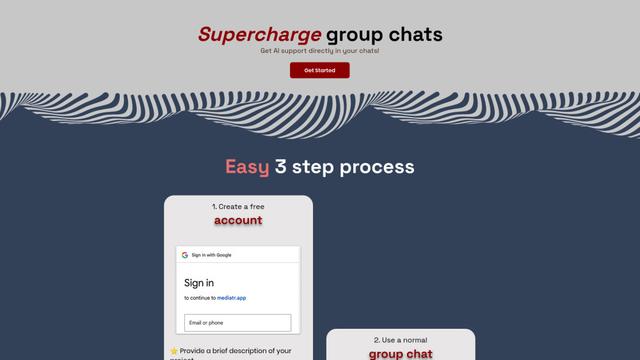
Mediatr
MediatR is a popular open-source .NET library that implements the Mediator pattern to provide simple and flexible request/response handling, command processing, and event notifications while promoting loose coupling between application components.
Popular AI Tools Like Layers

Launch
Launch is an AI-powered platform that enables users to build full-stack applications instantly while providing comprehensive tools for product launches, entrepreneurship programs, and customer acquisition.

GitHub Copilot Chat
GitHub Copilot Chat is an AI-powered coding assistant that provides natural language interactions, real-time code suggestions, and contextual support directly within supported IDEs and GitHub.com.

Rememberall
Rememberall is a secure, open-source long-term memory solution that enables AI applications and GPT models to maintain persistent memory across conversations through semantic search and vector storage capabilities.

Upsonic
Upsonic is a reliability-focused AI agent framework with dockerized server-client architecture that enables trusted agent workflows through advanced features like verification layers, triangular architecture, and Model Context Protocol (MCP) integration.