
HeyDreaming
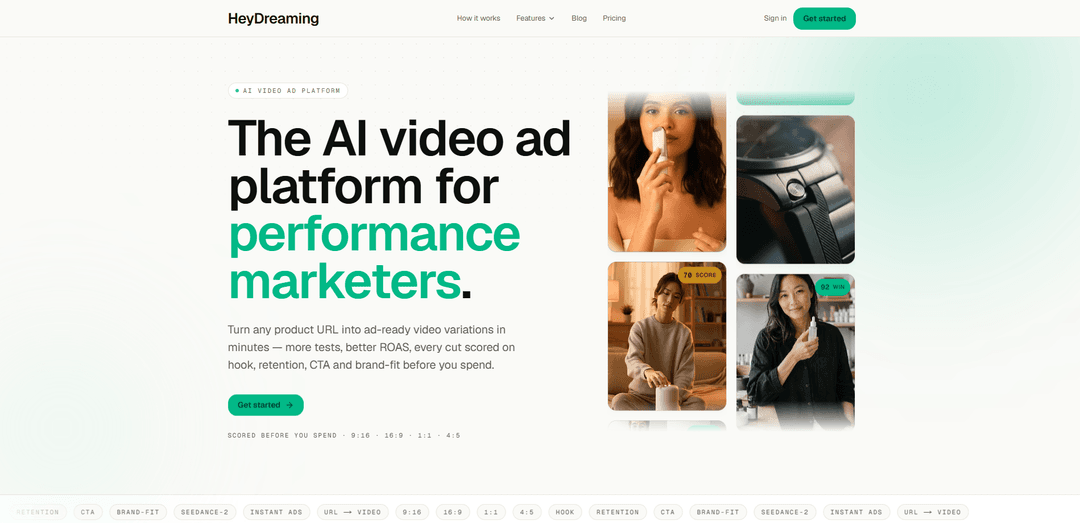
HeyDreaming is an AI video ad platform that turns any product URL into four ad-ready, scored video variations in ~90 seconds, with automatic brand extraction and performance scoring (hook, retention, CTA, brand-fit).
https://heydreaming.com/?ref=producthunt
Product Information
Updated:Jul 8, 2026
What is HeyDreaming
HeyDreaming is an AI video ad generator built for performance marketers, D2C brands, and agencies that need to produce and test ad creatives quickly. Instead of starting from a creative brief or editing timeline, you paste a product page URL and HeyDreaming automatically pulls key brand cues (like logo, palette, fonts, and tone) to generate multiple ad video options. Each run outputs four variations designed for common ad placements, helping teams iterate faster and choose stronger creatives before spending on media.
Key Features of HeyDreaming
HeyDreaming is an AI video ad platform for performance marketers that turns a single product URL into four ad-ready video variations in about 90 seconds. It automatically extracts brand elements (logo, color palette, fonts, tone) from the page, generates multiple cuts in your chosen aspect ratio, and scores each video on hook, retention, CTA strength, and brand-fit so you can ship the most promising version before spending on media.
Product URL → four scored ad videos: Paste one product link and get four distinct video ad variations per run, each pre-scored to help you pick the best performer.
Automatic brand extraction (no brief/uploads): Reads the product page to pull brand cues like logo, palette, fonts, and tone—reducing setup time and keeping outputs on-brand.
Performance scoring before you spend: Scores every cut across hook, retention, CTA, and brand-fit to prioritize the creative most likely to convert.
Multi-format exports for major ad placements: Exports MP4 in 9:16, 16:9, 1:1, and 4:5 for TikTok/Reels/Shorts, YouTube, and social feed placements.
Fast iteration for creative testing: Generates ad variations in ~90 seconds, enabling more creative tests and quicker optimization cycles.
Plans designed for scale (brand kits & seats): Supports multiple brand kits and (on higher tiers) priority queue and workspace seats—useful for agencies and multi-brand teams.
Use Cases of HeyDreaming
D2C ecommerce creative testing: Rapidly generate multiple ad cuts for a product page and launch the top-scored version to improve ROAS and reduce wasted spend.
Agency multi-client ad production: Produce on-brand video ads for many client URLs quickly, using brand kits and scored outputs to streamline approvals and delivery.
App or SaaS acquisition ads: Turn landing pages into short-form video variations with different hooks/CTAs and export in the right formats for paid social.
Seasonal promos and flash sales: Create fresh video creatives for limited-time offers fast, minimizing production bottlenecks when timelines are tight.
Marketplace sellers and small brands: Generate ad-ready videos without a production crew by using the product URL as the single input and exporting platform-ready MP4s.
Pros
Very fast generation (~90 seconds) with multiple variations per run
No brief or asset upload required; brand is inferred from the product URL
Built-in scoring (hook/retention/CTA/brand-fit) helps prioritize likely winners
Supports common ad aspect ratios and MP4 export across plans
Cons
Quality and brand accuracy depend on what can be extracted from the product page
Scoring is predictive and may not always match real-world performance without live testing
Variation output is fixed to four per run (per the described workflow), which may limit some testing strategies
How to Use HeyDreaming
1) Open HeyDreaming: Go to https://heydreaming.com/ and start a new generation.
2) Paste a product URL: Copy the link to the product page you want to advertise and paste it into HeyDreaming. The system reads the page and extracts brand elements like logo, color palette, fonts, and tone—no brand brief or manual uploads required.
3) Choose your output aspect ratio: Select the format you need for your channel: 9:16 (TikTok/Reels/Shorts), 16:9 (YouTube/landscape), 1:1 (feed), or 4:5 (Instagram).
4) Generate the ad videos: Run generation. HeyDreaming uses Seedance-2 to create four distinct ad-video variations from your product URL (typically ~90 seconds).
5) Review the automatic scores: For each of the four cuts, review the pre-spend scoring across: hook, retention, CTA strength, and brand-fit. The top-performing option is flagged as the winner to help you avoid wasting budget on weaker cuts.
6) Download the winning cut (or multiple cuts): Download the MP4(s) you want to run. Exports are provided in the aspect ratio you selected.
7) Iterate with more tests (optional): Repeat with additional product URLs or rerun to produce more variations for testing. If you manage multiple brands, create/use brand kits (Pro includes 5 brand kits; Max includes unlimited brand kits).
8) Manage usage and plan limits: Track your video credits based on your plan: Pro ($29/mo) includes 240 video credits/month; Max ($99/mo) includes 850 video credits/month plus priority queue and workspace seats.
HeyDreaming FAQs
HeyDreaming is an AI video ad generator for performance marketers. You paste a product URL, it reads the page to extract brand elements (like logo, palette, fonts, and tone), generates four ad-video variations, and scores each cut on hook, retention, CTA strength, and brand-fit.
HeyDreaming Video
Popular Articles

Vosko AI: Localize and Dub Videos for Global Audiences
Oct 15, 2026

Atoms: A Multi-Agent AI Platform That Transforms Ideas into Launch-Ready Products
Oct 13, 2026

Nano Banana SBTI: What It Is, How It Works, and How to Use It in 2026
Apr 15, 2026

Atoms Review — The AI Product Builder Redefining Digital Creation in 2026
Apr 10, 2026
Latest AI Tools Similar to HeyDreaming

Loud Fame
Loud Fame is an AI-powered video transformation tool that allows users to convert regular videos into anime-style animations and create AI-generated celebrity talking videos.

BizBoom.ai
BizBoom.ai is an AI-powered platform that automatically generates professional product videos from product links and images with 95% less cost.

EzVideos
EzVideos is an all-in-one video creation tool that helps users generate viral videos for social media platforms like Instagram, TikTok, and YouTube with automated editing features and built-in resources.

Illuminix
Illuminix is an AI-powered platform that empowers businesses with autonomous hyper-experts and specialized tools for automated business processes, data management, and video content creation.
Popular AI Tools Like HeyDreaming

HunyuanVideo-I2V
HunyuanVideo-I2V is an open-source AI framework developed by Tencent that transforms static images into high-quality, dynamic videos with customizable motion effects and exceptional visual consistency.

Google Veo 2
Veo 2 is Google DeepMind's state-of-the-art AI video generation model that can create high-quality videos up to 4K resolution with realistic motion, extensive camera controls, and improved physics simulation from text prompts.

Vibing
Vibing is an AI-powered dating app that helps users share authentic moments through video stories and make genuine connections based on personality matching and interactive features.

Edits, an Instagram app
Edits is Instagram's free video creation app that provides creators with professional editing tools, AI features, and analytics capabilities to create high-quality videos directly from their phones.