
Ghostwriter
Ghostwriter is a personal AI ghostwriter that generates and schedules LinkedIn and X posts in your own voice, helping you publish consistently with saved drafts, calendar publishing, and voice/style customization.
https://ghostwriterrr.com/?ref=producthunt

Product Information
Updated:May 19, 2026
What is Ghostwriter
Ghostwriter is a web-based AI writing and publishing tool built for people who want to grow their presence on LinkedIn and X without constantly coming up with new content. Positioned as a “personal AI ghostwriter,” it focuses on producing posts that match your tone and style, so drafts read like you wrote them yourself. The product includes drafting, saving, reviewing, and scheduling workflows, with plans ranging from a free tier for individuals to Pro and Agency options for higher volume and team use.
Key Features of Ghostwriter
Ghostwriter is a personal AI content assistant for LinkedIn and X that generates posts in your voice and helps you consistently publish without running out of ideas. It supports drafting, saving, editing, and scheduling posts via a calendar workflow, with voice/style customization on paid plans. It also adds version control and collaboration options for teams/agencies, enabling bulk creation and multi-workspace management for client work.
AI post generation for LinkedIn & X: Creates social post drafts tailored for the two platforms, helping users maintain a steady publishing cadence.
Voice & style personalization: Lets you save and customize your tone so drafts read like you, aiming for more authentic, on-brand writing (not generic AI copy).
Draft management workspace: Provides saved drafts and workspace organization to review, refine, and approve content before publishing.
Scheduling + publishing calendar: Includes a calendar-based workflow to schedule posts in advance and manage planned publishing.
Version control: Tracks iterations of posts so you can compare edits, revert changes, and manage approvals more safely.
Agency/team capabilities: Offers collaboration features, admin controls across clients, bulk creation/scheduling, seats, and multiple workspaces for managing multiple brands.
Use Cases of Ghostwriter
Founder personal branding: Founders can publish consistent thought leadership on LinkedIn/X while keeping a recognizable voice and reducing time spent writing.
Agency social content production: Marketing agencies can manage multiple client workspaces, collaborate internally, and bulk-create/schedule posts at scale.
Recruiting and career visibility: Job seekers and professionals can post regularly with structured drafts to increase inbound recruiter interest and network growth.
Product/ops updates for startups: Operators can quickly draft and schedule product updates, learnings, and announcements without interrupting core work.
Creator consistency system: Solo creators can build a repeatable workflow—generate, refine, store drafts, and schedule—so content output stays steady even during busy weeks.
Pros
Designed specifically for LinkedIn and X with an end-to-end workflow (draft → review → schedule/publish).
Voice/style customization helps reduce “generic AI” tone and keep posts on-brand.
Version control and collaboration features support professional/agency workflows.
Free tier available with no credit card required, lowering adoption friction.
Cons
Platform scope is limited to LinkedIn and X (not positioned as a multi-network scheduler).
Free plan is tightly capped (e.g., limited AI drafts and saved drafts).
Higher-scale needs (team/admin/bulk) require custom Agency pricing rather than transparent fixed rates.
How to Use Ghostwriter
1) Choose which “Ghostwriter” you mean (social-post AI tool vs. self-hosted app): The sources reference two different products named “Ghostwriter”: (A) Ghostwriter (ghostwriterrr.com) for writing/scheduling LinkedIn & X posts, and (B) a self-hosted Ghostwriter that runs locally via Docker and is accessed at https://localhost/. Pick the one you intend to use, then follow the matching steps below.
2) Use Ghostwriter (ghostwriterrr.com) to write & schedule LinkedIn/X posts — Sign up / log in: Open https://ghostwriterrr.com/ and click “sign up” or “get started” to go to the app login (https://app.ghostwriterrr.com/login). Create an account or log in.
3) Connect your social accounts (LinkedIn & X): Inside the app, connect LinkedIn and X (Twitter). The Free plan supports connecting LinkedIn & X and includes calendar & publishing.
4) Generate drafts: Create AI-generated post drafts. The Free plan includes 3 AI-generated drafts; the Pro plan includes 30 AI-generated drafts/month; Agency includes 100 AI-generated drafts/month.
5) Save drafts and organize workspaces: Save drafts for later review. Free includes 5 saved drafts and 1 workspace; Pro includes unlimited saved drafts; Agency supports multiple workspaces (up to 10) and team features.
6) Customize your voice & style (Pro/Agency): If you’re on Pro or Agency, configure voice and style so posts are written in your tone (the site highlights “Save your style” and “Customize voice & style”).
7) Review, approve, and schedule posts: Review the generated content, make edits as needed, then schedule posts in advance (Pro/Agency) or publish using the built-in calendar & publishing tools.
8) (Optional) Use advanced Pro/Agency features: Pro mentions version control, a personal AI copilot, video uploads, and purchasing additional seats. Agency adds team collaboration, admin controls across clients, bulk creation & scheduling.
9) Use self-hosted Ghostwriter via Docker — Install prerequisites: Install Docker (version >= 20) and Docker Compose (>= 1.26.x; newer uses the `docker compose` command). Docker Desktop is recommended for local use.
10) Download the Ghostwriter CLI: Download the latest Ghostwriter CLI release for your operating system (macOS/Linux/Windows) and CPU architecture (AMD64 or ARM). The CLI is used to install and manage Ghostwriter containers.
11) Deploy Ghostwriter containers: Use the Ghostwriter CLI to install and start the containers. The deployment is described as a traditional multi-tier container architecture with database, application, and UI layers.
12) Open the web UI and log in: In a browser, go to https://localhost/ and log in with the admin username and the randomly generated password generated during setup.
13) Confirm networking/ports for production-style access: Ghostwriter is described as listening on port 443 for production use. Ensure your environment allows access to 443 as needed.
14) Size resources appropriately: If you expect multiple simultaneous users (e.g., collaborative editing), allocate more resources. The sources recommend higher production requirements equivalent to an AWS t3.xlarge for a smooth experience.
Ghostwriter FAQs
A ghostwriter is a person hired to write texts—such as books, articles, speeches, or other content—that are officially credited to someone else as the author.
Popular Articles

Atoms: A Multi-Agent AI Platform That Transforms Ideas into Launch-Ready Products
May 22, 2026

Nano Banana SBTI: What It Is, How It Works, and How to Use It in 2026
Apr 15, 2026

Atoms Review — The AI Product Builder Redefining Digital Creation in 2026
Apr 10, 2026

Kilo Claw: How to Deploy and Use a True "Do‑It‑For‑You" AI Agent(2026 Update)
Apr 3, 2026
Latest AI Tools Similar to Ghostwriter

Frizerly
Frizerly is an AI-powered platform that automatically creates and publishes SEO-optimized blog content by learning about your business and industry to help improve your website's search rankings.
WP AutoBlog
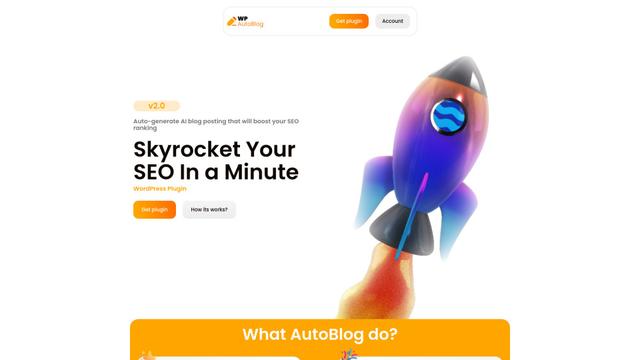
WP AutoBlog is a WordPress plugin that leverages AI to automatically generate and publish SEO-optimized blog content while handling keyword research, image selection, and scheduled posting.
BlogBud AI
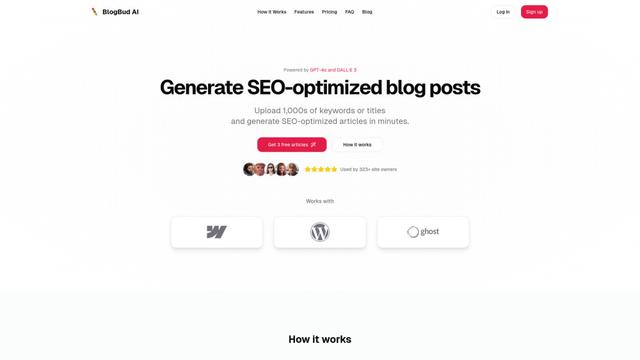
BlogBud AI is a powerful AI-powered content generation platform that helps users create thousands of SEO-optimized blog articles at scale using GPT-4o and DALL-E 3 technologies.
Scriptio AI
ScriptioAI is a unique content creation application that combines three major AI technologies (Google Bard, ChatGPT, and Microsoft AI) to transform voice commands, text, URLs, websites, or keywords into various digital content formats like eBooks, flipbooks, audiobooks, and podcasts.
Popular AI Tools Like Ghostwriter

Writesonic
Writesonic is an AI-powered content creation platform that offers writing assistance, SEO optimization, and custom AI chatbots to help marketers, agencies, and enterprises produce high-quality content efficiently.
HyperWrite
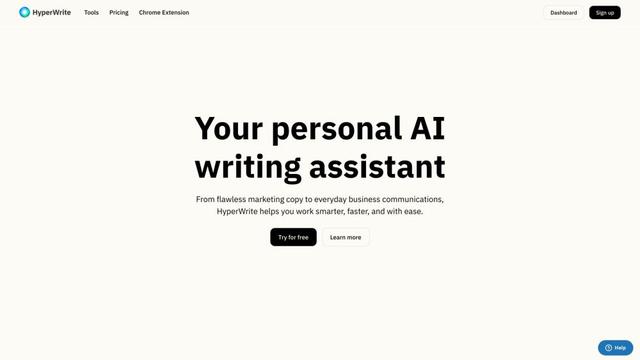
HyperWrite is an AI-powered writing assistant that uses advanced artificial intelligence to help users generate high-quality content, improve their writing, and boost productivity across various writing tasks.

Blaze
Blaze is an AI tool designed for solo marketers to produce high-quality content, including blog posts, social media content, and ad copy, in their brand voice.

Junia AI
Junia AI is an AI-powered content creation tool that generates SEO-optimized, long-form articles to help boost search rankings and organic traffic.