Gauth
Gauth is an AI study companion that solves STEM homework from typed text or photos with step-by-step explanations, beautifully rendered math, and optional premium features like unlimited queries and assignment credits.
https://www.gauth.io/?utm_source=aipure

Product Information
Updated:Sep 16, 2026
What is Gauth
Gauth is an AI-powered study assistant that helps students solve math, science, and other STEM problems with clear, step-by-step explanations. Users can type a question or upload a photo of their homework and receive a detailed solution in seconds.Gauth supports subjects including algebra, geometry, trigonometry, calculus, statistics, linear algebra, physics, and chemistry. Instead of providing only the final answer, it breaks problems down into understandable steps, helping students follow the reasoning and learn how to solve similar problems themselves.With features such as photo-based problem solving, detailed explanations, mathematical notation, saved solution history, and dedicated calculators and solvers, Gauth is designed to make homework help faster and more accessible for students.
Key Features of Gauth
Gauth is an AI-powered homework and study companion focused on STEM that turns typed or photographed questions into clear, step-by-step solutions with well-formatted math. It supports a wide range of topics (from algebra and geometry through calculus, statistics, and sciences like physics and chemistry), and emphasizes “showing the work” via numbered steps and explanations. Gauth runs on a freemium model: a free tier offers a limited number of daily solutions (often with scan limits), while Gauth Plus unlocks unlimited queries and additional capabilities (e.g., Assignment Solver credits and other premium learning tools). It’s available across mobile and desktop, and can be used quickly (including no-login access for an initial solution on the web).
Snap-to-solve (photo input): Capture a printed or handwritten problem with your camera (or upload/paste a screenshot) and receive an AI-generated solution within seconds—useful when typing equations is inconvenient.
Step-by-step solutions with reasoning: Outputs numbered steps plus explanations of the logic behind each move, aiming to help users learn the method rather than only providing the final answer.
Beautiful math rendering (LaTeX): Renders fractions, integrals, matrices, roots, and other notation cleanly, making solutions easier to read and study.
Broad STEM coverage: Covers core math subjects (algebra through linear algebra and statistics) and extends into sciences such as physics and chemistry for multi-subject homework support.
Freemium plans + Gauth Plus upgrades: Free access provides a limited number of daily solutions; Plus typically removes caps (unlimited queries), adds fuller explanations and credits for larger tasks (e.g., Assignment Solver), with pricing varying by platform/region.
Cross-platform access and solution history: Available on iOS/Android and desktop; accounts can save solution history for review before quizzes/tests (web also notes some first-use access without an account).
Use Cases of Gauth
Homework help for middle school to college: Students can scan or type math/science problems to get worked solutions and explanations, then compare with their own approach to identify mistakes.
Exam preparation and revision: Use saved solution history and step-by-step breakdowns to review weak topics (e.g., calculus techniques, algebra manipulation) and practice similar problems.
On-the-go problem solving for busy learners: Mobile photo input enables quick help while commuting or studying away from a computer—especially for handwritten worksheets or textbook pages.
STEM tutoring support and follow-up Q&A: Learners can use AI explanations as a first pass and escalate to premium features (where available) like deeper tutoring-style guidance for tougher problems.
Teacher/parent support for checking work: Adults supporting learners can validate steps, spot where an error begins, and use the explanation to guide instruction without manually re-deriving every solution.
Pros
Step-by-step explanations help users understand methods, not just answers.
Convenient photo/screenshot input plus clean math formatting improves usability for complex notation.
Covers multiple STEM subjects (math plus sciences), useful for broad homework needs.
Free tier allows trying core functionality before paying.
Cons
Free plan is capped (e.g., limited daily solutions/photo scans); heavy users may need a subscription.
Advanced features and pricing vary by region/platform and may require in-app purchases/Plus tiers.
As with any solver, it can be misused for copying rather than learning and may conflict with class/test policies.
How to Use Gauth
1. Access Gauth (app or website): Either download the Gauth app from your device’s app store (iOS/Android) or open the official website (gauth.io) to start solving.
2. Start a new question: On the website, use the main input box to type your problem, drag-and-drop an image, click to upload, or paste a screenshot directly into the box. In the app, begin from the main solve interface.
3. (App) Choose the subject/category if prompted: If the app shows subject categories (e.g., Math, General, History, etc.), select the one that best matches your question to help the solver route it correctly.
4. (App) Capture your problem with the camera: Use the in-app camera to take a photo of the question. Center the problem in the frame so the OCR can read it clearly, then confirm (often via a tick/check button) to proceed.
5. Submit the question: After typing/uploading/pasting (web) or photographing (app), submit the problem so Gauth can scan and identify the core question.
6. Review the step-by-step solution: Gauth returns a worked solution broken into numbered steps, with explanations of the reasoning behind each step, and a clearly highlighted final answer rendered in clean math notation.
7. Use the solution to learn (not just copy): Compare the steps to your own work to spot mistakes and understand the method, so you can solve similar problems independently next time.
8. Save and revisit your history (if logged in): Create an account/sign in to keep a saved history of solutions you can revisit later for revision and test prep.
9. Manage free vs. Plus usage: Use the free plan for a limited number of solutions per day. If you need more queries and full step-by-step access, upgrade to Gauth Plus; you can cancel anytime and keep access until the billing period ends.
Gauth FAQs
Gauth is an AI-powered homework helper (formerly known as Gauthmath) that turns STEM questions into step-by-step solutions with properly rendered math. You can type a question or upload/snap a photo to get the working, not just the final answer.
Popular Articles

Vosko AI: Localize and Dub Videos for Global Audiences
Oct 15, 2026

Atoms: A Multi-Agent AI Platform That Transforms Ideas into Launch-Ready Products
Oct 13, 2026

Nano Banana SBTI: What It Is, How It Works, and How to Use It in 2026
Apr 15, 2026

Atoms Review — The AI Product Builder Redefining Digital Creation in 2026
Apr 10, 2026
Latest AI Tools Similar to Gauth
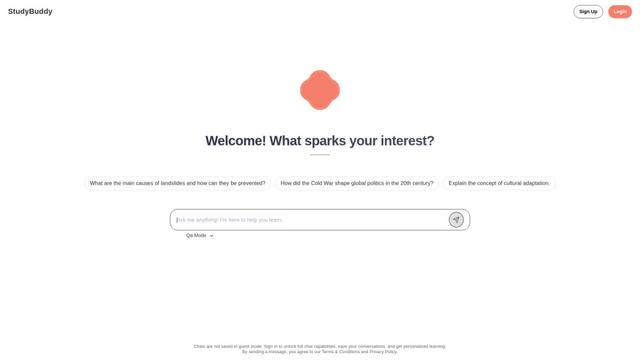
StudyBuddy
StudyBuddy is an AI-powered educational companion platform that offers personalized tutoring, interactive learning experiences, and comprehensive study assistance across multiple subjects through advanced AI technology and peer-to-peer connections.

QuillMinds
QuillMinds is an AI-powered educational platform that helps teachers create lesson plans and assists students with personalized learning through study guides, concept explanations, and practice questions.
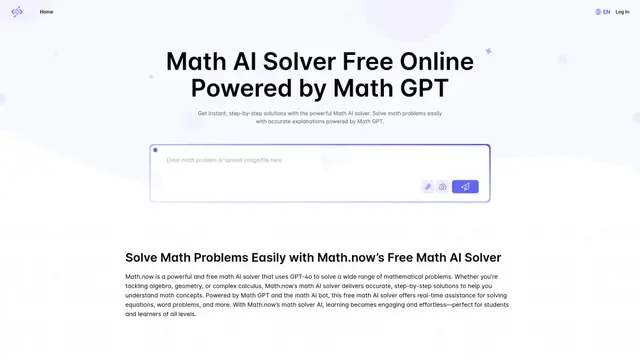
Math.now: Free Math AI Solver powered by math GPT
Math.now is a free, AI-powered math solver that provides instant, step-by-step solutions to a wide range of math problems using advanced GPT-4o technology.

AI Homework Helper
AI Homework Helper is a 24/7 digital tutor that uses artificial intelligence to provide instant, personalized academic assistance across multiple subjects.
Popular AI Tools Like Gauth

Quizlet
Quizlet is a digital learning platform that offers flashcards, practice tests, and other study tools to help students learn and memorize information across various subjects.

Gauthmath
Gauthmath (now rebranded as Gauth) is an AI-powered homework helper app that provides instant solutions and explanations for math and other STEM subjects through photo recognition, AI algorithms, and live expert tutors.

BRAINLY
Brainly is a leading online learning platform and community where students can get homework help, test prep, and personalized tutoring powered by AI and expert answers.

Course Hero
Course Hero is an online learning platform providing access to millions of study resources, tutoring services, and course-specific materials to help students succeed academically.