
Fluent
Fluent is a native macOS AI writing assistant that helps users draft, refine and understand content across all apps with privacy-respecting on-device context and support for 500+ AI models.
https://fluentmac.app/?ref=producthunt

Product Information
Updated:Feb 8, 2026
What is Fluent
Fluent is a powerful AI writing assistant designed specifically for macOS that integrates seamlessly with any application on your Mac. It's a one-time purchase tool that offers lifetime upgrades and requires no subscription. The app supports multiple AI providers including OpenAI, Google, Anthropic, Grok, Mistral, OpenRouter, Straico and Apple Intelligence, as well as local models for complete privacy.
Key Features of Fluent
Fluent is a native macOS AI writing assistant that integrates seamlessly across all applications, offering real-time AI-powered text generation, editing, and optimization. It features a Smart Panel accessible from any app, supports multiple AI providers (including OpenAI, Google, Anthropic, and local models), allows customizable actions with shortcuts, and provides privacy-focused functionality with local data storage. The app offers one-time purchase with lifetime upgrades and includes features like document chat, image handling, and context-aware assistance.
Universal Smart Panel: A Spotlight-like interface that works across all macOS apps, providing instant access to AI writing tools through customizable hotkeys
Multi-Provider AI Support: Access to over 500+ AI models through various providers including OpenAI, Google, Anthropic, and local models, with ability to use custom API keys
Privacy-Focused Design: All data stored locally with encryption options, no telemetry collection, and support for running local AI models without external dependencies
Customizable Actions: Create and customize AI-powered actions with shortcuts, variables, and specific model assignments for different tasks
Use Cases of Fluent
Professional Writing: Help writers and content creators generate, edit, and refine content directly within their preferred writing applications
Multilingual Communication: Assist users in translating and improving text across different languages in real-time for international business communication
Document Analysis: Enable users to chat with and analyze PDFs and other documents, making it useful for research and document review
Email and Message Management: Generate and optimize responses for emails and messages in applications like Mail and Slack
Pros
Native macOS integration with seamless workflow
One-time purchase with lifetime updates
Strong privacy features with local data storage
Extensive AI model support and customization options
Cons
Limited to macOS platform only
Requires separate API keys for various AI providers
Some features still in beta testing
How to Use Fluent
Install Fluent: Download and install Fluent from the official website (fluentmac.app) for your macOS device
Configure AI Providers: Go to Settings → Models and add your API keys for providers like OpenAI, Google, Anthropic, Grok, Mistral, OpenRouter or Straico. You can set a global default model under General tab
Access Smart Panel: Use the Smart Panel by calling it in any macOS app. The panel can be accessed in two modes: following your mouse cursor or pinned to a specific screen location in 'pill' mode
Select Content: Select text, content, or use clipboard content in any app that you want to work with. The Smart Panel will capture the relevant context automatically
Use Actions: Use over 30 pre-supplied actions or create custom actions with shortcuts for tasks like translation, grammar fixes, or text improvements
Work with Multiple Tabs: Press CMD+F to create new sub-tabs and continue working with previous results in context. You can compare results side by side
Attach Files: Drag and drop files directly into Smart Panel for quick attachments, or click on attachments for instant preview
Enable Browser Integration: Enable browser context to allow Fluent to work with Safari, Chrome, Arc, Brave, Edge, Opera, and Vivaldi browsers
Use Local Models: For maximum privacy, configure local MLX models or OpenAI-compatible providers like Ollama or LM Studio in Settings → Models
Customize Settings: Adjust panel position, enable streaming mode, create custom variables, and set up keyboard shortcuts to match your workflow preferences
Fluent FAQs
Fluent is exclusively designed for macOS as an AI writing assistant that works across all macOS applications.
Fluent Video
Popular Articles

Vosko AI: Localize and Dub Videos for Global Audiences
Oct 15, 2026

Atoms: A Multi-Agent AI Platform That Transforms Ideas into Launch-Ready Products
Oct 13, 2026

Nano Banana SBTI: What It Is, How It Works, and How to Use It in 2026
Apr 15, 2026

Atoms Review — The AI Product Builder Redefining Digital Creation in 2026
Apr 10, 2026
Latest AI Tools Similar to Fluent

MultipleWords
MultipleWords is a comprehensive AI platform offering 16 powerful tools for content creation and manipulation across audio, video, and image editing with cross-platform accessibility.

AiTools.Ge
FreemiumMulti-purpose Tools
AiTools.Ge is an all-in-one AI content creation platform offering 70+ templates for generating text, images, voiceovers, code and more across multiple languages.
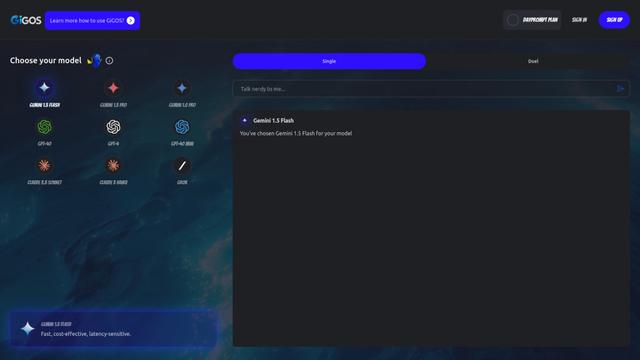
GiGOS
GiGOS is an AI platform that provides access to multiple advanced language models like Gemini, GPT-4, Claude, and Grok with an intuitive interface for users to interact with and compare different AI models.

Lynklet
Lynklet is an all-in-one social tool platform that combines bio link pages, URL shortening, QR code generation, digital business cards, and file hosting capabilities in one comprehensive solution.
Popular AI Tools Like Fluent

Off-grid LLM over Radio
A platform that integrates Large Language Models (LLMs) with Meshtastic mesh communication networks to enable off-grid AI interactions and automated task execution through radio communication.

Pixelagent
Pixelagent is a declarative Python framework for building custom AI agents that unifies LLM capabilities, storage, and orchestration with build-your-own functionality for memory, tool-calling, and multimodal data handling.

MulmoCast
MulmoCast is an AI-native multi-modal presentation tool that automatically generates videos, podcasts, slides, PDFs, and manga-style content from a single script using various AI technologies.
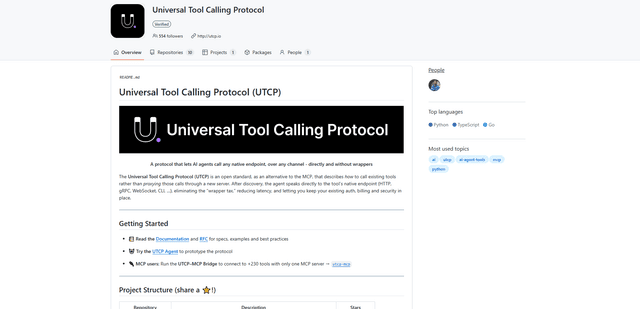
UTCP
UTCP (Universal Tool Calling Protocol) is an open standard protocol that enables AI agents to directly call any native API endpoint across different communication protocols without requiring middleware or wrapper servers.