
Exilir Classify
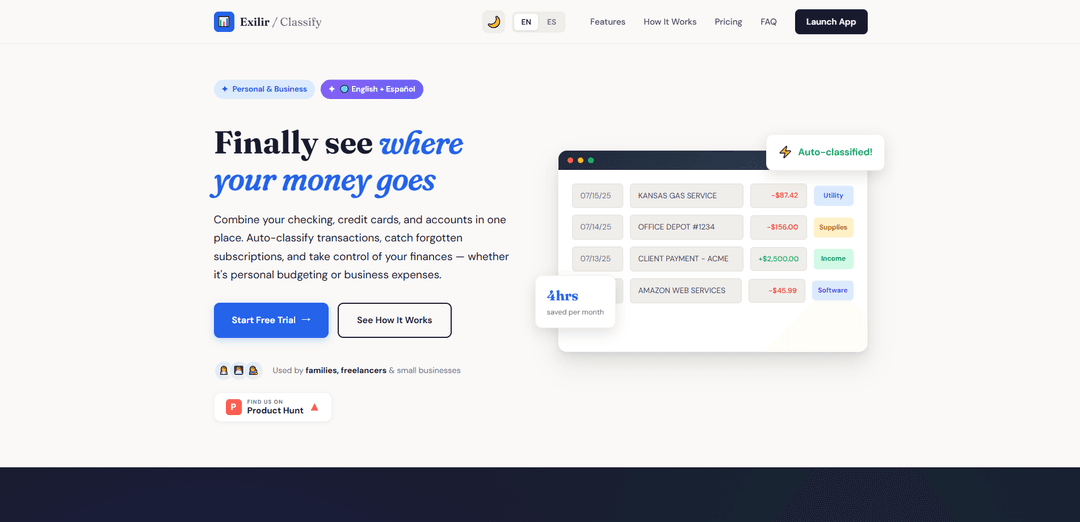
Exilir Classify est un outil complet de gestion financière qui aide les particuliers et les entreprises à catégoriser automatiquement les transactions, à suivre les dépenses et à organiser les données financières sur plusieurs comptes dans une plateforme centralisée.
https://exilir.net/?ref=producthunt&utm_source=aipure
Informations sur le produit
Mis à jour:Feb 15, 2026
Qu'est-ce que Exilir Classify
Exilir Classify est une plateforme moderne d'organisation financière conçue pour combler le fossé entre la gestion des dépenses personnelles et professionnelles. Elle offre une alternative simplifiée aux logiciels de comptabilité complexes tout en offrant plus de fonctionnalités que les applications de budgétisation de base. La plateforme prend en charge les utilisateurs anglophones et hispanophones, combinant les capacités de classification des transactions, de gestion des fournisseurs et de reporting financier dans une interface intuitive qui ne nécessite pas d'expertise comptable.
Caractéristiques principales de Exilir Classify
Exilir Classify est un outil de gestion financière qui aide les utilisateurs à organiser et à classer les transactions provenant de plusieurs comptes. Il propose une classification automatique des transactions grâce à des règles de mots-clés, des fonctionnalités d'importation CSV intelligentes, une gestion de l'annuaire des fournisseurs et des rapports prêts pour les impôts. La plateforme comprend des fonctionnalités basées sur l'IA, telles que l'importation de captures d'écran et la numérisation de reçus, ainsi qu'une sauvegarde dans le cloud et une assistance bilingue en anglais et en espagnol.
Classification intelligente des transactions: Utilise des règles de mots-clés pour classer automatiquement les transactions, avec une synchronisation bidirectionnelle qui met à jour automatiquement toutes les règles correspondantes et les enregistrements archivés
Outils d'importation basés sur l'IA: Comprend l'importation de captures d'écran et un scanner de reçus qui peuvent extraire les données de transaction directement à partir d'images et de relevés bancaires à l'aide de la technologie de l'IA
Gestion complète des fournisseurs: Crée un répertoire numérique consultable de tous les fournisseurs avec les informations de contact, l'historique des transactions et les notes
Rapports prêts pour les impôts: Génère des rapports détaillés par mois, par année ou par catégorie qui peuvent être exportés pour les comptables ou les logiciels fiscaux
Cas d'utilisation de Exilir Classify
Gestion des finances personnelles: Les familles peuvent suivre les dépenses du ménage sur plusieurs comptes, surveiller les abonnements et organiser les dépenses déductibles des impôts
Suivi des dépenses des freelances: Les entrepreneurs indépendants peuvent séparer les dépenses professionnelles et personnelles, suivre les paiements des clients et préparer la documentation fiscale
Comptabilité des petites entreprises: Les petites entreprises peuvent l'utiliser comme une alternative légère à QuickBooks pour le suivi des dépenses et la gestion des fournisseurs
Avantages
Interface simple et ciblée par rapport aux logiciels de comptabilité complets
Approche soucieuse de la confidentialité utilisant des importations CSV plutôt que des connexions bancaires directes
Système de classification flexible qui devient plus automatisé avec le temps
Inconvénients
Importation manuelle requise au lieu d'une synchronisation bancaire automatique
Quota limité de numérisation de transactions sur le plan de base
Peut manquer de fonctionnalités comptables avancées nécessaires aux grandes entreprises
Comment utiliser Exilir Classify
Importer les transactions: Téléchargez le fichier CSV de votre banque, copiez-collez directement les données de transaction ou utilisez le scanner de captures d'écran/reçus IA pour importer les transactions. L'analyseur intelligent détecte et mappe automatiquement les colonnes.
Configurer les règles de mots-clés: Classez les transactions et créez des règles de mots-clés (par exemple, \'NETFLIX\' → Divertissement). Les futures transactions contenant ces mots-clés seront automatiquement classées. Le système devient plus intelligent au fil du temps à mesure que vous construisez votre bibliothèque de règles.
Organiser les fournisseurs: Chaque fournisseur devient un contact consultable dans votre répertoire avec l'historique des transactions, les informations de contact et les notes pour référence future.
Séparer les activités professionnelles et personnelles: Utilisez des catégories pour séparer les transactions professionnelles et personnelles si nécessaire. Cela permet de garder les finances organisées à des fins différentes.
Archiver les transactions: Déplacez les transactions classées vers une archive permanente pour la tenue des registres. Les utilisateurs Premium bénéficient de sauvegardes automatiques dans le cloud toutes les 30 minutes.
Générer des rapports: Créez des rapports par mois, année ou catégorie. Exportez des rapports prêts pour les impôts au format CSV pour les comptables ou la préparation des impôts.
Suivre les abonnements: Passez en revue les frais récurrents et les abonnements pour identifier les services oubliés ou indésirables qui pourraient épuiser votre compte.
Utiliser l'assistance IA: Tirez parti de l'assistant d'aide IA intégré pour obtenir des réponses instantanées aux questions sur l'utilisation du système. Disponible en anglais et en espagnol.
FAQ de Exilir Classify
Exilir Classify est un outil de gestion financière qui aide les utilisateurs à combiner leurs comptes chèques, leurs cartes de crédit et leurs comptes en un seul endroit pour classer automatiquement les transactions, suivre les dépenses et gérer les finances personnelles et professionnelles.
Vidéo de Exilir Classify
Articles populaires

Vosko AI : Localisez et doublez vos vidéos pour une audience mondiale
Oct 15, 2026

Atoms : Une plateforme d'IA multi-agents qui transforme les idées en produits prêts à être lancés
May 22, 2026

Nano Banana SBTI : Qu'est-ce que c'est, comment ça marche et comment l'utiliser en 2026
Apr 15, 2026

Atoms : L'outil de création de produits IA qui redéfinit la création numérique en 2026
Apr 10, 2026
Derniers outils d'IA similaires à Exilir Classify
TurboDoc
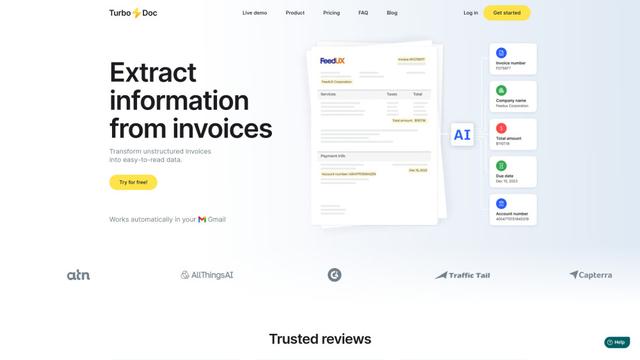
TurboDoc est un logiciel de traitement des factures alimenté par l'IA qui extrait automatiquement et transforme les données de factures non structurées en données structurées organisées et faciles à lire grâce à l'intégration de Gmail et au traitement intelligent des documents.
Smart Invoices
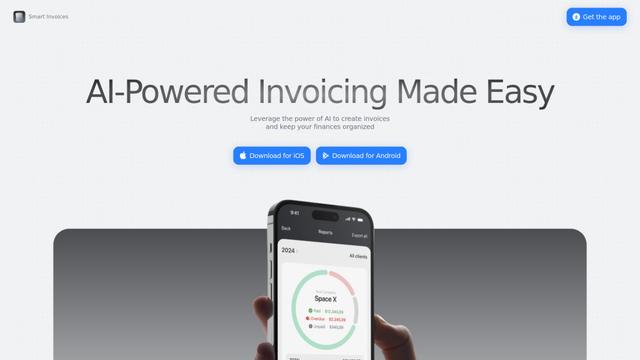
Smart Invoices est une application de facturation alimentée par l'IA qui permet aux entreprises de créer, gérer et suivre rapidement des factures professionnelles tout en offrant des fonctionnalités telles que des calculs automatisés, une intégration client et une synchronisation dans le cloud.

Spendtally
Spendtally est une application intelligente de suivi des dépenses qui aide les utilisateurs à gérer leurs finances en numérisant des reçus, en fournissant des informations sur les dépenses et en offrant des recommandations personnalisées pour de meilleures offres et des choix d'achat plus sains.

Simplify Money App
FreemiumAI Accounting Tools
Simplify Money est une application de finances personnelles alimentée par l'IA qui aide les utilisateurs à suivre leurs dépenses, à établir des budgets, à gérer leurs dettes et à atteindre leurs objectifs financiers grâce à des insights et des conseils personnalisés.
Outils d'IA populaires comme Exilir Classify
Trillion
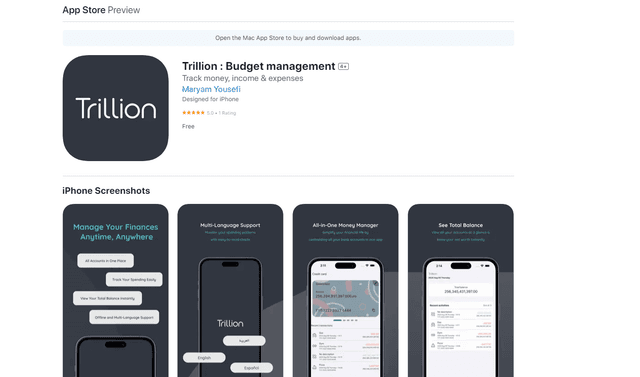
Trillion est une application de finances personnelles tout-en-un qui aide les utilisateurs à suivre leurs dépenses, à établir des budgets et à gérer leurs finances à travers plusieurs devises et comptes avec une interface sans publicité et multilingue.
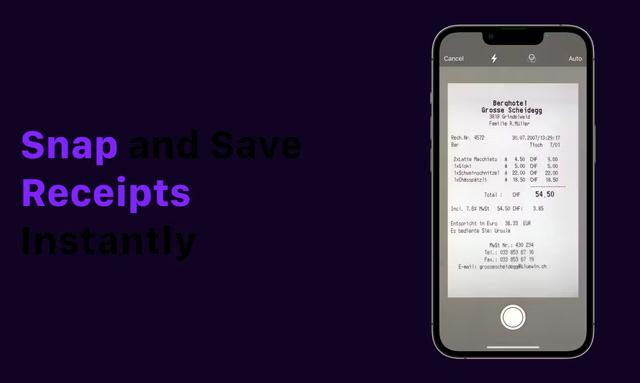
Receipt Snapper And Scanner
Receipt Snapper And Scanner est une application mobile qui permet aux utilisateurs de capturer instantanément, de catégoriser et d'organiser des reçus grâce à la numérisation de photos avec extraction automatique des données et fonctionnalités d'organisation intelligente.

Intuit
FreemiumAI Accounting Tools
Intuit est une plateforme mondiale de technologie financière qui fournit des logiciels et des services de gestion financière et de conformité pour les consommateurs, les petites entreprises et les professionnels de la comptabilité.
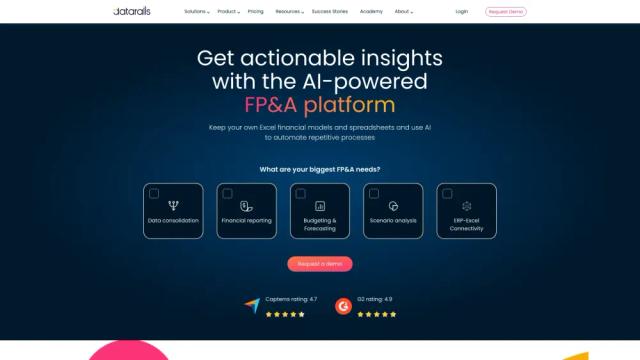
Datarails
Datarails est une plateforme de planification et d'analyse financières (FP&A) alimentée par l'IA qui automatise la création de rapports et la planification financières tout en permettant aux équipes financières de continuer à utiliser des feuilles de calcul Excel familières.