
coolreadme.xyz
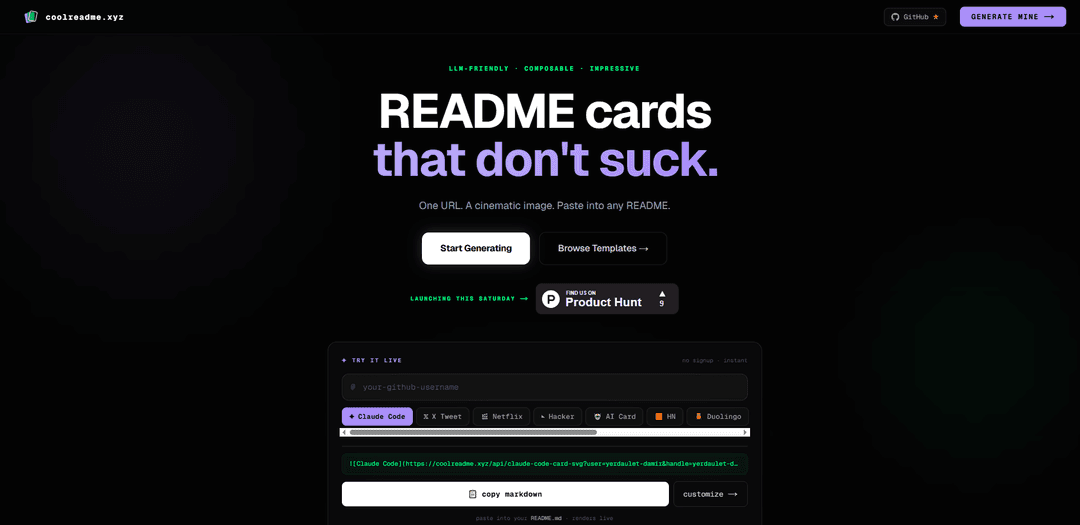
coolreadme.xyz is a free, no-signup GitHub README card generator that turns a single URL into a live-rendered, cinematic image you can paste into any README.
https://coolreadme.xyz/?ref=producthunt
Product Information
Updated:May 19, 2026
What is coolreadme.xyz
coolreadme.xyz is a web-based generator for creating visually striking “README cards” for GitHub profiles and repositories. Instead of building images manually or installing tooling, you copy a prebuilt markdown image tag that points to coolreadme.xyz’s API and GitHub renders the card directly in your README. It offers a catalog of styles (from cinematic avatar cards to terminal-themed “hacker” layouts) and is designed to be composable—pick only the cards you want and drop them into your existing documentation.
Key Features of coolreadme.xyz
coolreadme.xyz is a GitHub README card generator that turns a single image URL into a live-rendered, cinematic “card” you can paste into any README (including GitHub profile READMEs). It offers dozens of customizable card styles (profile, social, editorial, AI tools, and more), a live generator to tweak parameters, and an LLM-friendly workflow via an instructions endpoint (llms.txt) so tools like ChatGPT/Claude/Cursor can automatically insert the right markdown. It’s designed to be fast and simple—no signup, no database, and minimal configuration—while still producing high-impact visuals.
One-line Markdown embed: Generate a card as a single image tag URL and paste it into any README.md to render instantly.
Large library of card styles: Includes ~50+ cards across categories like Profile (e.g., Avatar, Hacker, streak animals), Social, Editorial, and AI Tools, plus media-themed options like Netflix/YouTube/Twitch-style cards.
Live customization generator: Use the web generator to tweak parameters (username, status, focus text, accents/themes) and preview changes in real time before copying the final URL.
LLM-friendly workflow: Provides an instructions endpoint (coolreadme.xyz/llms.txt) so AI assistants can follow documented rules and inject correct card markdown automatically.
No signup, no keys, minimal setup: Works without accounts or API keys; designed for quick “copy URL → paste into README” usage.
Fast delivery with caching: Edge-rendered with aggressive caching for quick loads and consistent rendering across regions.
Use Cases of coolreadme.xyz
Developer portfolio / GitHub profile branding: Add a cinematic profile card (status + focus line) to stand out on GitHub and communicate what you’re working on at a glance.
Open-source project README enhancement: Use cards as visually consistent headers or identity blocks in project READMEs to improve first impressions and readability.
AI tool identity and workflow signaling: Show an “AI Identity Card” (e.g., Claude/GPT/Cursor/Gemini) to communicate your tooling stack or preferred assistant in public repos.
Creator and social presence promotion: Embed social/media-style cards (e.g., YouTube/Twitch/X-like layouts) to direct README visitors to channels, streams, or pinned content.
Team/organization status cards for internal repos: Standardize repo landing pages with consistent cards showing owner, status, and focus—useful for engineering teams and documentation hubs.
Pros
Very low friction: one URL and a markdown image tag; no signup or API keys required.
High visual impact with many styles and easy customization via a live generator.
LLM-friendly documentation (llms.txt) makes it easy to automate README updates with AI tools.
Cons
External dependency: cards rely on coolreadme.xyz availability and performance for rendering.
Dynamic images may be subject to caching delays, so updates might not appear immediately everywhere.
Some card types imply integrations (e.g., social/media layouts) that may not fit all repos or could feel noisy if overused.
How to Use coolreadme.xyz
1) Open coolreadme.xyz: Go to https://coolreadme.xyz/ (optionally with ?ref=producthunt). This is the card generator homepage.
2) Decide where you want the card to appear: You can use cards in any README.md (a project repo README or your GitHub Profile README). For a Profile README, you need a public repo named exactly your GitHub username with a README.md.
3) Pick a card style: Browse the available cards (e.g., Avatar Card, Cinematic Card, Hacker/terminal card, social/editorial/AI tools cards). Choose the one you want to render in your README.
4) Open the live generator to customize: Click “Open Generator” (https://coolreadme.xyz/generator). Use the UI to tweak parameters (e.g., username, status text, focus line, accent/theme) and preview changes instantly.
5) Copy the generated Markdown image tag: Copy the one-line Markdown snippet that looks like: . The URL encodes your chosen card type and parameters.
6) Paste the snippet into your README.md: Paste the Markdown line into the README.md file where you want the card to appear (top header area is common). Commit/push the change to GitHub.
7) Verify it renders on GitHub: Open the repository README (or your GitHub profile page if using a Profile README). GitHub will render the image from the coolreadme.xyz API URL.
8) (Optional) Use a direct API URL without the generator: You can manually construct URLs for cards. Example from the site: . Paste into README.md.
9) (Optional) Let an LLM generate the README snippet for you: Tell your assistant (ChatGPT/Claude/Cursor) to read https://coolreadme.xyz/llms.txt and ask it to add a card for your username (e.g., “update my GitHub README… make me a cinematic profile card”). Then paste the produced Markdown into your README.
coolreadme.xyz FAQs
coolreadme.xyz is a GitHub README card generator. You paste a single markdown image tag (one URL) into your README, and it renders a live, cinematic-style card—no signup, no database, no config.
Popular Articles

Atoms: A Multi-Agent AI Platform That Transforms Ideas into Launch-Ready Products
May 22, 2026

Nano Banana SBTI: What It Is, How It Works, and How to Use It in 2026
Apr 15, 2026

Atoms Review — The AI Product Builder Redefining Digital Creation in 2026
Apr 10, 2026

Kilo Claw: How to Deploy and Use a True "Do‑It‑For‑You" AI Agent(2026 Update)
Apr 3, 2026
Latest AI Tools Similar to coolreadme.xyz

AIFluencerPro
AIFluencerPro is an AI-powered platform that allows users to create photorealistic AI influencers and generate high-quality AI images in minutes using advanced generative AI technology.

Lynklet
Lynklet is an all-in-one social tool platform that combines bio link pages, URL shortening, QR code generation, digital business cards, and file hosting capabilities in one comprehensive solution.

Re-Engage
Re-Engage is an innovative content repurposing tool that transforms YouTube videos, articles, newsletters, and documents into high-performing social media content optimized for Twitter and LinkedIn virality.

Trump Donald
Trump Donald is a unique political fundraising platform that lets users send physical letters to Mar-a-Lago while making donations to organizations working to defeat Donald Trump.
Popular AI Tools Like coolreadme.xyz
AI Reply Generator - social24
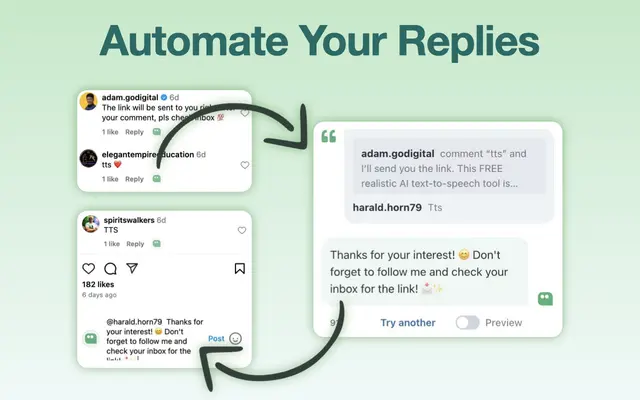
AI Reply Generator - Social24 is a browser extension that helps users generate smart, personalized AI replies for multiple social media platforms including Instagram, Facebook, TikTok, YouTube, and LinkedIn with custom prompt templates and seamless integration.

Read & Give by Bono
Read & Give by Bono is a Chrome extension that uses AI to analyze news content and suggests relevant charitable donation opportunities based on the articles you read.
Pigeon
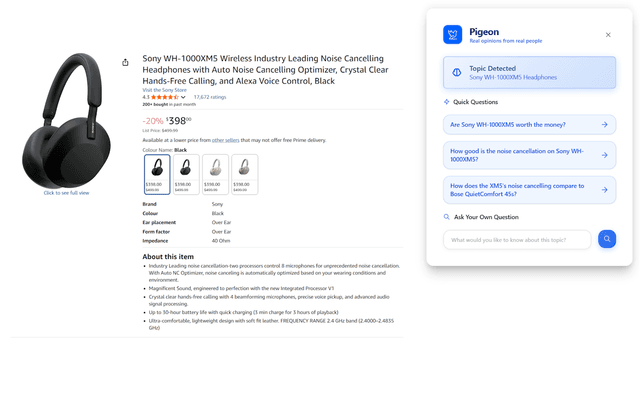
Pigeon is a lightweight Chrome extension that helps users discover and analyze real user opinions from Reddit discussions about any webpage they're browsing.

Famefy
Famefy is an AI-powered live streaming platform that lets users experience virtual stardom by interacting with AI-generated fans who provide real-time engagement and feedback.