
ClipDone
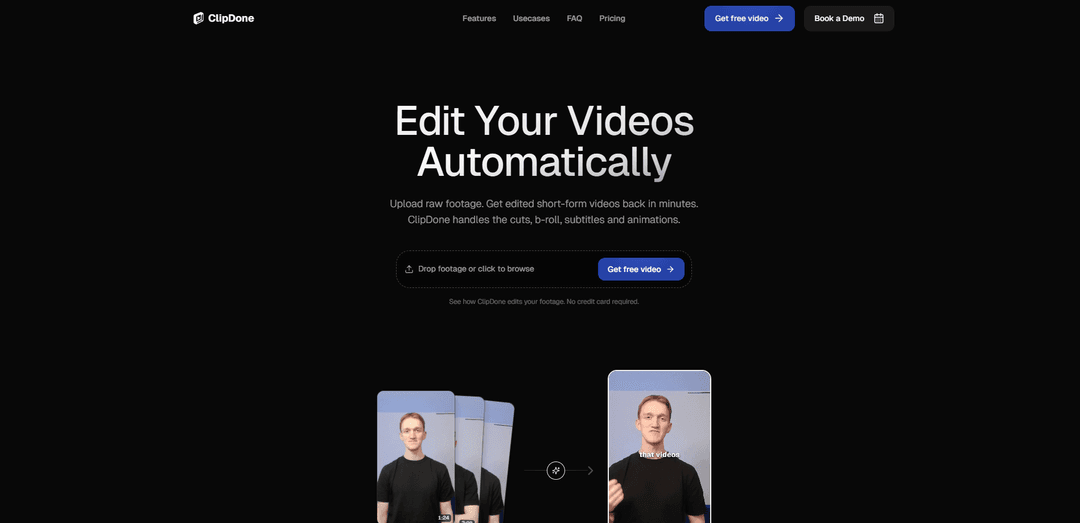
ClipDone is an AI-powered short-form video editing tool that automatically removes silence and filler, adds smart captions, B-roll, and animations, and lets you iterate edits via chat-style text revisions.
https://clipdone.app/?ref=producthunt
Product Information
Updated:Jul 8, 2026
What is ClipDone
ClipDone automates the creation of publish-ready short-form videos from raw footage. Designed for creators, marketing teams, agencies, and ad/UGC workflows, it handles the core editing steps—cuts, subtitles, supporting visuals, and motion elements—so you can produce more clips in less time without needing frame-by-frame manual editing. It’s positioned as a “high-quality directed taste” editor: not built for pixel-perfect control, but optimized to deliver consistent social-ready results quickly.
Key Features of ClipDone
ClipDone is an AI-powered short-form video editing automation tool that turns raw footage into publish-ready clips in minutes. It automatically removes silence and filler words, generates smart captions, inserts b-roll and motion graphics, and lets you iterate quickly using text-based revision notes (e.g., “cut the intro shorter” or “add an animation here”). It’s designed to help creators, marketing teams, agencies, and ad/UGC workflows scale output without doing manual timeline editing, while still offering some style customization (like subtitle presets and animation color schemes).
Automatic cuts (silence & filler removal): Detects and removes silences, filler words, and false starts to tighten pacing and produce cleaner, more engaging short-form edits.
Smart captions generation: Transcribes footage and generates subtitles automatically, with selectable subtitle presets for a consistent social-ready look.
B-roll insertion + motion graphics: Adds supporting b-roll at relevant moments and applies animations/motion graphics to enhance clarity and retention.
Text-based revisions (“chat with it”): Enables fast iteration by leaving editing notes (e.g., remove a section, shorten an intro, add an animation) and re-rendering updated drafts.
Bring-your-own assets (b-roll & music): Lets you upload your own b-roll and background music during project setup so the output matches your brand or campaign needs.
Fast processing with progress updates: Typically produces a ~1-minute edited video in about 10–20 minutes (varies by complexity), with live progress indicators.
Use Cases of ClipDone
Creator repurposing (talking-head to shorts): Creators can record long or rough takes and quickly generate tight, captioned clips optimized for TikTok, Reels, and YouTube Shorts.
Marketing social content at scale: Marketing teams can convert product demos, webinars, or announcements into multiple short clips, freeing time for scripting and strategy.
Agency client delivery acceleration: Agencies can speed up editing for recurring social packages—automating cuts/captions while focusing human effort on positioning and approvals.
UGC and performance ad iteration: Teams can render many hook/variant edits per campaign to test creatives faster and optimize spend based on performance.
Internal comms and training snippets: Companies can turn recorded updates or training sessions into concise, captioned highlight clips for faster consumption across teams.
Pros
Significantly reduces manual editing time by automating cuts, captions, b-roll, and basic motion graphics
Fast iteration via text notes makes it easy to refine without deep editing skills
Supports uploading your own b-roll and music for better brand/campaign alignment
Cons
Not suited for pixel-perfect, frame-by-frame control or highly customized editing styles
Output quality and timing may require iteration if you disagree with specific cuts or AI choices
How to Use ClipDone
1. Open ClipDone: Go to https://clipdone.app/ and start a new edit from the homepage.
2. Upload your raw footage: Drag-and-drop your recorded video(s) into the upload area (or click to browse) to add the raw clips you want turned into a short-form edit.
3. (Optional) Add supporting assets: During project creation, optionally upload your own b-roll footage, a script, and background music so ClipDone can integrate them into the final edit.
4. Start processing: Let ClipDone transcribe your footage and automatically assemble an edited video with silence/filler removal, captions, b-roll placement, and motion graphics.
5. Monitor progress: Wait for rendering to finish while watching the live progress updates. Processing time varies, but a ~1-minute video typically takes about 10–20 minutes.
6. Review the first draft: Watch the edited output and check the cuts, subtitle timing, b-roll moments, and animations.
7. Request changes with text notes (chat-based revisions): Leave a revision note such as “Cut the intro shorter,” “Remove this section,” or “Add an animation here,” then submit the revision so ClipDone adjusts the edit and re-renders.
8. Tweak subtitles if needed: If something is off, manually tweak the subtitles (e.g., wording/timing) and re-render to apply the changes.
9. Adjust available style options: Customize the visual style to the extent supported (e.g., choose subtitle presets and adjust the color scheme of animations), noting that ClipDone is not designed for pixel-perfect control of every transition/frame.
10. Iterate until publish-ready: Repeat the review → note changes → re-render loop until the video matches what you want.
11. Export your final video: Once satisfied with the latest render, download/export the finished clip for posting to social platforms.
12. Scale your workflow: Reuse the same process to produce more clips quickly (e.g., multiple hooks/variants for ads, or higher-volume output for creators, marketing teams, and agencies).
ClipDone FAQs
ClipDone is an AI video editing automation tool for short-form content that turns raw footage into publish-ready clips by handling cuts, subtitles/captions, B-roll, and animations.
ClipDone Video
Popular Articles

Vosko AI: Localize and Dub Videos for Global Audiences
Oct 15, 2026

Atoms: A Multi-Agent AI Platform That Transforms Ideas into Launch-Ready Products
Oct 13, 2026

Nano Banana SBTI: What It Is, How It Works, and How to Use It in 2026
Apr 15, 2026

Atoms Review — The AI Product Builder Redefining Digital Creation in 2026
Apr 10, 2026
Latest AI Tools Similar to ClipDone

Loud Fame
Loud Fame is an AI-powered video transformation tool that allows users to convert regular videos into anime-style animations and create AI-generated celebrity talking videos.

BizBoom.ai
BizBoom.ai is an AI-powered platform that automatically generates professional product videos from product links and images with 95% less cost.

EzVideos
EzVideos is an all-in-one video creation tool that helps users generate viral videos for social media platforms like Instagram, TikTok, and YouTube with automated editing features and built-in resources.

Illuminix
Illuminix is an AI-powered platform that empowers businesses with autonomous hyper-experts and specialized tools for automated business processes, data management, and video content creation.
Popular AI Tools Like ClipDone

HunyuanVideo-I2V
HunyuanVideo-I2V is an open-source AI framework developed by Tencent that transforms static images into high-quality, dynamic videos with customizable motion effects and exceptional visual consistency.

Google Veo 2
Veo 2 is Google DeepMind's state-of-the-art AI video generation model that can create high-quality videos up to 4K resolution with realistic motion, extensive camera controls, and improved physics simulation from text prompts.

Vibing
Vibing is an AI-powered dating app that helps users share authentic moments through video stories and make genuine connections based on personality matching and interactive features.

Edits, an Instagram app
Edits is Instagram's free video creation app that provides creators with professional editing tools, AI features, and analytics capabilities to create high-quality videos directly from their phones.