
Clicky
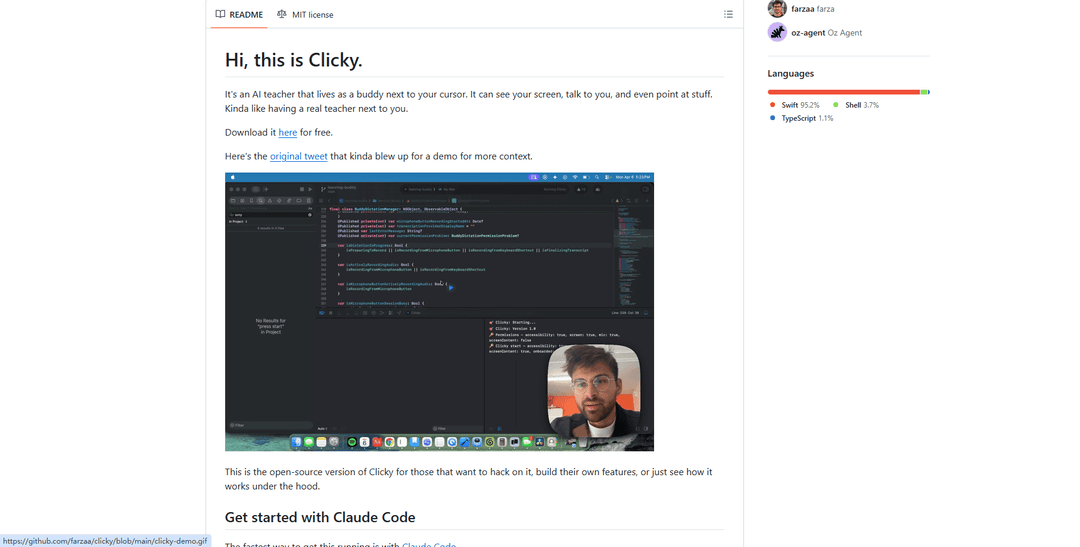
Clicky is an open-source AI-powered desktop companion that lives in your macOS menu bar, capable of seeing your screen, responding to voice commands, and providing interactive visual guidance by pointing at UI elements in real-time.
https://github.com/farzaa/clicky?ref=producthunt
Product Information
Updated:Apr 15, 2026
What is Clicky
Clicky is an experimental AI teaching assistant designed to act as an interactive, real-time companion that lives directly alongside your cursor on macOS. Built by developer Farza and released as open-source software, Clicky functions as a menu bar application that combines screen capture, voice interaction, and visual feedback to simulate the experience of having a human tutor sitting next to you. The application leverages Claude AI for intelligent responses, AssemblyAI for real-time voice transcription, and ElevenLabs for natural text-to-speech output. Unlike traditional AI assistants that operate as separate windows, Clicky integrates seamlessly into your workflow without stealing focus, appearing only when needed through a push-to-talk hotkey (Control + Option). The project has gained significant traction with over 3,700 stars on GitHub and has inspired community-built versions for Windows, demonstrating its impact on making AI-assisted learning more accessible and intuitive.
Key Features of Clicky
Clicky is an open-source AI-powered desktop companion for macOS that functions as an interactive teaching assistant living in your menu bar. It uses vision AI (Claude) to see your screen, voice transcription (AssemblyAI) for push-to-talk input, and text-to-speech (ElevenLabs) for audio responses. The app can physically point at UI elements across multiple monitors using a cursor overlay, making it feel like having a real tutor sitting next to you. It operates non-intrusively without stealing focus, captures screenshots while filtering out its own windows, and routes all API calls through a Cloudflare Worker proxy to keep credentials secure.
Screen-Aware AI Vision: Captures and analyzes your screen in real-time using ScreenCaptureKit, filtering out Clicky's own windows to provide contextual assistance based on what you're actually working on across multiple monitors.
Push-to-Talk Voice Interface: Activates with Control+Option hotkey to stream voice input via AssemblyAI, enabling hands-free interaction while maintaining focus on your work without interrupting your workflow.
Visual Cursor Pointing: Displays a blue cursor overlay that can physically point to specific UI elements on screen based on Claude's responses, with coordinates embedded as [POINT:x,y:label:screenN] tags for precise visual guidance.
Menu Bar Integration: Lives entirely in the macOS status bar with a custom floating panel, using non-activating NSPanel windows that don't steal focus, allowing seamless integration into existing workflows.
Proactive Tutor Mode: Optional mode that watches your activity and provides step-by-step guidance automatically during natural pause points, acting as a proactive instructor rather than just responding to queries.
Secure API Proxy Architecture: Routes all API calls through a Cloudflare Worker proxy that holds credentials server-side, ensuring API keys never ship in the app binary and remain secure.
Use Cases of Clicky
Software Learning & Onboarding: Helps users learn complex applications like DaVinci Resolve, Adobe Creative Suite, or development tools by watching their screen and providing contextual guidance with visual pointers to specific buttons and features.
Technical Support & Troubleshooting: Acts as an on-demand technical assistant that can see error messages, system configurations, and application states to provide real-time debugging help and step-by-step solutions.
Workflow Optimization: Observes user workflows and suggests more efficient methods, keyboard shortcuts, or alternative approaches by understanding the context of what tasks are being performed on screen.
Accessibility Assistance: Provides voice-controlled navigation and visual guidance for users who benefit from audio descriptions and visual pointers to locate UI elements across applications.
Developer Productivity: Assists programmers by analyzing code on screen, suggesting improvements, explaining error messages, and pointing to relevant documentation or code sections during development.
Educational Tutoring: Serves as a personalized tutor for students learning new software, programming languages, or digital skills by providing context-aware instruction based on what's displayed on their screen.
Pros
Non-intrusive design that doesn't steal focus or disrupt workflow, making it feel like a true companion rather than an interruption
Open-source architecture allows full customization and transparency, with easy setup via Claude Code for developers
Multi-monitor support with precise visual pointing creates an intuitive teaching experience that mimics human instruction
Secure credential management through Cloudflare Worker proxy keeps API keys safe and separate from the application binary
Cons
macOS-only support (requires 14.2+) limits accessibility for Windows and Linux users, though community ports exist
Requires multiple paid API subscriptions (Anthropic, AssemblyAI, ElevenLabs) which can add up in cost for heavy usage
Setup complexity for non-technical users despite Claude Code assistance, requiring Cloudflare account and API key management
Privacy considerations as the app requires extensive permissions (screen recording, accessibility, microphone) to function properly
How to Use Clicky
1: Download and install Clicky from https://www.clicky.so/ for free on your Mac (requires macOS 14.2+)
2: Launch the app - it will appear in your menu bar (not the dock). Click the menu bar icon to open the control panel
3: Grant the required permissions when prompted: Microphone (for voice capture), Accessibility (for keyboard shortcuts), Screen Recording (for screenshots), and Screen Content (for ScreenCaptureKit access)
4: Use push-to-talk by pressing and holding Control + Option keys, then speak your question or request about what's on your screen
5: Release the keys when done speaking. Clicky will transcribe your voice, analyze your screen, and respond with both voice and visual guidance
6: Watch as Clicky's blue cursor companion appears on screen to point at specific UI elements it's explaining
7: (Optional) Toggle on 'Tutor mode' from the menu bar panel (graduation cap icon) to have Clicky proactively watch what you're doing and guide you step-by-step without needing to push-to-talk
8: (Optional) Toggle on 'Copy responses' from the menu bar panel to automatically copy every response from Clicky to your clipboard for easy pasting into notes or documents
Clicky FAQs
Clicky is an AI teacher that lives as a buddy next to your cursor on macOS. It can see your screen, talk to you, and point at UI elements. It's a menu bar app that uses voice interaction and screen capture to provide real-time assistance, similar to having a real teacher next to you.
Clicky Video
Popular Articles

Proferex: A Cloud-Based Ad Tracking and Campaign Optimization Platform
Nov 4, 2026

How to Create Viral Talking Baby Podcast Videos with AI: Step-by-Step Guide
Nov 2, 2026

Vosko AI: Localize and Dub Videos for Global Audiences
Oct 15, 2026

Atoms: A Multi-Agent AI Platform That Transforms Ideas into Launch-Ready Products
Oct 13, 2026
Latest AI Tools Similar to Clicky
Advanced Voice
Advanced Voice is ChatGPT's cutting-edge voice interaction feature that enables real-time, natural voice conversations with custom instructions, multiple voice options, and improved accents for seamless human-AI communication.
Vagent
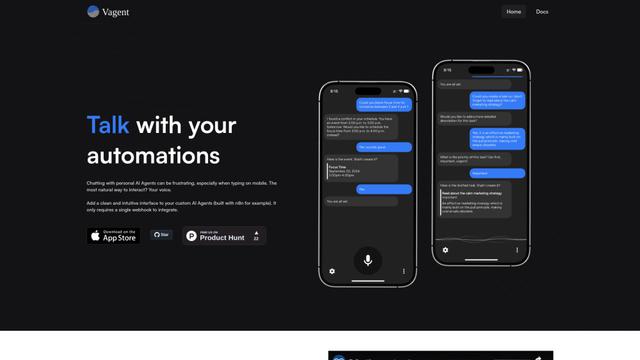
Vagent is a lightweight voice interface that enables users to interact with custom AI agents through voice commands, providing a natural and intuitive way to control automations with support for 60+ languages.

Vapify
Vapify is a white-label platform that enables agencies to offer Vapi.ai's voice AI solutions under their own brand while maintaining control over client relationships and maximizing revenue.

Wedding Speech Genie
Wedding Speech Genie is an AI-powered platform that crafts personalized wedding speeches in minutes by generating 3 custom versions based on your input, helping speakers deliver memorable toasts for any wedding role.
Popular AI Tools Like Clicky
Microsoft Dragon Copilot
Microsoft Dragon Copilot is an AI-powered clinical workflow assistant that combines natural language voice dictation, ambient listening capabilities, and generative AI to streamline documentation, surface information, and automate tasks across healthcare settings.
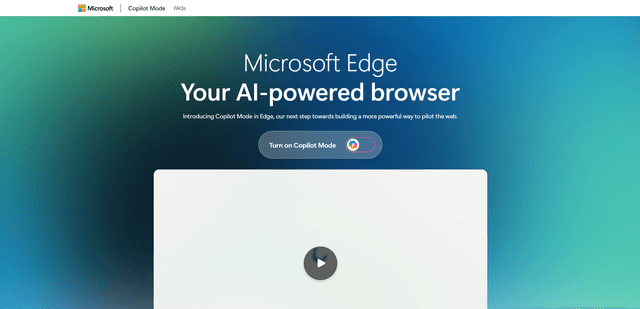
Edge Copilot Mode
Edge Copilot Mode is Microsoft's experimental AI-powered browser feature that combines search, chat, and web navigation into a single interface, enabling users to browse smarter with AI assistance while maintaining privacy and control.
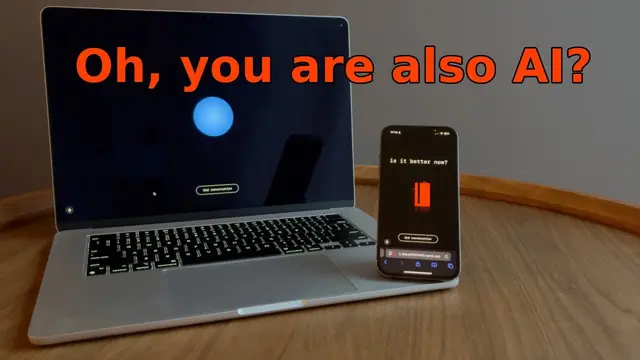
GibberLink
GibberLink is an open-source project that enables two AI agents to efficiently communicate by switching from human language to a sound-level protocol after recognizing each other, powered by ggwave technology.
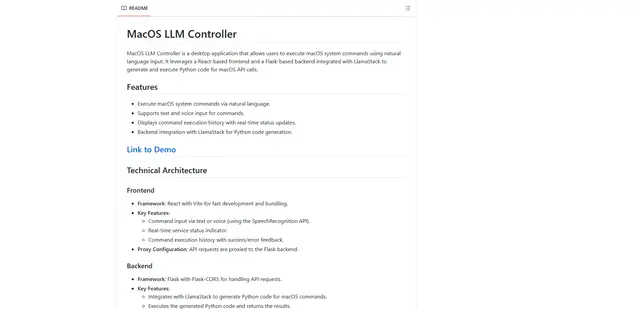
Llama MacOS Desktop Controller
Llama MacOS Desktop Controller is a React and Flask-based application that enables users to control macOS system actions through natural language commands using LLM-generated Python code.