
Clawd
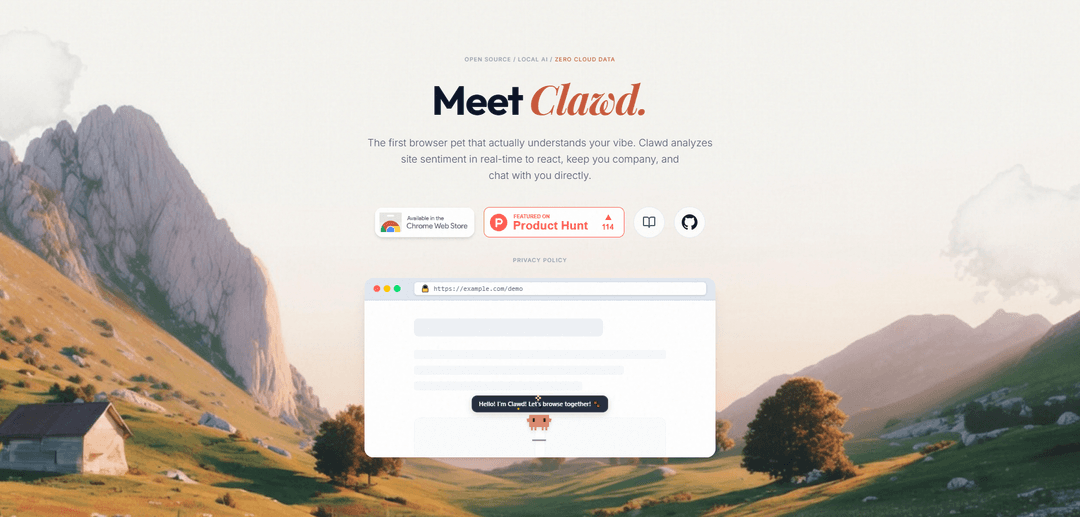
Clawd is an open-source, context-aware browser pet that analyzes webpage sentiment in real time to react to your “vibe” and chat with you, while keeping data local with zero cloud collection.
https://meetclawd.com/?ref=producthunt
Product Information
Updated:Jul 8, 2026
What is Clawd
Clawd ("The Context-Aware Browser Pet") is a Chrome extension that brings a small interactive mascot into your browsing experience. Unlike decorative browser companions, Clawd is designed to understand what you’re looking at and respond accordingly—keeping you company, reacting to page mood, and letting you chat directly inside the browser. The project positions itself as privacy-first and local-first: it runs offline with on-device AI and emphasizes “zero cloud data,” making it appealing to users who want an assistant-like companion without sending browsing context to external servers.
Key Features of Clawd
Clawd is an open-source, context-aware browser “pet” that runs local/offline AI to analyze the sentiment and context of the webpage you’re viewing, then reacts in real time and can chat with you while you browse. It’s positioned as privacy-first (“zero cloud data”) and is distributed as a Chrome extension, with documentation and source available on GitHub.
Real-time site sentiment analysis: Clawd analyzes the emotional tone/sentiment of the current webpage as you browse and updates its behavior based on what it detects.
Context-aware companion reactions: Acts as a browser mascot that “understands your vibe,” responding to page context with reactive companion behavior rather than generic, static animations.
On-page chat companion: Lets you chat directly with Clawd inside the browsing experience, using the current site context as part of the interaction.
Local/offline AI (privacy-first): Designed to run AI locally with “zero cloud data,” aiming to keep browsing context and analysis on-device.
Open-source + documented: Provides open-source code and documentation for transparency, customization, and community contributions.
Chrome Web Store distribution: Available as a Chrome extension, making it easy to install and use without a separate desktop app.
Use Cases of Clawd
Personal browsing companion: Keeps users company while browsing and provides lightweight, context-aware interaction for long reading sessions or routine web use.
Wellbeing and mood awareness: Helps users notice when they’re consuming highly negative or stressful content by reflecting page sentiment through the companion’s reactions.
Education and study support: Provides an interactive layer while students read online materials, enabling quick chat-based engagement tied to the page they’re studying.
Content moderation and community health signals: Can be used as a sentiment “nudge” when navigating comment sections or forums, highlighting when a page’s tone becomes hostile or inflammatory.
UX research and content tone QA: Gives creators and teams a quick, qualitative signal of perceived tone across pages (e.g., marketing copy, help docs) via real-time sentiment feedback.
Entertainment and brand experiences: Adds a playful, customizable mascot layer to browsing that can be themed for fan communities or branded experiences while remaining local-first.
Pros
Privacy-oriented design: local/offline AI and “zero cloud data” positioning reduces data exposure risk.
Easy adoption: Chrome extension distribution lowers setup friction compared to standalone assistants.
Transparency/customizability: open-source code and docs enable auditing and tailoring behavior.
Cons
Browser/Chrome dependence: primarily tied to Chrome extension availability, limiting users on other browsers.
Sentiment analysis can be noisy: tone detection may misread sarcasm, technical writing, or mixed-content pages.
Local AI constraints: offline/local models may be less capable or more resource-intensive than cloud counterparts.
How to Use Clawd
1) Install Clawd from the Chrome Web Store: Open the Clawd listing in the Chrome Web Store and click “Add to Chrome” to install the extension.
2) Pin Clawd to your browser toolbar (recommended): In Chrome, open the Extensions menu (puzzle icon) and pin Clawd so you can quickly access it while browsing.
3) Open Clawd and confirm it’s running locally: Click the Clawd icon to open it. Clawd is designed to run with 100% local/offline AI (“Zero Cloud Data”), so it should work without sending your browsing data to a cloud service.
4) Browse normally and let Clawd analyze page sentiment in real time: Navigate to websites as you usually do. Clawd will analyze the sentiment of the current site/page in real time and react to it as your “browser pet.”
5) Chat with Clawd about what you’re viewing: Use Clawd’s chat UI (opened from the extension) to ask questions or talk about the current page/context; Clawd is intended to understand your “vibe” based on what you’re browsing.
6) Use the documentation for advanced usage and settings: Open the Clawd documentation from the official site (meetclawd.com/docs) to learn available controls, configuration options, and any troubleshooting steps.
7) Review privacy details if you’re security-conscious: Read the Privacy Policy on the official site to understand what Clawd does locally and what data (if any) is stored or processed.
8) (Optional) Explore the GitHub repository for development/customization: If you want to inspect the code, build from source, or contribute, follow the GitHub link from the official site and use the repository’s README instructions.
Clawd FAQs
Clawd is a context-aware browser pet (mascot) that analyzes website sentiment in real time to react, keep you company, and chat with you directly.
Popular Articles

Vosko AI: Localize and Dub Videos for Global Audiences
Oct 15, 2026

Atoms: A Multi-Agent AI Platform That Transforms Ideas into Launch-Ready Products
Oct 13, 2026

Nano Banana SBTI: What It Is, How It Works, and How to Use It in 2026
Apr 15, 2026

Atoms Review — The AI Product Builder Redefining Digital Creation in 2026
Apr 10, 2026
Latest AI Tools Similar to Clawd

Folderr
Folderr is a comprehensive AI platform that enables users to create custom AI assistants by uploading unlimited files, integrating with multiple language models, and automating workflows through a user-friendly interface.

Peache.ai
Peache.ai is an AI character chat playground that enables users to engage in flirty, witty, and daring conversations with diverse AI personalities through real-time interactions.

TalkPersona
TalkPersona is an AI-powered video chatbot that provides real-time human-like conversation through a virtual talking face with natural voice and lip-sync capabilities.

Thaly AI
Thaly AI is an AI-powered sales assistant that automates customer conversations and lead qualification to help businesses scale their sales operations while saving time.
Popular AI Tools Like Clawd

GPT‑5.5 | ChatGPT Official
GPT‑5.5 in ChatGPT is OpenAI’s latest work-focused model designed to understand complex goals, use tools effectively, check its work, and carry multi-step tasks (coding, research, documents, spreadsheets) through to completion with stronger safeguards.

DuckDuckGo AI Chat
DuckDuckGo AI Chat is a free, anonymous way to access popular AI chatbots like GPT-3.5, Claude, and others while preserving user privacy.

Arch
Arch is an intelligent Layer 7 gateway built on Envoy Proxy that provides secure handling, robust observability, and seamless integration of prompts with APIs for building fast, robust, and personalized AI agents.

Off-grid LLM over Radio
A platform that integrates Large Language Models (LLMs) with Meshtastic mesh communication networks to enable off-grid AI interactions and automated task execution through radio communication.