ChatTide
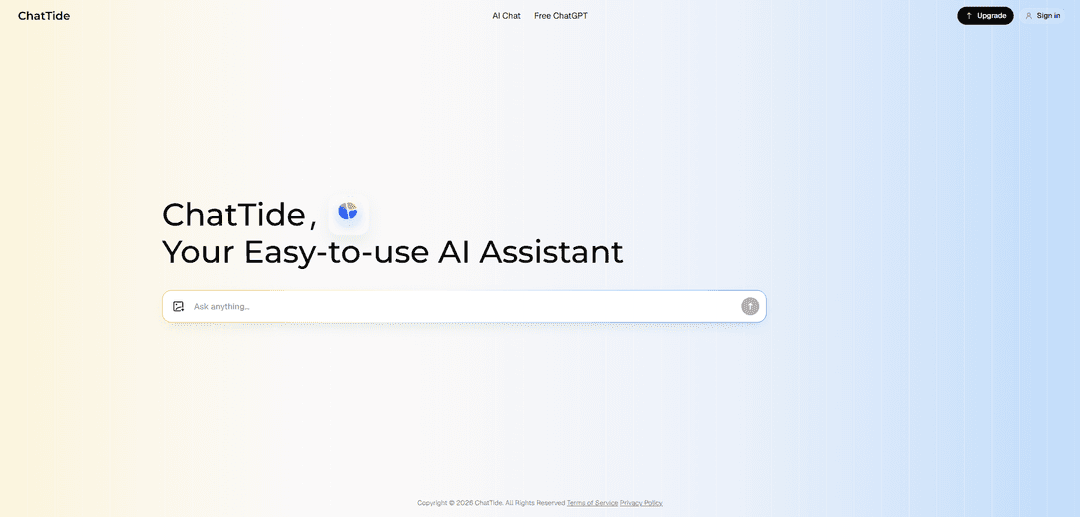
ChatTide ist ein benutzerfreundlicher KI-Assistent, mit dem Sie chatten können, um sofortige Antworten zu erhalten, schriftliche Inhalte zu erstellen, komplexe Themen schneller zu lernen und Ideen durch natürliche Konversation zu brainstormen.
https://www.chattide.app/?utm_source=aipure
Produktinformationen
Aktualisiert:Sep 16, 2026
Was ist ChatTide
ChatTide ist ein benutzerfreundlicher KI-Assistent, der entwickelt wurde, um KI-Konversationen einfach, zugänglich und bequem zu gestalten. Mit seiner KI-Chat-Erfahrung hilft ChatTide Benutzern, mit KI für alltägliche Fragen, Ideen, Informationen und Produktivität zu interagieren. Egal, ob Sie schnelle Antworten, Brainstorming-Unterstützung oder einen konversationellen KI-Assistenten suchen, ChatTide bietet eine unkomplizierte Möglichkeit, über das Web auf KI zuzugreifen.
Hauptfunktionen von ChatTide
ChatTide ist ein benutzerfreundlicher KI-Assistent, der sich auf die alltägliche Produktivität konzentriert – er ermöglicht Benutzern, mit der KI zu chatten, um schnelle Antworten zu erhalten, schriftliche Inhalte (E-Mails, Geschichten, Berichte) zu generieren und schneller zu lernen, indem komplexe Themen durch natürliche Konversation aufgeschlüsselt werden. Er unterstützt auch Brainstorming und die Verfeinerung von Texten zur Inspiration und bietet eine einfache Weberfahrung mit dedizierten KI-Chat- und kostenlosen ChatGPT-Einstiegspunkten sowie Kontoanmeldung und Upgrade-Optionen.
KI-Chat für sofortige Antworten: Stellen Sie Fragen zu praktisch jedem Thema und erhalten Sie schnelle, kontextbezogene Antworten, die darauf ausgelegt sind, Gespräche produktiv und relevant zu halten.
Inhaltserstellung und Schreibunterstützung: Generieren und polieren Sie Texte wie E-Mails, Geschichten, Berichte und andere schriftliche Materialien mit minimalem Aufwand.
Lernunterstützung und Schritt-für-Schritt-Erklärungen: Hilft Benutzern, komplexe Konzepte zu verstehen, indem sie in klarere, konversationelle Erklärungen zerlegt werden.
Brainstorming- und Inspirationstools: Unterstützt die Ideenfindung, das Entwerfen und Umschreiben, um kreative Richtungen zu erschließen und Klarheit sowie Ton zu verbessern.
Web-App-Zugriff mit dedizierten Chat-Seiten: Bietet eine Weboberfläche (z. B. KI-Chat- und kostenlose ChatGPT-Bereiche) mit Anmelde- und Upgrade-Optionen für einen breiteren Zugang.
Anwendungsfälle von ChatTide
Lernbegleiter für Studenten: Erklärt Konzepte Schritt für Schritt, hilft bei der Zusammenfassung von Themen und unterstützt das Lernen durch interaktive Fragen und Antworten.
Schreiben und Kommunikation am Arbeitsplatz: Entwirft und verfeinert professionelle E-Mails, Berichte und interne Dokumentationen, um alltägliche Büroaufgaben zu beschleunigen.
Kundensupport und Wissenssuche: Unterstützt Agenten oder kleine Teams, indem es schnell Antworten, Schritte zur Fehlerbehebung und prägnante Erklärungen generiert.
Marketing und Inhaltsentwurf: Hilft beim Brainstorming von Kampagnenideen und erstellt erste Entwürfe für Beiträge, Beschreibungen und andere Marketingtexte.
Persönliche Produktivität und alltägliche Fragen und Antworten: Fungiert als Allzweckassistent für schnelle Recherchen, Planungen und Hilfestellungen bei täglichen Aufgaben.
Vorteile
Benutzerfreundlicher Allzweck-KI-Assistent, geeignet für alltägliche Aufgaben
Starke Abdeckung gängiger Bedürfnisse: Fragen und Antworten, Schreiben, Lernen und Brainstorming
Webzugängliche Erfahrung mit klaren Einstiegspunkten (KI-Chat / Kostenloses ChatGPT)
Nachteile
Begrenzte öffentlich verfügbare Details zu Modellquellen, Genauigkeitsgarantien und Sicherheitskontrollen
Einige Funktionen und Limits scheinen an die Anmeldung/das Upgrade gebunden zu sein, aber Preise und Funktionsbeschränkungen können je nach Plan variieren
Wie verwendet man ChatTide
1. ChatTide öffnen: Gehen Sie zur offiziellen Website https://www.chattide.app/ (oder öffnen Sie die ChatTide Mobile App, falls Sie diese installiert haben).
2. Anmelden (optional, aber empfohlen): Klicken Sie auf der Website auf „Anmelden“ (oder melden Sie sich in der App an), um auf kontobasierte Funktionen zuzugreifen und sicherzustellen, dass Ihr Nutzungs-/Abonnementstatus geräteübergreifend erkannt wird.
3. Einen KI-Chat starten: Wählen Sie in der Navigation der Startseite „KI-Chat“ (https://www.chattide.app/ai-chat/), um die Chat-Oberfläche zu öffnen und Fragen zu stellen.
4. ChatTide als „Kostenloses ChatGPT“ nutzen (Web-Einstiegspunkt): Wenn Sie speziell die kostenlose ChatGPT-Einstiegsseite wünschen, öffnen Sie „Kostenloses ChatGPT“ (https://www.chattide.app/chat-gpt/) und beginnen Sie dort mit dem Chatten.
5. Fragen stellen und sofortige Antworten erhalten: Geben Sie eine beliebige Frage oder Anfrage (allgemeines Wissen, Erklärungen, alltägliche Hilfe) ein und senden Sie sie ab, um eine KI-generierte Antwort zu erhalten.
6. Inhalte erstellen (Schreibhilfe): Bitten Sie ChatTide, Texte wie E-Mails, Geschichten, Berichte oder andere Dokumente zu schreiben oder zu überarbeiten, indem Sie Ihr Ziel, Ihren Ton und eventuelle Einschränkungen angeben.
7. Schneller lernen mit Schritt-für-Schritt-Erklärungen: Bitten Sie beim Lernen oder Lösen von Problemen um eine Schritt-für-Schritt-Aufschlüsselung und stellen Sie Folgefragen, um Konzepte zu klären oder alternative Ansätze zu erkunden.
8. Brainstorming und Inspiration finden: Verwenden Sie Aufforderungen wie „Geben Sie mir Ideen für…“, „Schlagen Sie Gliederungen vor…“ oder „Verbessern Sie diesen Entwurf…“, um Optionen zu generieren und Ihr Schreiben oder Ihre Pläne zu verfeinern.
9. Für mehr Zugang upgraden (falls erforderlich): Wenn Sie die Grenzen der kostenlosen Nutzung erreichen oder Premium-Funktionen wünschen, klicken Sie auf „Upgrade“ (https://www.chattide.app/pricing/) und wählen Sie einen Plan.
10. Ihr Abonnement verwalten (falls Sie ein Upgrade durchgeführt haben): Nutzen Sie den Benutzer-/Kontobereich der Website (oft als Benutzerzentrum oder Abonnementverwaltungsseite bezeichnet), um den Abonnementstatus zu überprüfen und Abrechnungsdetails zu verwalten.
ChatTide FAQs
ChatTide ist ein KI-gestützter Assistent für den täglichen Gebrauch, der Benutzern hilft, Inhalte zu erstellen, zu lernen und durch natürliche Konversation zu entdecken.
Beliebte Artikel

Vosko AI: Videos für ein globales Publikum lokalisieren und synchronisieren
Oct 15, 2026

Atoms: Eine Multi-Agenten-KI-Plattform, die Ideen in startbereite Produkte verwandelt
May 22, 2026

Nano Banana SBTI: Was es ist, wie es funktioniert und wie man es im Jahr 2026 einsetzt
Apr 15, 2026

Atoms Review – Der KI-Produkt-Builder, der die digitale Erstellung im Jahr 2026 neu definiert
Apr 10, 2026
Neueste KI-Tools ähnlich wie ChatTide
Folderr
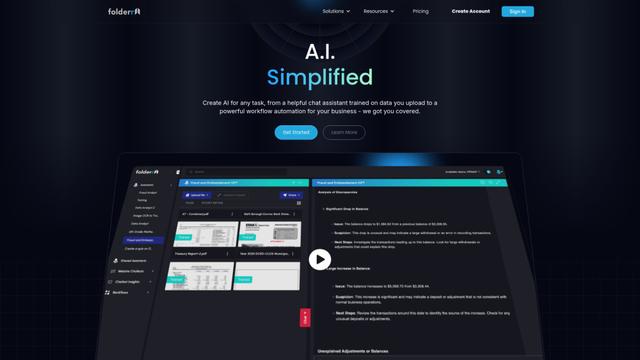
Folderr ist eine umfassende KI-Plattform, die es Nutzern ermöglicht, benutzerdefinierte KI-Assistenten zu erstellen, indem sie unbegrenzt Dateien hochladen, sich mit mehreren Sprachmodellen integrieren und Arbeitsabläufe über eine benutzerfreundliche Oberfläche automatisieren.
Peache.ai
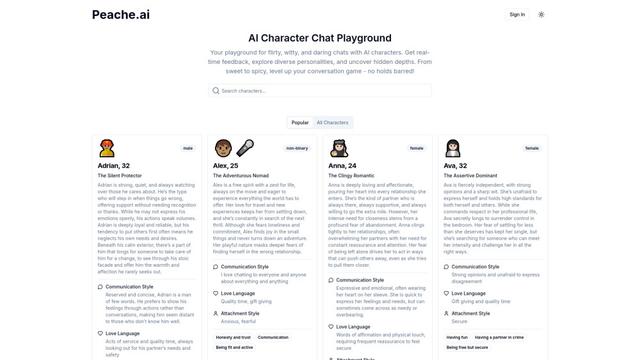
Peache.ai ist ein KI-Charakter-Chat-Spielplatz, der es Benutzern ermöglicht, in flirtende, witzige und gewagte Gespräche mit vielfältigen KI-Persönlichkeiten durch Echtzeit-Interaktionen einzutauchen.

TalkPersona
TalkPersona ist ein KI-gesteuerter Video-Chatbot, der Echtzeit-Gespräche in menschenähnlicher Form durch ein virtuelles sprechendes Gesicht mit natürlicher Stimme und Lippensynchronisationsfähigkeiten bietet.
Thaly AI
Thaly AI ist ein KI-gestützter Vertriebsassistent, der Kundenkonversationen und die Qualifizierung von Leads automatisiert, um Unternehmen zu helfen, ihre Vertriebsabläufe zu skalieren und gleichzeitig Zeit zu sparen.
Beliebte KI-Tools wie ChatTide

GPT‑5.5 | ChatGPT Official
GPT-5.5 in ChatGPT ist OpenAIs neuestes arbeitsorientiertes Modell, das entwickelt wurde, um komplexe Ziele zu verstehen, Tools effektiv zu nutzen, seine Arbeit zu überprüfen und mehrstufige Aufgaben (Codierung, Forschung, Dokumente, Tabellenkalkulationen) mit stärkeren Sicherheitsvorkehrungen bis zur Fertigstellung zu bearbeiten.
DuckDuckGo AI Chat
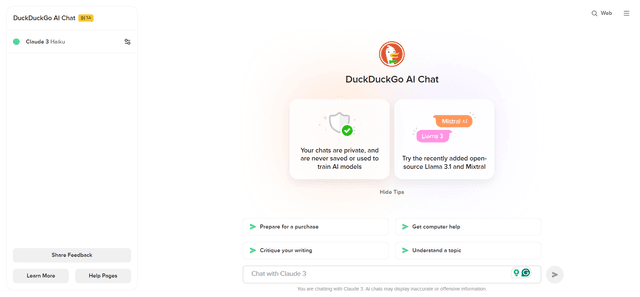
DuckDuckGo AI Chat ist eine kostenlose, anonyme Möglichkeit, auf beliebte KI-Chatbots wie GPT-3.5, Claude und andere zuzugreifen und dabei die Privatsphäre der Benutzer zu wahren.

Arch
Arch ist ein intelligentes Layer-7-Gateway, das auf Envoy Proxy basiert und eine sichere Handhabung, robuste Beobachtbarkeit und nahtlose Integration von Eingabeaufforderungen mit APIs für den Aufbau schneller, robuster und personalisierter KI-Agenten bietet.

Off-grid LLM over Radio
Eine Plattform, die große Sprachmodelle (LLMs) mit Meshtastic-Mesh-Kommunikationsnetzwerken integriert, um netzunabhängige KI-Interaktionen und automatisierte Aufgabenausführung über Funkkommunikation zu ermöglichen.