
Atlaso
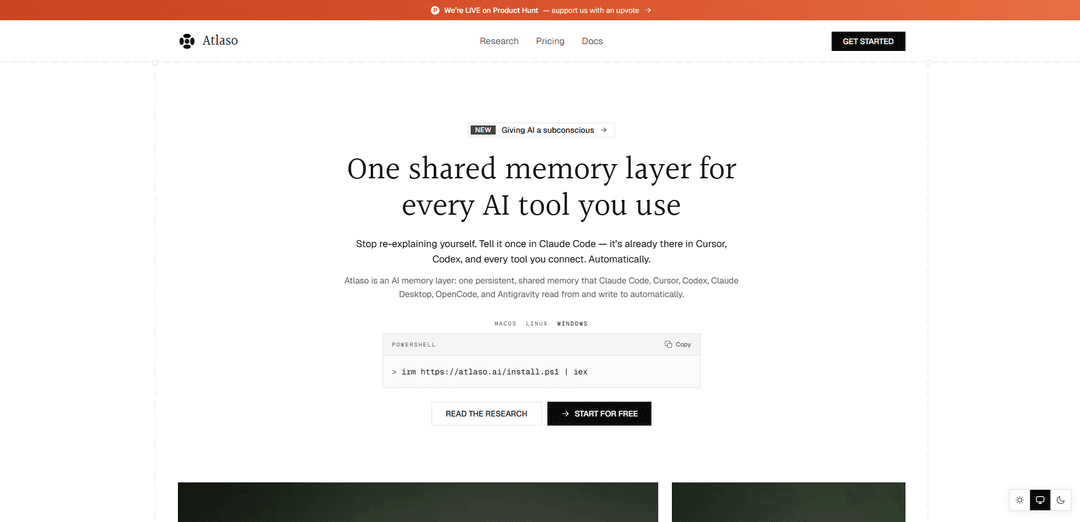
Atlaso is a shared, persistent AI memory layer that automatically captures and recalls decisions, preferences, and project context across tools like Claude Code, Cursor, and Codex—so you stop re-explaining yourself and every session starts informed.
https://www.atlaso.ai/?utm_source=aipure&utm_medium=launch&utm_campaign=ph-aug4&ref=producthunt
Product Information
Updated:Aug 8, 2026
What is Atlaso
Atlaso is an AI memory layer designed to give the AI tools you already use a single, persistent memory that carries across sessions and across apps. Instead of each tool starting from zero and keeping context trapped inside its own history, Atlaso creates one shared memory that can store durable context such as project details, decisions, watch-outs, preferences, and open questions. It supports tools like Claude Code, Cursor, Codex, Claude Desktop, OpenCode, Antigravity, and other MCP-compatible clients, with personal memory that can follow you everywhere and per-project memory that stays cleanly separated.
Key Features of Atlaso
Atlaso is a shared, persistent AI memory layer that automatically captures durable context (decisions, preferences, watch-outs, open questions) as you work in one AI tool and recalls the most relevant context before each turn in any other connected tool. It’s designed to eliminate “cold starts” across sessions and apps (e.g., Claude Code, Cursor, Codex, Claude Desktop), keep personal vs per-project memory cleanly separated, and maintain trustworthiness by flagging contradictions and retiring superseded facts. Atlaso emphasizes privacy controls (secret scrubbing, encryption, user deletion) and low-friction setup (one-command install or connector), so memory follows you across tools without manual copy/paste.
Cross-tool shared memory: One persistent memory that multiple AI tools read from and write to, so context learned in Claude Code is available in Cursor, Codex, and other connected MCP-capable tools.
Automatic capture while you work: Quietly records durable context like decisions, watch-outs, and open threads without requiring you to write notes or run special commands.
Automatic recall before each turn: Before your prompt reaches the model, Atlaso surfaces a short, relevant orientation from your history so the AI can continue where you left off—no re-explaining or pasting context.
Personal vs per-project memory isolation: Global memory travels with you across tools, while project memory stays separated to avoid cross-contamination between unrelated workstreams.
Memory confidence and contradiction handling: Each recalled memory carries a verdict (e.g., settled/contested/thin), contradictions are flagged, and outdated facts can be retired so the AI doesn’t act on stale context.
Privacy-first controls and secret scrubbing: Secrets are scrubbed before storage, data is encrypted in transit and at rest, memories can be searched/managed/deleted, and Atlaso states it does not train on or sell your memory (with additional free-plan constraints on sending memory to LLMs).
Use Cases of Atlaso
Software engineering continuity across IDE agents: Keep coding conventions, architectural decisions, and known pitfalls consistent when switching between Claude Code, Cursor, and Codex—reducing repeated onboarding and avoiding reintroducing past mistakes.
Finance analysis that persists across sessions: Maintain investment theses, modeling assumptions, and prior conclusions so future analysis starts with the latest settled context instead of rebuilding from scratch.
Healthcare & life sciences protocol recall: Preserve research protocols, lab notes, or clinical workflow preferences with privacy protections, enabling faster, more consistent AI assistance across tools and days.
Legal matter context tracking: Remember case facts, precedents to prioritize, and open issues so legal drafting and analysis sessions pick up with accurate context and flagged changes.
Research & education knowledge accumulation: Carry forward sources, hypotheses, experiment status, and open questions across sessions, turning each new interaction into a continuation rather than a restart.
Sales/support account memory: Retain customer history, prior decisions, and unresolved threads so AI-assisted responses stay personalized and consistent across different tools used by the team.
Pros
Reduces repeated context-setting by automatically carrying memory across tools and sessions.
Designed to keep memory trustworthy via contradiction detection and “settled vs contested” verdicts.
Low-friction setup (one command or connector) and works across multiple popular AI coding tools plus MCP-compatible clients.
Strong privacy posture: secret scrubbing, encryption, user-controlled deletion, and stated non-training/non-selling of memory.
Cons
Full value depends on tool compatibility and successful connectors; unsupported tools may not benefit until added.
Automatic capture may miss nuance or capture unwanted context despite scrubbing, requiring occasional review/management.
Advanced capabilities (e.g., Ambient Memory, background enrichment, export, multi-device/tool) require paid plans.
How to Use Atlaso
1) Decide what you want Atlaso to remember (scope): Plan your memory boundaries before connecting tools: use Personal memory for context that should travel across everything you do, and Per-project memory for context that must stay isolated (e.g., separate clients or repos).
2) Pick the AI tools you want to connect: Atlaso is designed to sit underneath the tools you already use. Supported examples include Claude Code, Cursor, Codex, Claude Desktop, OpenCode, and Antigravity. Any tool that speaks MCP can connect as well.
3) Install Atlaso with the one-command setup (recommended): From your terminal, run Atlaso’s install command (provided during setup). It installs Atlaso and then opens your browser to link/authorize your machine—creating your account if you don’t already have one. No config files and no API keys are required.
4) Link your machine and authorize access in the browser: Complete the browser authorization flow that opens after installation. This links the current device to your Atlaso memory so connected tools can read/write memory automatically.
5) Select which tools Atlaso should wire up: During setup, choose the AI tools you want Atlaso to integrate with. Atlaso will configure each selected tool so it can automatically recall memory before each turn and capture durable facts after.
6) Alternative setup (no terminal): add Atlaso as a connector: If your tool has no terminal workflow, connect Atlaso by pasting the Atlaso connector URL into the tool’s connector/integration settings (Atlaso supports being added as a custom connector; GUI clients may differ from CLI tools).
7) Use your AI tools normally—Atlaso runs in the background: Once connected, you don’t need new commands. Atlaso automatically recalls relevant context before each prompt/turn and captures durable outcomes afterward (e.g., decisions, watch-outs, open questions). If Atlaso errors, it fails silently and your tool continues to work.
8) Let Atlaso capture the right kinds of memory: As you work, Atlaso focuses on durable context such as decisions, conventions, preferences, pitfalls to avoid, and open threads. It scrubs secrets before anything is stored.
9) Verify cross-tool continuity: Make a decision or establish a convention in one connected tool (e.g., Claude Code), then open another connected tool (e.g., Cursor or Codex). The same context should be available because memory lives with your Atlaso account, not inside a single app.
10) Rely on Atlaso’s “confidence” handling for changing facts: When plans change (e.g., a launch date moves), Atlaso is designed to flag contradictions and retire superseded facts rather than letting old and new versions coexist. Recalls carry a verdict such as settled, contested, or thin.
11) Manage privacy and control your stored memory: Atlaso encrypts data in transit and at rest, does not train models on your memory, and does not sell it. You can delete individual memories or delete your entire account. Secrets are scrubbed before storage, and project memories stay isolated.
12) Choose a plan based on your usage needs: Free: one device + one tool. Pro ($10/month): unlimited devices/tools sharing one memory, plus Ambient Memory, background enrichment, “Ask your memory,” and JSON export. Build ($25/month): adds a developer memory API for embedding Atlaso memory into your own app/hardware with private memory per end-user.
Atlaso FAQs
Atlaso is an AI memory layer for the tools you already use. After you connect it, Atlaso recalls the context that matters before each turn and captures durable facts after, so your AI remembers decisions, preferences, and where you left off across sessions.
Atlaso Video
Popular Articles

Vosko AI: Localize and Dub Videos for Global Audiences
Oct 15, 2026

Atoms: A Multi-Agent AI Platform That Transforms Ideas into Launch-Ready Products
Oct 13, 2026

Nano Banana SBTI: What It Is, How It Works, and How to Use It in 2026
Apr 15, 2026

Atoms Review — The AI Product Builder Redefining Digital Creation in 2026
Apr 10, 2026
Latest AI Tools Similar to Atlaso

invoices.dev
invoices.dev is an automated invoicing platform that generates invoices directly from developers' Git commits, with integration capabilities for GitHub, Slack, Linear, and Google services.

Monyble
Monyble is a no-code AI platform that enables users to launch AI tools and projects within 60 seconds without requiring technical expertise.

Devozy.ai
Devozy.ai is an AI-powered developer self-service platform that combines Agile project management, DevSecOps, multi-cloud infrastructure management, and IT service management into a unified solution for accelerating software delivery.
Mediatr
MediatR is a popular open-source .NET library that implements the Mediator pattern to provide simple and flexible request/response handling, command processing, and event notifications while promoting loose coupling between application components.
Popular AI Tools Like Atlaso
Launch
Launch is an AI-powered platform that enables users to build full-stack applications instantly while providing comprehensive tools for product launches, entrepreneurship programs, and customer acquisition.

GitHub Copilot Chat
GitHub Copilot Chat is an AI-powered coding assistant that provides natural language interactions, real-time code suggestions, and contextual support directly within supported IDEs and GitHub.com.
Rememberall
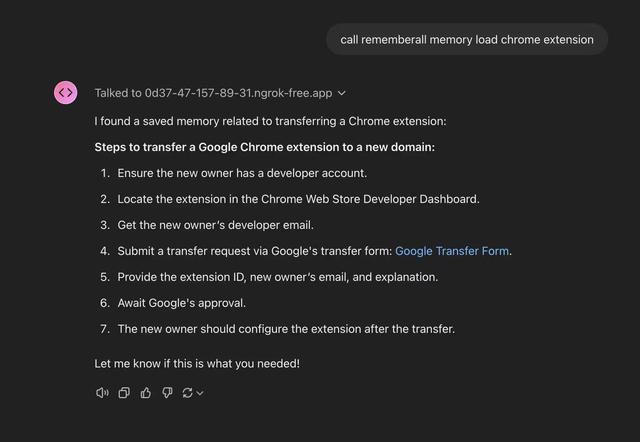
Rememberall is a secure, open-source long-term memory solution that enables AI applications and GPT models to maintain persistent memory across conversations through semantic search and vector storage capabilities.
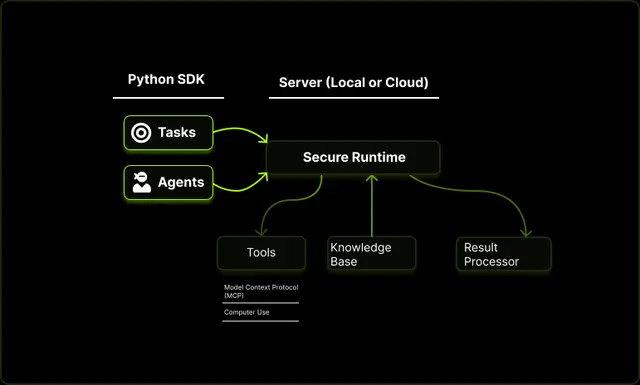
Upsonic
Upsonic is a reliability-focused AI agent framework with dockerized server-client architecture that enables trusted agent workflows through advanced features like verification layers, triangular architecture, and Model Context Protocol (MCP) integration.