
AI Lab
AI Lab is a next-generation visual workspace that enables users to create intelligent applications and machine learning models through an intuitive drag-and-drop interface without requiring coding expertise.
https://ai-lab.tejasvaij.com/?ref=producthunt

Product Information
Updated:Dec 8, 2025
What is AI Lab
AI Lab is a comprehensive platform designed to democratize artificial intelligence and machine learning development. It serves as a visual workspace where users can build AI-powered applications, create forecasting pipelines, and generate insights through an intuitive interface. The platform caters to various users, from business analysts and data scientists to educational institutions and enterprises, making advanced AI capabilities accessible to everyone regardless of their technical background.
Key Features of AI Lab
AI Lab is a comprehensive AI workspace platform that enables users to build intelligent applications and machine learning models through a visual drag-and-drop interface without requiring coding expertise. It offers collaborative features, real-time workspace updates, and tools for data processing, model building, and visualization, making AI development accessible to both technical and non-technical users.
Visual Workflow Builder: Intuitive drag-and-drop interface with 50+ pre-built nodes for creating ML pipelines, data processing, and visualization without coding
Collaborative Environment: Real-time workspace updates and shared projects enabling seamless team collaboration across departments
Production-Ready Export: Ability to generate Python or R scripts from visual workflows for easy deployment to production environments
Comprehensive ML Library: Access to wide range of machine learning models and algorithms for various use cases and applications
Use Cases of AI Lab
Business Analytics: Enable business analysts to create forecasting models and generate insights without technical expertise
Educational Training: Help students learn ML concepts visually and practice AI applications in a hands-on environment
Enterprise AI Development: Allow organizations to scale AI initiatives and maintain consistency across departments through shared workflows
Consulting Services: Enable consultants to quickly prototype and deliver ML solutions for clients without extensive coding
Pros
No coding required - makes AI accessible to non-technical users
Cost-effective compared to hiring full data science teams
Rapid prototyping and deployment capabilities
Cons
Still in development/beta phase
May have limitations compared to traditional coding approaches
Dependency on platform for AI development workflow
How to Use AI Lab
Sign up for Early Access: Since AI Lab is currently in development, you'll need to sign up for early access/beta testing through their platform
Access the Visual Workflow Builder: Once granted access, open the visual drag-and-drop interface that contains 50+ pre-built nodes for building AI applications
Select Your Use Case: Choose from various applications like sales forecasting, customer churn prediction, demand forecasting, risk assessment, quality control, or patient flow optimization
Build Your AI Workflow: Drag and drop the required nodes to create your machine learning pipeline - this includes data processing, ML models, and visualization components
Configure Model Parameters: Adjust settings and parameters for your selected ML models through the visual interface without coding
Collaborate with Team: Invite team members to collaborate on your project using the real-time workspace updates and shared project features
Test and Validate: Run your workflow to test the model and validate results using the platform's analytical tools
Export for Production: Once satisfied with results, export your workflow as Python or R scripts for production deployment
AI Lab FAQs
AI Lab is a visual workspace platform for building AI-powered applications without writing code. It allows users to create machine learning models, build forecasting pipelines, and generate insights through an intuitive drag-and-drop interface.
Popular Articles

Vosko AI: Localize and Dub Videos for Global Audiences
Oct 15, 2026

Atoms: A Multi-Agent AI Platform That Transforms Ideas into Launch-Ready Products
Oct 13, 2026

Nano Banana SBTI: What It Is, How It Works, and How to Use It in 2026
Apr 15, 2026

Atoms Review — The AI Product Builder Redefining Digital Creation in 2026
Apr 10, 2026
Latest AI Tools Similar to AI Lab

invoices.dev
invoices.dev is an automated invoicing platform that generates invoices directly from developers' Git commits, with integration capabilities for GitHub, Slack, Linear, and Google services.

Monyble
Monyble is a no-code AI platform that enables users to launch AI tools and projects within 60 seconds without requiring technical expertise.

Devozy.ai
Devozy.ai is an AI-powered developer self-service platform that combines Agile project management, DevSecOps, multi-cloud infrastructure management, and IT service management into a unified solution for accelerating software delivery.
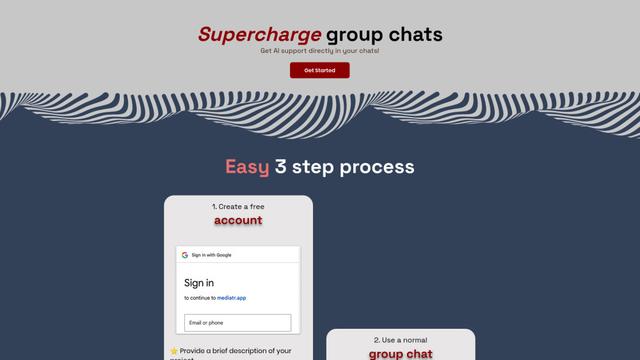
Mediatr
MediatR is a popular open-source .NET library that implements the Mediator pattern to provide simple and flexible request/response handling, command processing, and event notifications while promoting loose coupling between application components.
Popular AI Tools Like AI Lab
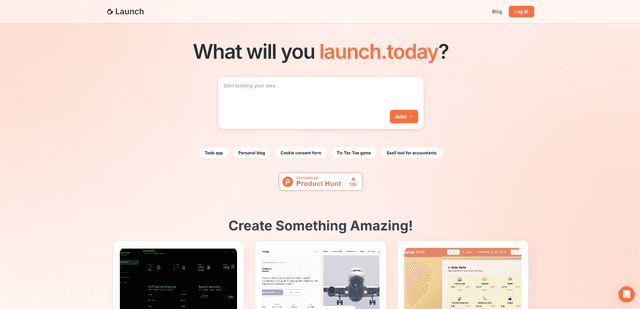
Launch
Launch is an AI-powered platform that enables users to build full-stack applications instantly while providing comprehensive tools for product launches, entrepreneurship programs, and customer acquisition.

GitHub Copilot Chat
GitHub Copilot Chat is an AI-powered coding assistant that provides natural language interactions, real-time code suggestions, and contextual support directly within supported IDEs and GitHub.com.

Rememberall
Rememberall is a secure, open-source long-term memory solution that enables AI applications and GPT models to maintain persistent memory across conversations through semantic search and vector storage capabilities.

Upsonic
Upsonic is a reliability-focused AI agent framework with dockerized server-client architecture that enables trusted agent workflows through advanced features like verification layers, triangular architecture, and Model Context Protocol (MCP) integration.