
Dream Pixel AI
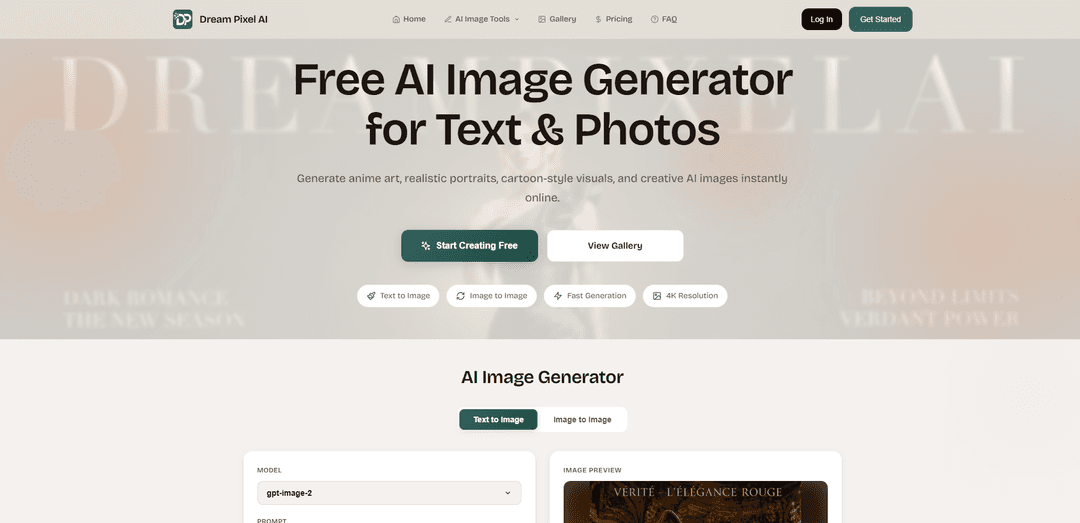
Dream Pixel AI is an online AI image generator that creates text-to-image and image-to-image artwork (anime, realistic, cartoon styles) and includes pro editing tools like background removal, upscaling, restoration, and inpainting for fast, high-quality results.
https://www.dreampixelai.com/?ref=producthunt
Product Information
Updated:Aug 8, 2026
What is Dream Pixel AI
Dream Pixel AI is a web-based creative platform that lets you generate AI images from text prompts or transform existing photos into new styles in seconds. It’s designed for creators and businesses who want quick, polished visuals—ranging from anime and cartoon-style art to realistic portraits—without needing complex software. The product also offers a suite of “professional AI tools” for common photo tasks such as background removal/changing, AI editing, watermark/object removal, upscaling/enhancement, old photo restoration, and generating professional headshots. It provides a free plan with starter credits and paid tiers that unlock higher resolutions, more credits, faster generation, and watermark-free downloads.
Key Features of Dream Pixel AI
Dream Pixel AI is a web-based AI image generator that supports both text-to-image and image-to-image creation, enabling users to quickly produce styles like anime, realistic portraits, cartoons, and other creative visuals. It also includes a suite of AI photo-editing tools—such as background removal/replacement, watermark/object removal via inpainting, upscaling/enhancement, restoration, compositing, and professional headshot/photoshoot generation—aimed at creators and businesses. The platform offers tiered plans with credits, higher resolutions (from free 512×512 up to 2K/4K on paid tiers), faster priority generation, and (per its FAQ) ownership of generated images with commercial use available on Pro/Enterprise tiers.
Text-to-image generation: Create new images from prompts with control over options like aspect ratio, number of images, and quality settings (Standard/HD/4K depending on plan).
Image-to-image transformations: Upload a photo and generate stylized variations (e.g., anime/cartoon looks) while retaining key elements of the original image.
AI watermark/object removal (inpainting): Remove watermarks, logos, or unwanted objects using AI-powered fill/inpainting for cleaner final assets.
Background removal & background changer: Extract subjects with “pixel-perfect accuracy” and replace or remove backgrounds quickly for product shots, portraits, and marketing creatives.
Upscaling, enhancement & restoration: Upscale images up to 4×, sharpen/enhance quality, and restore old or damaged photos to improve clarity and usability.
Professional portrait tools: Generate AI professional headshots and photoshoot-style images for polished, studio-like results without a photographer.
Use Cases of Dream Pixel AI
Marketing & advertising creatives: Generate campaign visuals, social ads, and promotional graphics; quickly iterate styles and formats with different aspect ratios and quality tiers.
E-commerce product imagery: Remove or replace backgrounds, enhance clarity, and create clean product presentations suitable for marketplaces and storefronts.
Content creation for social media: Produce stylized portraits, cartoons/anime looks, and eye-catching AI art for posts, thumbnails, and profile assets.
Professional branding & recruiting: Create AI professional headshots for LinkedIn, resumes, team pages, and speaker bios when a traditional shoot isn’t available.
Photo cleanup & archival projects: Restore old photos, remove unwanted objects, and upscale images for printing, family archives, or historical documentation.
Design & compositing workflows: Blend multiple images into composites and generate variations for concepting in design, publishing, and creative production.
Pros
All-in-one toolkit: combines generation (text/image) with practical editing tools like background removal, inpainting, and upscaling.
Flexible output options: supports multiple aspect ratios and higher resolutions (2K/4K) on paid plans with priority generation.
Clear usage claims: FAQ states users retain ownership of created images; commercial use is included on Pro/Enterprise tiers.
Cons
Credit-based limits: monthly credits and plan tiers may constrain heavy users; free tier starts with limited credits and standard quality.
Commercial use restrictions on free plan: FAQ indicates free accounts are for personal, non-commercial use only.
Performance variability: generation time depends on server load, with faster results reserved for higher tiers.
How to Use Dream Pixel AI
1. Open Dream Pixel AI: Go to https://www.dreampixelai.com/ and locate the main generator on the homepage (text-to-image and image-to-image).
2. Create a free account (optional but recommended): Sign up to receive 10 free credits on registration. No credit card is required to start.
3. Choose your generation mode (Text-to-Image or Image-to-Image): Use Text-to-Image to generate from a written prompt, or select/upload an image from your device to use as the starting point for Image-to-Image variations.
4. Select a model: In the generator, pick the AI model you want to use (available options depend on your plan; paid plans include access to all available AI models).
5. Write your prompt: Enter a detailed description of what you want to generate (up to 5000 characters). Include subject, style (e.g., anime, realistic, cartoon), lighting, and composition details.
6. Set aspect ratio: Choose the aspect ratio you need (square, portrait, or landscape; all aspect ratios are available on paid plans).
7. Choose number of images: Set how many images you want generated in one run using the 'Number of Images' option.
8. Pick output quality/resolution: Select the quality level (Standard/HD/4K depending on your plan). Free accounts can generate up to 512x512; Pro supports up to 2K (2048x2048); higher tiers support 4K and above.
9. Generate the image: Click the generate action (e.g., Generate) and wait for results. Typical generation time is about 10–30 seconds, depending on server load and plan priority.
10. Preview and iterate: Use the preview area and thumbnail selector to review outputs. Adjust your prompt, model, aspect ratio, or quality settings and generate again to refine results.
11. Download your result: Download the generated image. Paid plans remove watermarks and may allow downloading the original resolution (as listed in plan features).
12. Use professional AI tools (optional): From the site’s tools section, open features like Watermark Remover, Background Remover/Changer, AI Image Editor, Upscaler & Enhancer, Old Photo Restoration, Professional Headshots, Merge & Composite, or PhotoShoot Generator to further edit or enhance images.
13. Understand usage rights and plan limits: You retain full ownership of images you create. Free accounts are for personal, non-commercial use only; Pro/paid plans include commercial use. Credits and features vary by plan (Free/Starter/Pro/Unlimited).
14. Manage or cancel subscription (if upgraded): If you subscribe, you can cancel anytime in account settings. Your subscription stays active until the end of the billing period, then you’re downgraded to Free while keeping images you already created.
Dream Pixel AI FAQs
Dream Pixel AI is an online AI image generator that supports text-to-image and image-to-image creation, letting you generate styles such as anime art, realistic portraits, cartoons, and other creative visuals.
Popular Articles

Atoms: A Multi-Agent AI Platform That Transforms Ideas into Launch-Ready Products
May 22, 2026

Nano Banana SBTI: What It Is, How It Works, and How to Use It in 2026
Apr 15, 2026

Atoms Review — The AI Product Builder Redefining Digital Creation in 2026
Apr 10, 2026

Kilo Claw: How to Deploy and Use a True "Do‑It‑For‑You" AI Agent(2026 Update)
Apr 3, 2026
Latest AI Tools Similar to Dream Pixel AI
IMG Processing
IMG Processing is a powerful API service that enables fast and reliable image processing capabilities including uploading, transforming, and watermarking through simple integration.
Wink Mody
Wink Mody is a modified version of the Wink video editing app that offers premium features like AI-powered retouching, 4K exports, and watermark-free editing completely free of charge.
Erase BG
Erase BG is a free, AI-powered online tool that automatically removes backgrounds from images with support for up to 4K resolution, requiring no account or special skills.
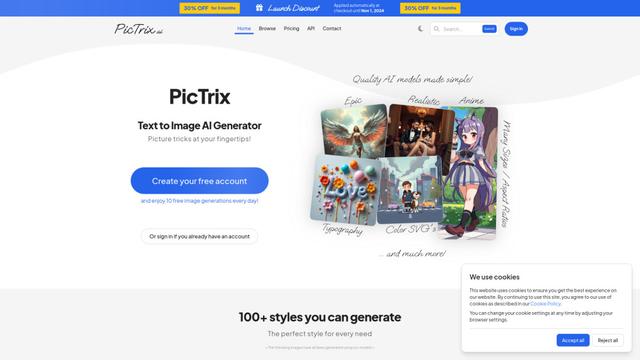
PicTrix AI
PicTrix AI is an advanced AI-powered platform that transforms text prompts and images into high-quality visuals across multiple styles, formats and sizes while offering features like image restoration, enhancement and SVG generation.
Popular AI Tools Like Dream Pixel AI
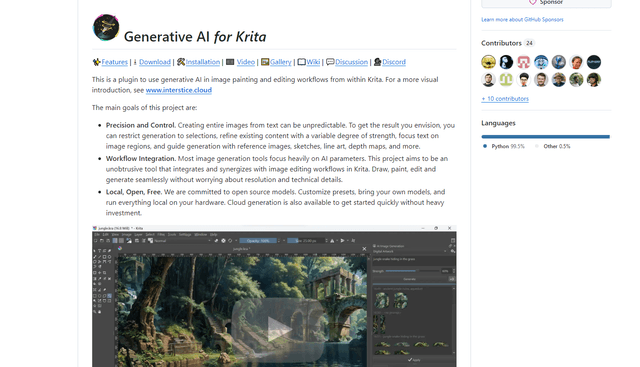
Krita
Krita is a free and open-source digital painting and illustration software that offers a wide range of professional-grade tools for artists and designers.
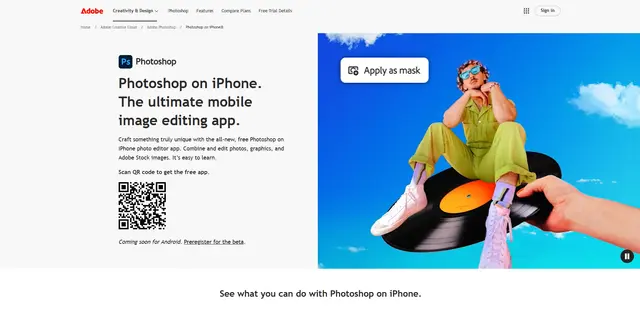
Adobe Photoshop App
Adobe Photoshop App is a free, powerful mobile photo editor that allows users to combine and edit photos, graphics, and Adobe Stock images with professional-grade tools and AI features optimized for touch devices.
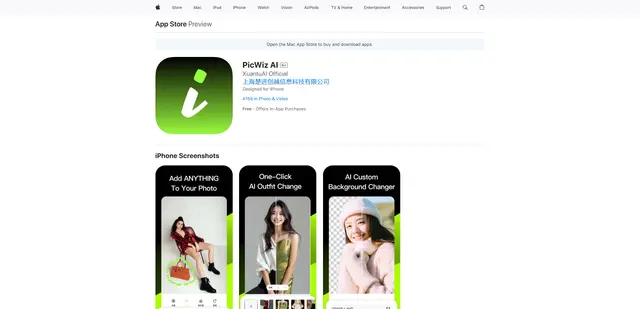
PicWiz AI
PicWiz AI is a comprehensive AI-powered photo editing and image generation tool that offers over 100 photo styles and multiple AI processing capabilities including object addition, removal, background manipulation, and image enhancement.

Remove Image Background
Remove.bg is an AI-powered online tool that automatically removes image backgrounds in seconds with just one click.