
AgentNotch
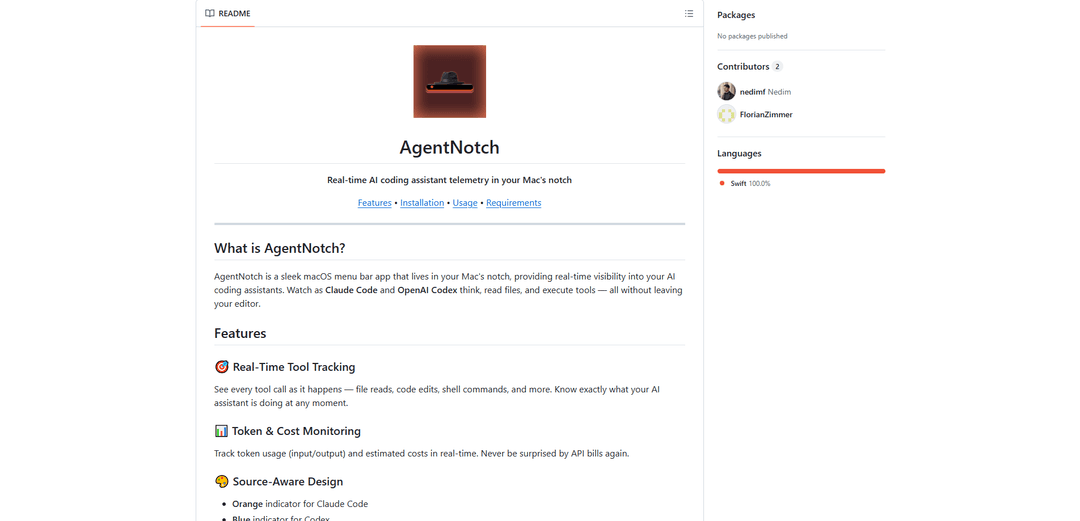
AgentNotch is a macOS menu bar app that lives in your Mac's notch, providing real-time visibility and monitoring of AI coding assistants like Claude Code and OpenAI Codex.
https://github.com/AppGram/agentnotch?ref=producthunt
Product Information
Updated:Jan 8, 2026
What is AgentNotch
AgentNotch is a sleek and lightweight native macOS application designed specifically for developers who use AI coding assistants. It operates from your Mac's notch or menu bar, offering a non-intrusive way to monitor and track the activities of AI coding tools. The app focuses on providing transparency and insight into how AI assistants interact with your codebase, making it an essential tool for developers who want to maintain awareness of their AI assistants' actions.
Key Features of AgentNotch
AgentNotch is a macOS menu bar application designed to provide real-time monitoring of AI coding assistants. It lives in the Mac's notch or menu bar, offering visibility into AI tools' activities like Claude Code and OpenAI Codex. The app tracks token usage, costs, tool calls, and completion status while running 100% locally without sending data externally, making it a privacy-focused solution for developers working with AI coding assistants.
Real-Time Tool Tracking: Monitors and displays live activities of AI assistants including file reads, code edits, and shell commands in real-time
Token & Cost Monitoring: Tracks input/output token usage and provides estimated costs in real-time to help manage API expenses
Source-Aware Visual Indicators: Uses color-coded indicators (orange for Claude Code, blue for Codex) to easily distinguish between different AI sources
Native macOS Integration: Integrates seamlessly with macOS, utilizing the notch space and providing a lightweight, battery-efficient experience
Use Cases of AgentNotch
AI Development Monitoring: Developers can track their AI coding assistants' activities and resource usage during development sessions
Cost Management: Teams can monitor and optimize their AI API usage costs by tracking token consumption in real-time
Development Workflow Integration: Seamlessly integrates into developers' workflows by providing status updates and completion notifications without disrupting their coding process
Pros
100% local operation with strong privacy focus
Zero screen real estate usage by utilizing the notch
Native macOS app with efficient performance
Cons
Limited to macOS 14.0 (Sonoma) or later
Requires specific Mac models with notch for optimal experience
Currently only supports Claude Code and Codex AI assistants
How to Use AgentNotch
Install AgentNotch: Option 1 (Recommended): Use Homebrew by running 'brew tap AppGram/tap' followed by 'brew install --cask agentnotch'. Option 2: Download AgentNotch-1.0.0.zip from Releases, unzip and drag AgentNotch.app to /Applications folder
Launch the Application: Open AgentNotch. The app will appear in your Mac's notch area (or menu bar for non-notch Macs)
Configure AI Tools: Set your AI coding tools to send telemetry to http://localhost:4318 (default port). For Claude Code, set OTEL_EXPORTER_OTLP_ENDPOINT='http://localhost:4318'. For Codex, configure OpenTelemetry data to same endpoint
View Basic Information: The app shows colored indicators - Orange for Claude Code, Blue for Codex, Light blue for unknown sources. This lets you know which AI is currently active
Access Detailed Information: Hover over the notch icon to expand and see recent tool calls with details. Click to open full view with token breakdown
Customize Settings: Click the gear icon to configure display options like showing/hiding token counts, cost estimates, filtering by source, and toggling menu bar icon
Monitor Activity: Watch real-time tool tracking of file reads, code edits, shell commands, token usage, and estimated costs as your AI assistants work
AgentNotch FAQs
AgentNotch is a macOS menu bar app that lives in your Mac's notch, providing real-time visibility into AI coding assistants like Claude Code and OpenAI Codex. It allows you to monitor their activities, token usage, and costs without leaving your editor.
AgentNotch Video
Popular Articles

Vosko AI: Localize and Dub Videos for Global Audiences
Oct 15, 2026

Atoms: A Multi-Agent AI Platform That Transforms Ideas into Launch-Ready Products
Oct 13, 2026

Nano Banana SBTI: What It Is, How It Works, and How to Use It in 2026
Apr 15, 2026

Atoms Review — The AI Product Builder Redefining Digital Creation in 2026
Apr 10, 2026
Latest AI Tools Similar to AgentNotch

Gait
Gait is a collaboration tool that integrates AI-assisted code generation with version control, enabling teams to track, understand, and share AI-generated code context efficiently.

invoices.dev
invoices.dev is an automated invoicing platform that generates invoices directly from developers' Git commits, with integration capabilities for GitHub, Slack, Linear, and Google services.

EasyRFP
EasyRFP is an AI-powered edge computing toolkit that streamlines RFP (Request for Proposal) responses and enables real-time field phenotyping through deep learning technology.

Cart.ai
Cart.ai is an AI-powered service platform that provides comprehensive business automation solutions including coding, customer relations management, video editing, e-commerce setup, and custom AI development with 24/7 support.
Popular AI Tools Like AgentNotch

GitHub Copilot Chat
GitHub Copilot Chat is an AI-powered coding assistant that provides natural language interactions, real-time code suggestions, and contextual support directly within supported IDEs and GitHub.com.

CopilotForXcode
CopilotForXcode is an Xcode Source Editor Extension that integrates GitHub Copilot, Codeium, and ChatGPT to provide AI-powered code suggestions, chat assistance, and prompt-to-code functionality within Xcode.

BrowserAI
BrowserAI is an open-source library that enables running local Large Language Models (LLMs) directly in web browsers with WebGPU acceleration, offering privacy-focused AI capabilities without requiring server infrastructure.

OpenAI Codex CLI
OpenAI Codex CLI is a lightweight, open-source coding agent that runs in your terminal, enabling developers to translate natural language into code execution while providing ChatGPT-level reasoning with the ability to run code, manipulate files, and iterate under version control.