
Audio player for ChatGPT
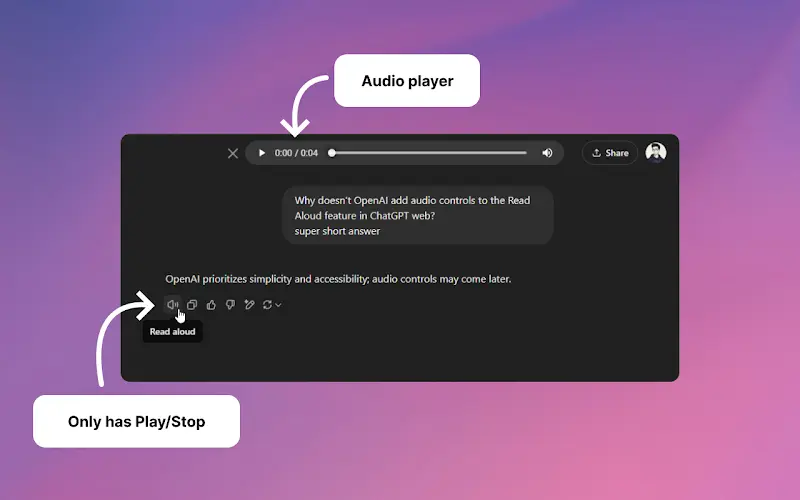
A Chrome extension that enhances ChatGPT's Read Aloud feature by adding a user-friendly audio player with basic controls like play/pause, seek bar, and duration display.
https://chromewebstore.google.com/detail/audio-player-for-chatgpt/pgogbhnjghehkajgclkpgplflfnjcgpm?ref=aipure
Thông tin Sản phẩm
Đã cập nhật:Nov 8, 2025
Audio player for ChatGPT là gì
Audio Player for ChatGPT is a free Chrome extension designed to improve the audio playback experience of ChatGPT's built-in Read Aloud feature. It adds essential audio control functionality that was previously missing from ChatGPT's native audio capabilities. The extension is lightweight, open-source, and integrates seamlessly with the ChatGPT interface to provide users with better control over voice playback.
Các Tính năng Chính của Audio player for ChatGPT
Audio Player for ChatGPT is a Chrome extension that enhances ChatGPT's Read Aloud feature by adding essential audio control functionality. It provides users with a simple audio player interface featuring basic controls like play/pause buttons, a seek bar, and duration display, leveraging the browser's built-in audio capabilities to improve the listening experience of ChatGPT responses.
Basic Audio Controls: Includes standard play/pause functionality for better control over audio playback
Seek Bar Integration: Allows users to navigate through the audio content by dragging the seek bar to specific points
Duration Display: Shows the length and current position of the audio playback for better time management
Browser-Native Integration: Utilizes browser's built-in audio controls for reliable and familiar user experience
Các Trường hợp Sử dụng của Audio player for ChatGPT
Accessibility Support: Helps users with visual impairments or reading difficulties to consume ChatGPT content through audio
Multitasking Enhancement: Enables users to listen to ChatGPT responses while performing other tasks
Learning Aid: Supports auditory learners by providing spoken versions of ChatGPT's responses with controllable playback
Ưu điểm
Simple and intuitive interface
Open-source software
Lightweight extension (only 14.83KiB)
Nhược điểm
Limited to Chrome browser only
Depends on ChatGPT's built-in Read Aloud feature
New extension with limited user feedback
Cách Sử dụng Audio player for ChatGPT
Install the extension: Go to Chrome Web Store and add 'Audio Player for ChatGPT' extension to your Chrome browser
Visit ChatGPT website: Navigate to chat.openai.com and log into your ChatGPT account
Use ChatGPT's Read Aloud feature: When ChatGPT provides a response, look for and click the 'Read Aloud' feature that comes with ChatGPT
Access the audio player controls: The extension will automatically add an audio player with basic controls including play/pause button, seek bar, and duration display
Control the audio playback: Use the added audio player controls to play/pause the audio, adjust the position using the seek bar, and view the duration of the audio
Câu hỏi Thường gặp về Audio player for ChatGPT
It is a Chrome extension that adds basic audio controls to ChatGPT's Read Aloud feature, including play/pause functionality, a seek bar, and duration display.
Bài viết phổ biến

Atoms: Nền tảng AI đa tác nhân biến ý tưởng thành sản phẩm sẵn sàng ra mắt
May 22, 2026

Nano Banana SBTI: Nó là gì, Cách thức hoạt động và Cách sử dụng nó vào năm 2026
Apr 15, 2026

Đánh giá Atoms — Trình tạo sản phẩm AI định nghĩa lại việc tạo nội dung số vào năm 2026
Apr 10, 2026

Kilo Claw: Cách Triển Khai và Sử Dụng AI Agent "Làm-Thay-Bạn" Thực Sự (Cập Nhật 2026)
Apr 3, 2026
Công cụ AI Mới nhất Tương tự Audio player for ChatGPT
MicVoice.Ai
MicVoice.Ai là một nền tảng tạo giọng nói AI tất cả trong một biến đổi văn bản viết thành giọng nói tự nhiên, chất lượng cao với hơn 5000 giọng nói AI thực tế hỗ trợ hơn 17 ngôn ngữ.
Narrai
Narrai là một ứng dụng di động sử dụng AI giúp tạo ra giọng kể và nhạc nền ngay lập tức cho các video ngắn bằng cách tự động tạo kịch bản liên quan và cung cấp nhiều nhân vật người dẫn chuyện.
Vagent
Vagent là một giao diện giọng nói nhẹ nhàng cho phép người dùng tương tác với các đại lý AI tùy chỉnh thông qua các lệnh giọng nói, cung cấp một cách tự nhiên và trực quan để kiểm soát các quy trình tự động hóa với hỗ trợ cho hơn 60 ngôn ngữ.
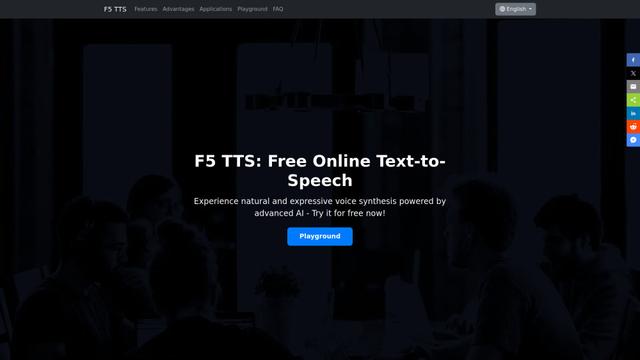
F5 TTS
F5-TTS là một hệ thống chuyển văn bản thành giọng nói tiên tiến, không tự hồi tiếp, sử dụng các kỹ thuật Flow Matching và Diffusion Transformer để tạo ra giọng nói rất tự nhiên và biểu cảm với khả năng nhân giọng nói zero-shot.
Công cụ AI Phổ biến Giống Audio player for ChatGPT
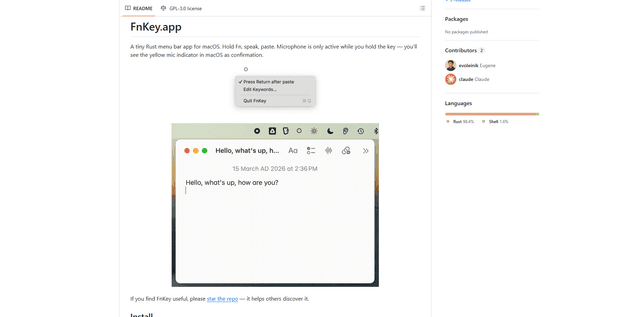
FnKey
FnKey là một ứng dụng thanh menu macOS nhẹ cho phép phiên âm giọng nói thành văn bản nhanh chóng bằng cách giữ phím Fn để nói và tự động dán văn bản đã phiên âm khi thả ra.
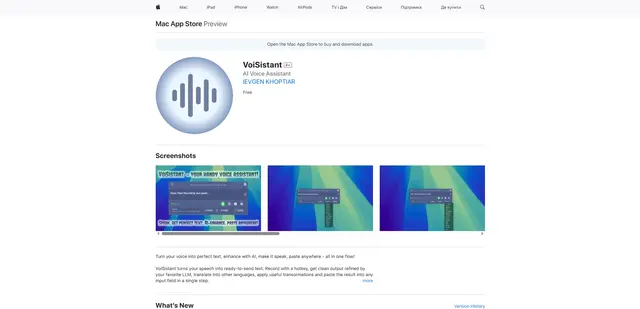
VoiSistant
VoiSistant là một ứng dụng chuyển giọng nói thành văn bản toàn diện, kết hợp khả năng nhận dạng giọng nói, cải tiến AI, dịch thuật và chuyển văn bản thành giọng nói trong một quy trình làm việc liền mạch.
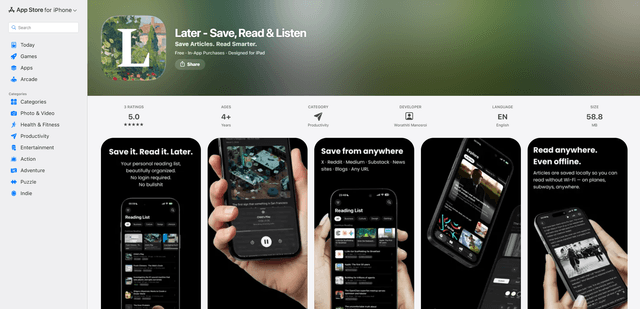
LaterAI
Later là một ứng dụng đọc sau được hỗ trợ bởi AI cho phép bạn lưu bài viết, đọc chúng trong một môi trường không gây xao nhãng và nghe chúng bằng giọng nói AI tự nhiên - đồng thời duy trì sự riêng tư hoàn toàn với quá trình xử lý trên thiết bị.
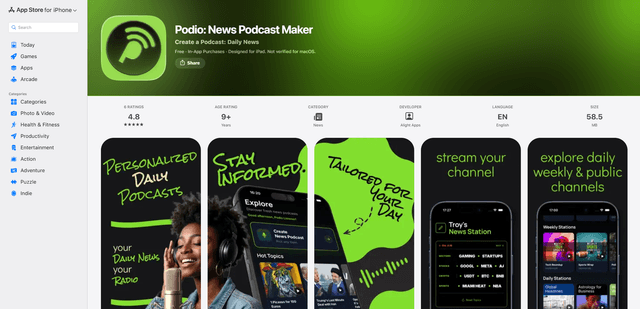
Podio
Podio là một ứng dụng âm thanh tin tức được hỗ trợ bởi AI phát trực tuyến ngay lập tức một kênh podcast kiểu radio được cá nhân hóa từ các chủ đề bạn đã chọn, với các bản cập nhật hàng ngày, tạo tập tùy chỉnh và tường thuật bằng AI có âm thanh tự nhiên.