Yolly AI
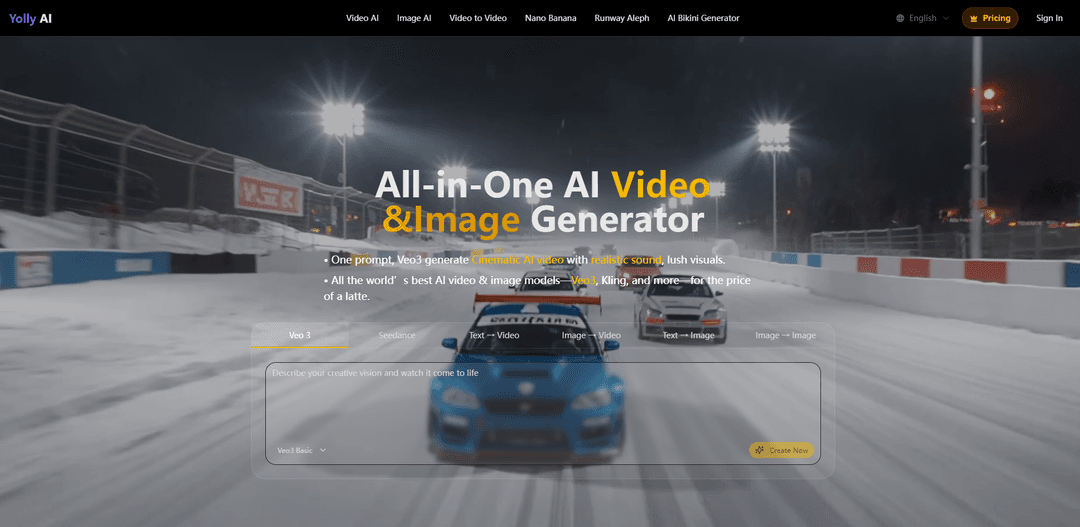
Yolly AI is an all-in-one AI video and image generation platform that integrates world-leading AI models like Veo3, Seedance, and Kling to transform text prompts into cinema-grade 4K videos and high-resolution images within seconds.
https://www.yolly.ai/?utm_source=aipure
Product Information
Updated:Sep 10, 2025
What is Yolly AI
Yolly AI is a comprehensive AI-powered creative platform that serves as a one-stop solution for video and image generation. It combines multiple advanced AI models into a single platform, making professional-grade content creation accessible and affordable. The platform caters to content creators, designers, businesses, and anyone looking to produce high-quality visual content without extensive technical expertise or production resources. What sets Yolly AI apart is its ability to generate cinema-quality videos with realistic sound and high-resolution images from simple text descriptions, all available at an accessible price point.
Key Features of Yolly AI
Yolly AI is an all-in-one AI video and image generation platform that integrates multiple leading AI models including Veo3, Seedance, and Kling. It allows users to create cinema-grade 4K videos with realistic sound and high-resolution images from text prompts or existing media. The platform offers various features including text-to-video, image-to-video, video-to-video conversion, and image generation capabilities, all accessible through a single subscription at an affordable price.
Multi-model Integration: Access to multiple leading AI models including Veo3, Kling, Seedance 2.0, DALL-E, and GPT-4o through a single platform
Versatile Content Generation: Supports multiple conversion types including text-to-video, image-to-video, video-to-video, and text-to-image with high-quality outputs
Template Library: Over 100 viral-ready templates for creating various types of content including ASMR clips, product ads, and special effects
Quick Generation Time: Produces fully synced visuals and audio in around 60 seconds, ready for immediate download or sharing
Use Cases of Yolly AI
Social Media Marketing: Create engaging content for multiple social media platforms with consistent quality and high engagement potential
E-commerce Product Promotion: Generate professional product promotional videos and images at scale with significant cost savings
Freelance Design Work: Quickly produce various visual content for clients with efficient turnaround times
Advertising Agency Projects: Create high-quality marketing materials and advertisements using different AI models for different creative needs
Pros
Cost-effective with multiple AI models available under one subscription
Fast generation time with professional-grade output quality
User-friendly interface with ready-to-use templates
Cons
Free version includes watermarks on generated content
Requires paid subscription for commercial use
Limited free generations (3-5 videos/images) before requiring payment
How to Use Yolly AI
Visit Yolly AI Website: Go to www.yolly.ai and sign up for an account. You can start with the free plan that offers 3-5 free video/image generations.
Choose Generation Type: Select the type of content you want to create: Text-to-Video, Image-to-Video, Video-to-Video, Text-to-Image, or Image-to-Image
Select AI Model: Choose from available AI models like Veo3, Kling, Seedance, DALL-E, GPT-4o etc. based on your needs
Enter Your Prompt: Write a detailed text description of the video/image you want to generate. Be specific about style, mood, actions, and other details
Customize Settings: Adjust any available parameters like resolution, duration, style preferences etc. before generation
Generate Content: Click 'Create Now' or 'Generate' button and wait for the AI to process your request (typically takes around 60 seconds)
Preview & Download: Review the generated content and download if satisfied. Free users will have watermarks on their content
Optional: Upgrade Plan: For watermark-free content and more generations, upgrade to a paid subscription plan
Yolly AI FAQs
Yolly AI offers a free plan that allows users to create 3-5 free videos and images with basic features. However, for more creation credits and high-level functions, paid subscription plans are required.
Popular Articles

Vosko AI: Localize and Dub Videos for Global Audiences
Oct 15, 2026

Atoms: A Multi-Agent AI Platform That Transforms Ideas into Launch-Ready Products
Oct 13, 2026

Nano Banana SBTI: What It Is, How It Works, and How to Use It in 2026
Apr 15, 2026

Atoms Review — The AI Product Builder Redefining Digital Creation in 2026
Apr 10, 2026
Latest AI Tools Similar to Yolly AI

Loud Fame
Loud Fame is an AI-powered video transformation tool that allows users to convert regular videos into anime-style animations and create AI-generated celebrity talking videos.

BizBoom.ai
BizBoom.ai is an AI-powered platform that automatically generates professional product videos from product links and images with 95% less cost.

EzVideos
EzVideos is an all-in-one video creation tool that helps users generate viral videos for social media platforms like Instagram, TikTok, and YouTube with automated editing features and built-in resources.

Illuminix
Illuminix is an AI-powered platform that empowers businesses with autonomous hyper-experts and specialized tools for automated business processes, data management, and video content creation.
Popular AI Tools Like Yolly AI

HunyuanVideo-I2V
HunyuanVideo-I2V is an open-source AI framework developed by Tencent that transforms static images into high-quality, dynamic videos with customizable motion effects and exceptional visual consistency.

Google Veo 2
Veo 2 is Google DeepMind's state-of-the-art AI video generation model that can create high-quality videos up to 4K resolution with realistic motion, extensive camera controls, and improved physics simulation from text prompts.

Vibing
Vibing is an AI-powered dating app that helps users share authentic moments through video stories and make genuine connections based on personality matching and interactive features.

Edits, an Instagram app
Edits is Instagram's free video creation app that provides creators with professional editing tools, AI features, and analytics capabilities to create high-quality videos directly from their phones.