Stickerbox
WebsitePaid
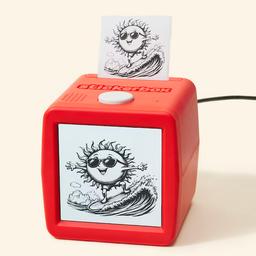
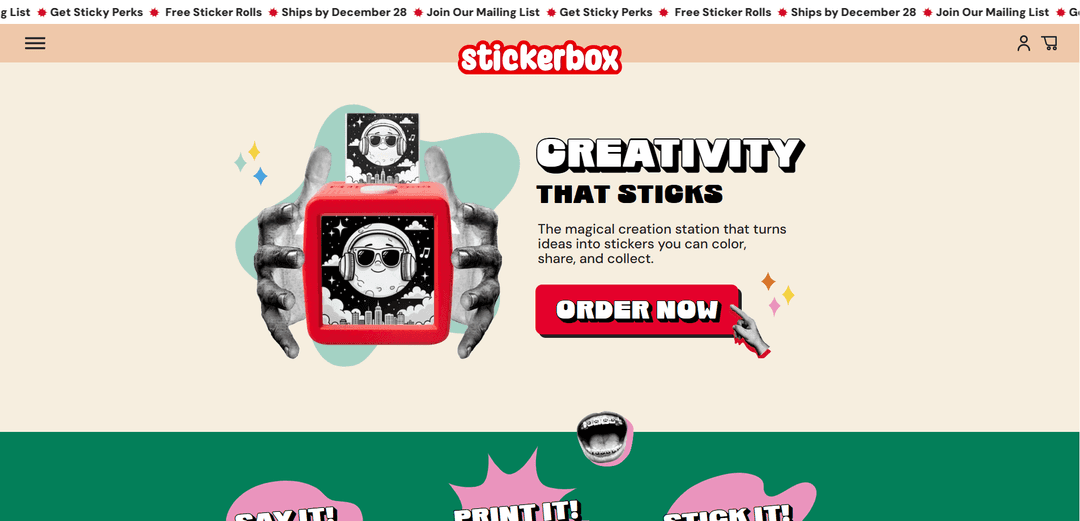
Stickerbox is an AI-powered voice-to-sticker printer that transforms children's spoken ideas into real stickers they can color, share, and collect, offering a screen-free creative experience.
https://www.stickerbox.com/?ref=producthunt
Product Information
Updated:Dec 8, 2025
What is Stickerbox
Stickerbox, created by Brooklyn-based company Hapiko, is an innovative creative tool designed specifically for children that combines AI technology with hands-on play. Launched with $7 million in funding led by Maveron and Serena Ventures, this device resembles a classic Etch A Sketch in appearance but offers modern AI capabilities. Priced at $99.99, Stickerbox represents a new category of creativity-first AI technology that's been thoughtfully designed to be kid-safe, playful, and tangible.
Key Features of Stickerbox
Stickerbox is an AI-powered creative device that transforms children's voice prompts into printable stickers. It features a voice-activated thermal printer that creates black-and-white stickers which kids can color, peel, and stick anywhere. The device operates independently without screens or smartphones, using kid-safe AI technology with built-in content filters and privacy safeguards, making it a screen-light creative tool that bridges digital technology with hands-on play.
Voice-to-Sticker Generation: Uses AI technology to convert spoken ideas into instantly printed black-and-white stickers that children can customize
Safe & Screen-Free Design: Operates without screens or apps, featuring built-in content filters and privacy controls that only activate when the button is pressed
Eco-Friendly Printing: Uses BPA-free thermal printing technology that requires no ink and produces no mess
Independent Play: Designed for children to use independently without constant adult supervision, encouraging creative freedom
Use Cases of Stickerbox
Creative Play: Children can turn their imaginative ideas into tangible stickers for art projects and decoration
Social Interaction: Kids can create and trade stickers with friends, fostering social connections and collaborative creativity
Educational Activities: Teachers and parents can use it to encourage storytelling, vocabulary development, and artistic expression
Pros
Screen-free entertainment that encourages creativity
Safe and private design with no data collection
Easy to use with no adult supervision needed
Cons
No preview option before printing
Cannot save or reprint previous designs
Limited to black-and-white prints only
How to Use Stickerbox
Setup: Connect Stickerbox to power using the included adapter and ensure you have a 2.4GHz WiFi connection. Follow the on-screen setup instructions at stickerbox.com/setup to pair your device.
Say It: Press and hold the white button on top of the Stickerbox and speak your creative idea (e.g. 'a dragon made of clouds' or 'a balloon farm'). Release the button when done speaking.
Print It: Wait a moment as the AI processes your voice command and generates the sticker design. The thermal printer will automatically print your black-and-white sticker.
Stick It: Once printed, peel off your sticker. You can color it with regular pencils or crayons, then stick it anywhere you like.
Maintain: Make sure paper is loaded properly and the door is fully closed. If print looks faint, try reloading the paper roll or cleaning the rubber roller with a cloth. Replace paper rolls when empty ($5.99 for a 3-pack).
Troubleshoot: If having connection issues, try moving closer to your WiFi router. For printing problems, check power connection and paper installation. You can reset device to factory settings if needed.
Stickerbox FAQs
Stickerbox is a voice-powered creative tool that instantly transforms spoken ideas into stickers that kids can color, share and collect. It uses AI technology to generate images based on voice commands and prints them as stickers.
Stickerbox Video
Popular Articles

Vosko AI: Localize and Dub Videos for Global Audiences
Oct 15, 2026

Atoms: A Multi-Agent AI Platform That Transforms Ideas into Launch-Ready Products
Oct 13, 2026

Nano Banana SBTI: What It Is, How It Works, and How to Use It in 2026
Apr 15, 2026

Atoms Review — The AI Product Builder Redefining Digital Creation in 2026
Apr 10, 2026