
Documentation.AI
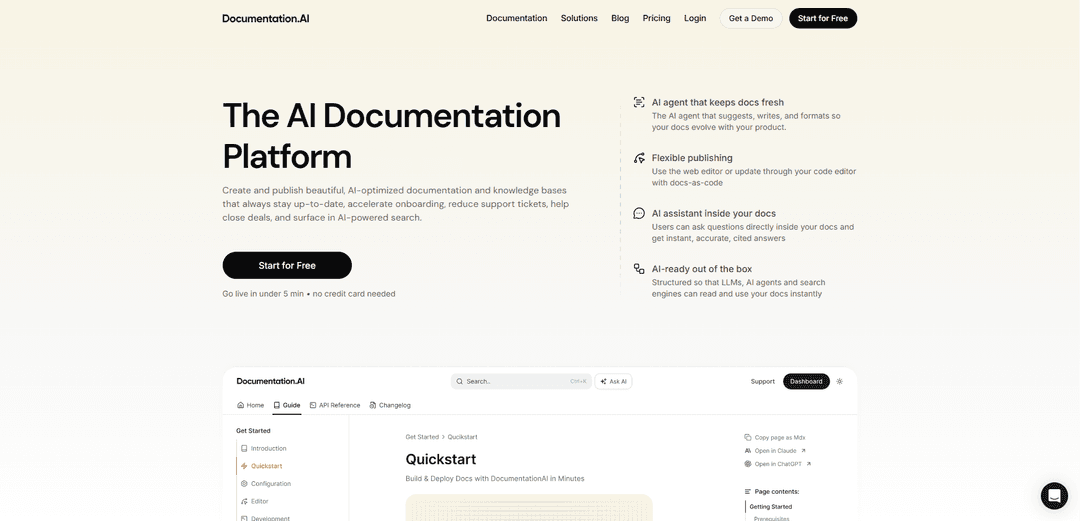
Documentation.AI is an AI-powered documentation platform that helps teams create, manage, and publish beautiful, up-to-date technical documentation with AI assistance for writing, formatting, and maintenance.
https://documentation.ai/?ref=producthunt
Product Information
Updated:Dec 8, 2025
What is Documentation.AI
Documentation.AI is a modern documentation platform that combines AI capabilities with flexible publishing tools to help teams create and maintain high-quality technical documentation. It provides an AI documentation agent that assists with writing, formatting, and keeping documentation synchronized with product changes, while offering both web-based and docs-as-code workflows. The platform is designed to make documentation creation and maintenance easier through AI assistance while ensuring the content remains accurate, accessible, and optimized for both human readers and AI systems.
Key Features of Documentation.AI
Documentation.AI is an AI-powered documentation platform that helps teams create, maintain, and publish beautiful, up-to-date documentation. It features an AI agent that assists with content creation and updates, supports both web-based editing and docs-as-code workflows, and includes an intelligent assistant for user queries. The platform ensures documentation is structured for optimal AI/LLM compatibility while maintaining high performance and accessibility standards.
AI Documentation Agent: Built-in AI agent that suggests improvements, rewrites unclear sections, fixes structure, and generates draft updates while monitoring product changes, support tickets, and user feedback to keep documentation current
Flexible Publishing Options: Supports both web-based editing with a Notion-style interface and docs-as-code workflow through Git integration, allowing teams to work in their preferred environment
AI-Ready Documentation Structure: Creates documentation that's optimized for LLMs and AI agents with structured content, auto-generated llms.txt, and MCP server support for real-time information updates
Interactive Features: Includes an AI assistant for user queries, API playground for testing endpoints, and feedback collection system directly on documentation pages
Use Cases of Documentation.AI
Technical Documentation: Software companies can maintain comprehensive API documentation and technical guides that automatically stay updated with code changes
Knowledge Base Management: Organizations can create and maintain internal knowledge bases that reduce support tickets and accelerate employee onboarding
Product Documentation: Product teams can create user manuals and feature documentation that evolves automatically with product updates
Developer Documentation: Development teams can maintain accurate, AI-searchable documentation that integrates with their existing development workflow
Pros
Automated documentation maintenance through AI
High performance and accessibility standards (100/100 lighthouse score)
Flexible integration with existing workflows and tools
Built-in AI assistant for user queries
Cons
Some features marked as 'coming soon'
May require initial setup and configuration for optimal use
Potential learning curve for teams new to AI-driven documentation
How to Use Documentation.AI
Sign up: Go to documentation.ai and sign up for an account - no credit card needed to get started. You can be live in under 5 minutes.
Choose your documentation method: Select between using the web editor with AI agent (Notion-style) or docs-as-code approach using Markdown/MDX in your Git repository
Set up integrations: Connect your tools like GitHub, Slack, Jira, Linear etc. to enable synchronization and automation
Create documentation content: Use the built-in AI agent to help generate, improve and format documentation. The agent can suggest improvements, rewrite unclear sections, fix structure and create draft updates
Customize appearance: Customize the look and feel by swapping colors, fonts, layouts or injecting your own CSS/JS. Use 100+ reusable component templates for things like callouts and code tabs
Enable AI features: Set up the AI assistant to allow users to ask questions directly in docs, configure MCP server for real-time spec changes, and enable automated monitoring of documentation freshness
Publish and maintain: Publish your documentation which will be optimized for performance, accessibility and SEO. The AI agent will help maintain and keep docs updated by monitoring product changes, support tickets and user feedback
Documentation.AI FAQs
Documentation.AI is a platform that creates and publishes AI-optimized documentation and knowledge bases. It features an AI agent that suggests, writes, and formats documentation to keep it up-to-date automatically, helping accelerate onboarding, reduce support tickets, and improve searchability.
Documentation.AI Video
Popular Articles

Vosko AI: Localize and Dub Videos for Global Audiences
Oct 15, 2026

Atoms: A Multi-Agent AI Platform That Transforms Ideas into Launch-Ready Products
Oct 13, 2026

Nano Banana SBTI: What It Is, How It Works, and How to Use It in 2026
Apr 15, 2026

Atoms Review — The AI Product Builder Redefining Digital Creation in 2026
Apr 10, 2026
Latest AI Tools Similar to Documentation.AI

Folderr
Folderr is a comprehensive AI platform that enables users to create custom AI assistants by uploading unlimited files, integrating with multiple language models, and automating workflows through a user-friendly interface.
InDesign Translator
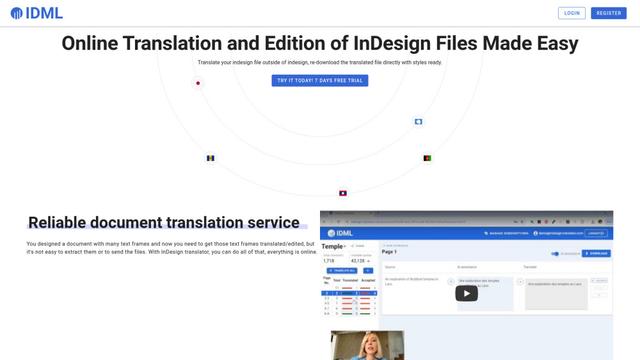
InDesign Translator is an online translation service that enables users to translate InDesign files while maintaining formatting and styles, offering AI-assisted translation and easy collaboration features without requiring translators to have InDesign installed.

Specgen.ai
Specgen.ai is an AI-powered platform that helps businesses optimize their bid responses by automatically analyzing tender requirements and generating personalized responses while ensuring 100% data confidentiality through proprietary AI models.
TurboDoc
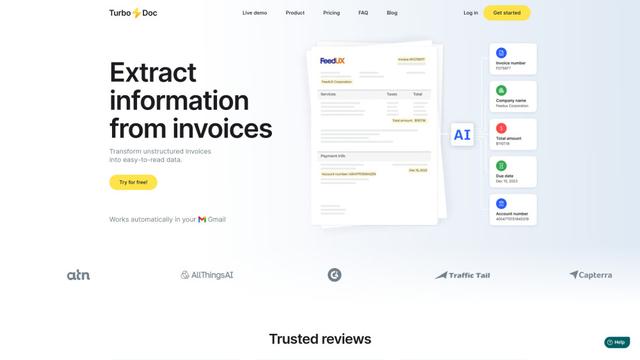
TurboDoc is an AI-powered invoice processing software that automatically extracts and transforms unstructured invoice data into organized, easy-to-read structured data through Gmail integration and intelligent document processing.
Popular AI Tools Like Documentation.AI
R2R
R2R (Reason to Retrieve) is an advanced AI retrieval system that provides production-ready Retrieval-Augmented Generation (RAG) capabilities with multimodal content ingestion, hybrid search, knowledge graphs, and comprehensive document management through a RESTful API.

Claude Folder Upload
A Chrome extension that enables users to upload entire folders to Claude AI while intelligently preserving directory structures and file relationships, with smart filtering capabilities for irrelevant files.
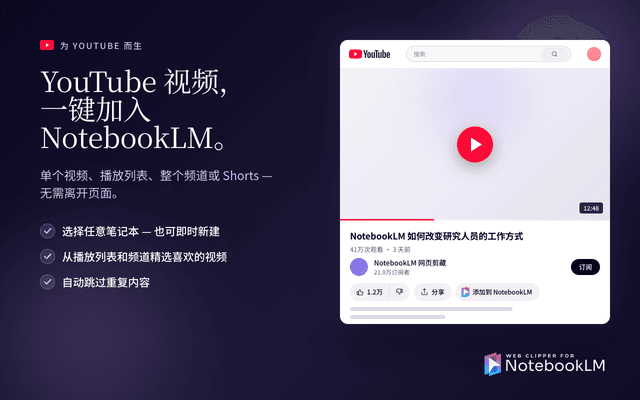
Web Clipper for NotebookLM
Web Clipper for NotebookLM is a Chrome extension that saves web pages, PDFs, YouTube content, social posts/threads, and even AI chat conversations directly into Google NotebookLM in one click, plus adds powerful export, sync, and notebook-management tools.

ReadHero
ReadHero is a comprehensive book tracking and note-taking app that helps readers remember and retain more of what they read by enabling progress tracking, note-taking, and book management all in one place.