
RubixKube
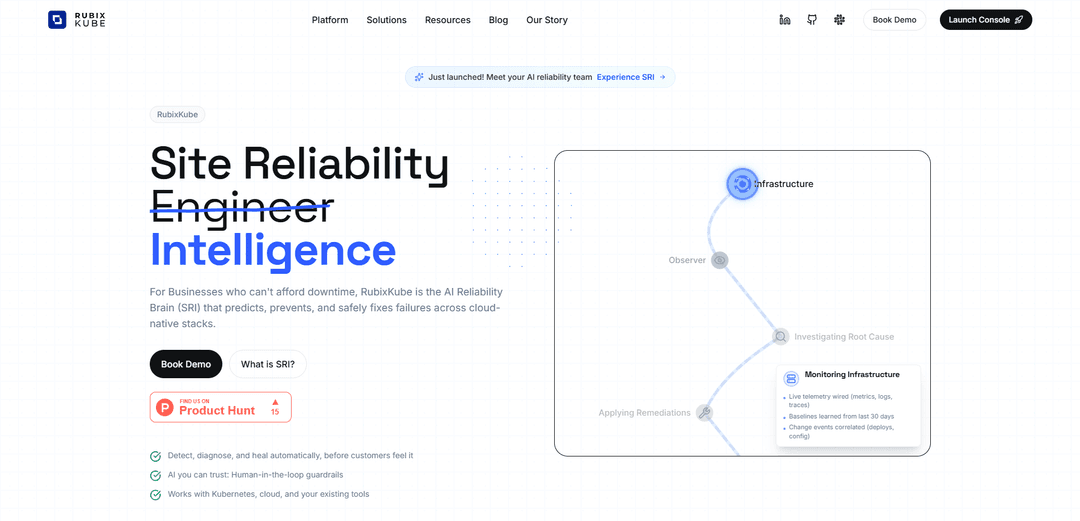
RubixKube is an AI-powered reliability platform that uses a mesh of intelligent agents to predict, prevent and automatically fix failures across cloud-native infrastructure stacks while maintaining human oversight.
https://rubixkube.ai/?ref=producthunt
Product Information
Updated:Dec 16, 2025
What is RubixKube
RubixKube is the Reliability Layer designed specifically for the AI era, serving as an AI Reliability Brain (SRI - Site Reliability Intelligence) that helps businesses maintain system uptime and protect revenue. It combines artificial intelligence with an intuitive visual interface to simplify Kubernetes deployment and management, making complex infrastructure operations accessible even without a dedicated DevOps team. The platform integrates seamlessly with existing cloud infrastructure tools while providing intelligent automation and monitoring capabilities.
Key Features of RubixKube
RubixKube is an AI-powered Site Reliability Intelligence (SRI) platform that provides autonomous remediation for Kubernetes and cloud-native stacks. It uses a network of specialized AI agents (Observer, Planner, Executor, Historian, Collaborator) to detect, diagnose, and automatically fix production issues before they impact customers. The platform combines deep Kubernetes knowledge with automated remediation to create a self-healing infrastructure layer, all while maintaining human-in-the-loop guardrails for safety.
AI Agent Mesh: A self-orchestrating network of specialized AI agents that collaborate to observe, plan, and execute infrastructure operations with built-in safety checks
Automated Incident Response: Automatic triage and correlation across logs, metrics, and traces with proposed fixes that include risk assessment and blast radius analysis
Smart Remediation with Guardrails: Intelligent automated fixes with built-in policy checks, least-privilege actions, and human approval workflows when needed
Evolving Memory System: Continuous learning from every incident and action, building a knowledge base that improves future decision-making and root cause analysis
Use Cases of RubixKube
Production Incident Prevention: Proactively detect and resolve infrastructure issues before they impact customer experience
Release Management: Monitor deployments for issues and automatically manage rollbacks or patches with proper context and approvals
Cost Optimization: Identify resource inefficiencies and right-size workloads while maintaining performance SLOs
Compliance Documentation: Automatically generate audit trails and documentation for all infrastructure changes and incident responses
Pros
Reduces operational overhead and MTTR (Mean Time To Recovery)
Provides comprehensive observability with actionable insights
Includes built-in safety mechanisms with human oversight
Cons
Currently in Beta/Not Production Ready
May require significant setup and integration effort
Potential learning curve for teams new to AI-driven operations
How to Use RubixKube
Sign up and Installation: Sign up for RubixKube and install it either locally or on your cloud environment. You can choose between local installation with KIND or cloud installation.
Connect Clusters: Connect your Kubernetes clusters to RubixKube's management interface. The dashboard will show cluster health, version, and available resources.
Explore Dashboard: Spend your first 15 minutes exploring the dashboard interface, which is organized into logical sections showing system health, metrics, insights, and activity feeds.
Configure Settings: Set up your organization and user configuration through the tabs: Organization, Preferences, System, and Security. Update your profile and API settings.
Verify Agent Status: Check that all AI agents are active and healthy. The system uses multiple specialized agents: Observer, RCA Pipeline, Memory, SRI, Remediation, and Guardian.
Run Tutorial Scenarios: Deploy the provided tutorial scenarios to see how the detection and remediation systems work in action.
Monitor Real-time Updates: Watch real-time updates via WebSocket connection, which shows changes within seconds. You can also manually refresh data using the 'Refresh all data' button.
Set Up Incident Response: Configure the system to auto-triage and correlate logs, metrics, and traces. Review proposed fixes with risk assessments and blast radius information.
Enable Release Monitoring: Set up monitoring for rollouts and deployments to detect issues early and enable automated rollbacks with proper approvals.
Establish Compliance Controls: Configure action logs, RCAs, and policies for compliance and audit purposes. Set up appropriate approval workflows and security guardrails.
RubixKube FAQs
RubixKube is an AI Reliability Brain (SRI) platform designed for businesses that can't afford downtime. It predicts, prevents, and safely fixes failures across cloud-native stacks, particularly focusing on Kubernetes and cloud infrastructure.
Popular Articles

Vosko AI: Localize and Dub Videos for Global Audiences
Oct 15, 2026

Atoms: A Multi-Agent AI Platform That Transforms Ideas into Launch-Ready Products
Oct 13, 2026

Nano Banana SBTI: What It Is, How It Works, and How to Use It in 2026
Apr 15, 2026

Atoms Review — The AI Product Builder Redefining Digital Creation in 2026
Apr 10, 2026
Latest AI Tools Similar to RubixKube

Hapticlabs
Hapticlabs is a no-code toolkit that enables designers, developers and researchers to easily design, prototype and deploy immersive haptic interactions across devices without coding.

Deployo.ai
Deployo.ai is a comprehensive AI deployment platform that enables seamless model deployment, monitoring, and scaling with built-in ethical AI frameworks and cross-cloud compatibility.

CloudSoul
CloudSoul is an AI-powered SaaS platform that enables users to instantly deploy and manage cloud infrastructure through natural language conversations, making AWS resource management more accessible and efficient.

Devozy.ai
Devozy.ai is an AI-powered developer self-service platform that combines Agile project management, DevSecOps, multi-cloud infrastructure management, and IT service management into a unified solution for accelerating software delivery.
Popular AI Tools Like RubixKube

A2A Protocol
A2A (Agent2Agent) Protocol is an open interoperability protocol developed by Google that enables seamless communication and collaboration between AI agents across different frameworks and vendors, regardless of their underlying architecture.

VoltOps
VoltOps is a framework-agnostic LLM observability platform that provides real-time visual monitoring, debugging, and optimization tools for AI agents across any technology stack.

Chaterm
Chaterm is an open-source AI-native terminal and SRE copilot that enables engineers to manage complex infrastructure through natural language, automating deployment, troubleshooting, and operations without memorizing commands.

Open Browser Use
Open Browser Use is an open-source, agent-runtime-neutral browser automation layer that pairs a Chrome extension with a CLI/SDK/MCP to enable DOM-aware, CDP-powered tab control, navigation, and actions across different AI agent tools.