
Locally AI
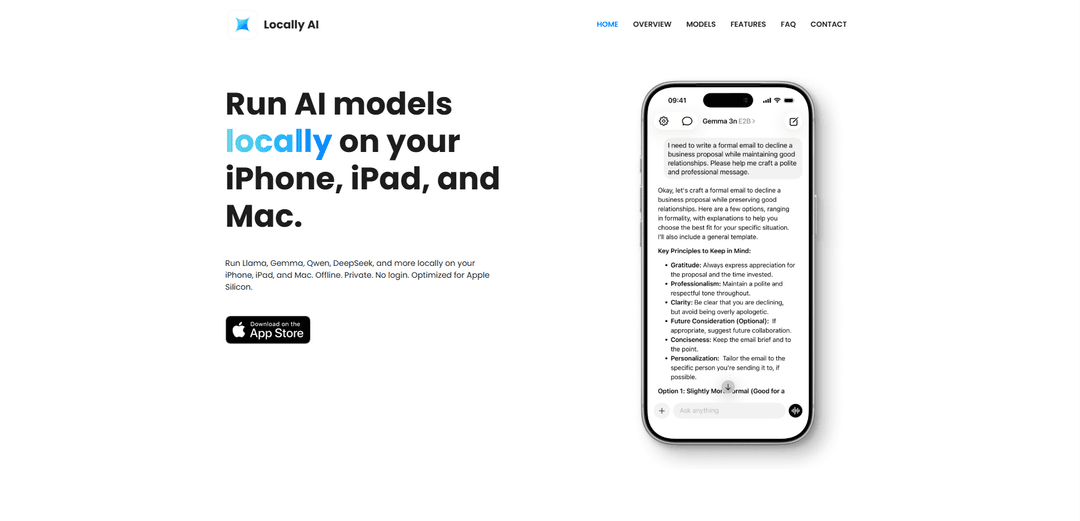
Locally AI là một ứng dụng trợ lý AI tập trung vào quyền riêng tư, chạy hoàn toàn ngoại tuyến trên các thiết bị Apple (iPhone, iPad và Mac), cho phép người dùng tương tác với các mô hình AI mạnh mẽ cục bộ mà không cần kết nối internet hoặc xử lý trên đám mây.
https://locallyai.app/?ref=producthunt&utm_source=aipure
Thông tin Sản phẩm
Đã cập nhật:Mar 8, 2026
Locally AI là gì
Locally AI là một ứng dụng nền tảng Apple gốc được thiết kế để mang sức mạnh của các mô hình AI tiên tiến trực tiếp đến thiết bị của người dùng. Nó đóng vai trò như một trợ lý AI cá nhân hoạt động hoàn toàn ngoại tuyến, không yêu cầu kết nối internet hoặc đăng nhập người dùng. Ứng dụng này được tối ưu hóa đặc biệt cho chip Apple Silicon và hỗ trợ nhiều mô hình AI nguồn mở phổ biến bao gồm Llama của Meta, Gemma của Google, Qwen, DeepSeek, v.v. Không giống như các dịch vụ AI dựa trên đám mây, Locally AI xử lý mọi thứ trên thiết bị của người dùng, đảm bảo tính bảo mật và an toàn dữ liệu hoàn toàn.
Các Tính năng Chính của Locally AI
Locally AI là một ứng dụng trợ lý AI tập trung vào quyền riêng tư, được thiết kế đặc biệt cho các thiết bị Apple (iPhone, iPad và Mac) và chạy hoàn toàn ngoại tuyến. Nó cho phép người dùng chạy nhiều mô hình AI khác nhau cục bộ, bao gồm Meta Llama, Google Gemma, Qwen và DeepSeek, được tối ưu hóa cho chip Apple Silicon. Ứng dụng cung cấp khả năng xử lý văn bản và hình ảnh, tương tác bằng giọng nói, tích hợp Siri và các lời nhắc hệ thống tùy chỉnh, đồng thời đảm bảo quyền riêng tư dữ liệu thông qua xử lý 100% cục bộ.
Xử lý Ngoại tuyến: Tất cả quá trình xử lý AI diễn ra cục bộ trên thiết bị mà không cần kết nối internet, đảm bảo quyền riêng tư dữ liệu hoàn toàn và tính khả dụng liên tục
Tối ưu hóa Apple Silicon: Tận dụng khuôn khổ MLX để tối đa hóa hiệu suất trên chip Apple Silicon, mang lại khả năng xử lý hiệu quả đồng thời tiêu thụ ít điện năng hơn
Hỗ trợ Nhiều Mô hình: Hỗ trợ nhiều mô hình AI nguồn mở khác nhau bao gồm Llama, Gemma, Qwen và DeepSeek, với khả năng tải xuống và chuyển đổi mô hình dễ dàng
Tích hợp Hệ thống: Tích hợp sâu với hệ sinh thái Apple bao gồm Siri, Trung tâm Điều khiển, truy cập Màn hình Khóa và tự động hóa Phím tắt
Các Trường hợp Sử dụng của Locally AI
Nghiên cứu Riêng tư: Các nhà phân tích và nhà nghiên cứu về bảo mật thông tin có thể tiến hành nghiên cứu AI nhạy cảm mà không cần dữ liệu rời khỏi thiết bị của họ
Giáo dục Ngoại tuyến: Học sinh và các chuyên gia có thể truy cập hỗ trợ AI cho các nhiệm vụ học tập và làm việc mà không cần kết nối internet
Xử lý Tài liệu: Xử lý và phân tích tài liệu, hình ảnh và văn bản cục bộ với các khả năng ngôn ngữ-thị giác nâng cao
Hỗ trợ Giọng nói: Thực hiện các cuộc trò chuyện bằng giọng nói theo thời gian thực với các mô hình AI để vận hành rảnh tay trong nhiều cài đặt khác nhau
Ưu điểm
Quyền riêng tư hoàn toàn, không thu thập dữ liệu hoặc xử lý trên đám mây
Không cần kết nối internet để hoạt động
Tích hợp gốc với hệ sinh thái Apple
Không có phí đăng ký hoặc chi phí bổ sung sau khi mua
Nhược điểm
Chỉ giới hạn cho các thiết bị Apple
Yêu cầu các thiết bị mới hơn với chip Apple Silicon để có hiệu suất tối ưu
Một số mô hình có thể có cơ sở kiến thức hạn chế so với các giải pháp thay thế dựa trên đám mây
Cách Sử dụng Locally AI
Tải xuống và cài đặt: Tải xuống Locally AI từ App Store (iOS/iPadOS) hoặc Mac App Store (macOS). Không cần tạo tài khoản hoặc đăng nhập.
Chọn và tải xuống mô hình: Chọn một mô hình AI từ các tùy chọn có sẵn (như Llama, Gemma, Qwen, DeepSeek) và tải xuống thiết bị của bạn. Ứng dụng sẽ tự động phát hiện khả năng của thiết bị và tối ưu hóa cho phù hợp.
Bắt đầu trò chuyện: Sau khi mô hình được tải xuống, bạn có thể bắt đầu trò chuyện ngay lập tức với AI. Tất cả quá trình xử lý diễn ra ngoại tuyến trên thiết bị của bạn.
Sử dụng chế độ giọng nói (Tùy chọn): Bật chế độ giọng nói để có các cuộc trò chuyện bằng giọng nói tự nhiên với AI, tất cả đều được xử lý cục bộ trên thiết bị của bạn.
Tùy chỉnh lời nhắc hệ thống (Tùy chọn): Điều chỉnh hành vi và phản hồi của AI bằng cách tùy chỉnh lời nhắc hệ thống để phù hợp với nhu cầu cụ thể của bạn.
Thiết lập phím tắt (Tùy chọn): Truy cập Locally AI thông qua Trung tâm điều khiển, Màn hình khóa hoặc Nút hành động. Bạn cũng có thể tích hợp với ứng dụng Apple Shortcuts để tạo quy trình làm việc tùy chỉnh.
Sử dụng tích hợp Siri (Tùy chọn): Nói 'Hey, Locally AI' để bắt đầu cuộc trò chuyện với trợ lý trên thiết bị của bạn thông qua Siri.
Câu hỏi Thường gặp về Locally AI
Locally AI hỗ trợ các mô hình nguồn mở phổ biến bao gồm Meta Llama 3.2 và Llama 3.1, Google Gemma 2, Gemma 3 và Gemma 3n, Qwen 2 VL, Qwen 2.5 và Qwen 3, DeepSeek R1, v.v. Tất cả các mô hình đều chạy hoàn toàn ngoại tuyến trên thiết bị của bạn.
Bài viết phổ biến

Atoms: Nền tảng AI đa tác nhân biến ý tưởng thành sản phẩm sẵn sàng ra mắt
May 22, 2026

Nano Banana SBTI: Nó là gì, Cách thức hoạt động và Cách sử dụng nó vào năm 2026
Apr 15, 2026

Đánh giá Atoms — Trình tạo sản phẩm AI định nghĩa lại việc tạo nội dung số vào năm 2026
Apr 10, 2026

Kilo Claw: Cách Triển Khai và Sử Dụng AI Agent "Làm-Thay-Bạn" Thực Sự (Cập Nhật 2026)
Apr 3, 2026
Công cụ AI Mới nhất Tương tự Locally AI

Athena AI
Athena AI là một nền tảng đa năng được hỗ trợ bởi AI cung cấp hỗ trợ học tập cá nhân hóa, giải pháp kinh doanh và huấn luyện cuộc sống thông qua các tính năng như phân tích tài liệu, tạo bài kiểm tra, thẻ ghi nhớ và khả năng trò chuyện tương tác.
Aguru AI
Aguru AI là một giải pháp phần mềm tại chỗ cung cấp các công cụ giám sát, bảo mật và tối ưu hóa toàn diện cho các ứng dụng dựa trên LLM với các tính năng như theo dõi hành vi, phát hiện bất thường và tối ưu hóa hiệu suất.
GOAT AI
GOAT AI là một nền tảng được hỗ trợ bởi AI cung cấp khả năng tóm tắt một cú nhấp chuột cho nhiều loại nội dung bao gồm bài báo, tài liệu nghiên cứu và video, đồng thời cũng cung cấp khả năng điều phối đại lý AI tiên tiến cho các nhiệm vụ cụ thể theo miền.
GiGOS
GiGOS là một nền tảng AI cung cấp quyền truy cập vào nhiều mô hình ngôn ngữ tiên tiến như Gemini, GPT-4, Claude và Grok với giao diện trực quan để người dùng tương tác và so sánh các mô hình AI khác nhau.
Công cụ AI Phổ biến Giống Locally AI

GPT‑5.5 | ChatGPT Official
GPT-5.5 trong ChatGPT là mô hình tập trung vào công việc mới nhất của OpenAI được thiết kế để hiểu các mục tiêu phức tạp, sử dụng các công cụ hiệu quả, kiểm tra công việc của nó và thực hiện các tác vụ nhiều bước (viết mã, nghiên cứu, tài liệu, bảng tính) cho đến khi hoàn thành với các biện pháp bảo vệ mạnh mẽ hơn.

SearchGPT
SearchGPT là một nguyên mẫu tìm kiếm được hỗ trợ bởi AI của OpenAI, cung cấp câu trả lời nhanh chóng, trò chuyện với các nguồn rõ ràng sử dụng các mô hình GPT.
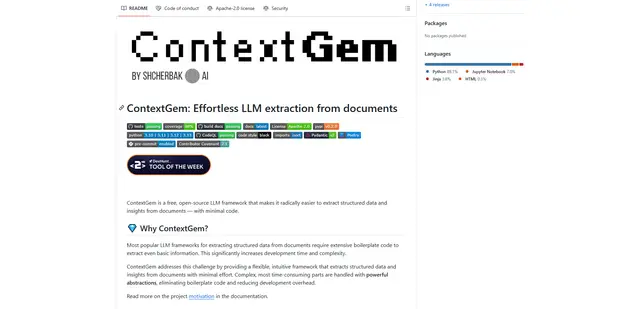
ContextGem
ContextGem là một framework LLM mã nguồn mở, miễn phí, giúp đơn giản hóa việc trích xuất dữ liệu có cấu trúc và thông tin chi tiết từ tài liệu với mã tối thiểu thông qua các trừu tượng tích hợp mạnh mẽ và các tính năng tự động.
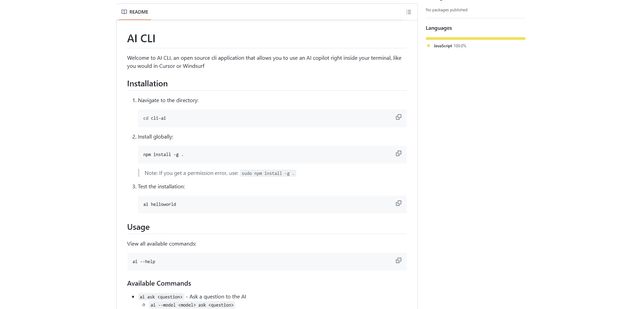
AI CLI
AI CLI là một công cụ giao diện dòng lệnh mã nguồn mở mang các khả năng AI trực tiếp đến terminal của bạn, cho phép bạn tương tác với các mô hình AI khác nhau như GPT của OpenAI và Claude của Anthropic thông qua các lệnh đơn giản.